We Use CookiesWe use cookies to enhance the security, performance, functionality and for analytical and promotional activities. By continuing to browse this site you are agreeing to our privacy policy

10 Best Smartphone Photo Printers 2026 in the United States
How do we rank products for you?

Our technology thoroughly searches through the online shopping world, reviewing hundreds of sites. We then process and analyze this information, updating in real-time to bring you the latest top-rated products. This way, you always get the best and most current options available.

headphones-stars

Our Top Picks

#1

Winner

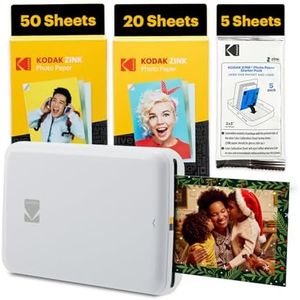
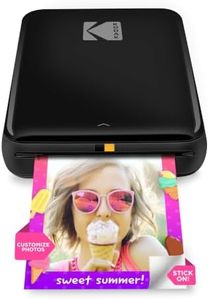
Kodak Step Instant Smartphone Photo Printer - 75 Sheets Bundle - Portable Mini Color Wireless Mobile Printer - Zink 2x3” Sticky-Back Photos - Bluetooth Compatible with Smart Devices - Fun App -White

Rating
10.0
Chosen by1,240
Print Quality
Connectivity
Portability

Most important from
401 reviews

Print Quality
The vibrant color quality and easy editing options like frames, stickers, and collages make printing fun and creative.
Connectivity
Connecting via Bluetooth is straightforward, and setup is simple when you pair the printer before opening the app.
Portability
The compact, lightweight design is perfect for carrying in a purse or backpack, ideal for travel and on-the-go printing.
Print Speed
The print speed is surprisingly fast for a device this size, delivering good quality photos quickly.
App Features
The app is user-friendly and packed with editing tools, enhancing the overall printing experience.
Cost of Consumables
Refill packs are budget-friendly, making ongoing use affordable without sacrificing quality.

The KODAK Step Instant Smartphone Photo Printer is a compact and portable device designed for quick, fun printing of photos directly from your smartphone via Bluetooth. It uses ZINK (Zero Ink) technology, meaning you don’t need to worry about cartridges or ink refills, which keeps ongoing costs low. The prints are small, 2x3 inches, and come on sticky-back paper, making them great for scrapbooking or decorating. The print quality at 300 dpi is decent for casual use, producing vibrant, smudge-proof, and water-resistant photos.

In terms of portability, it’s lightweight and rechargeable, allowing about 25 prints per battery charge—convenient for on-the-go printing. The print speed is relatively slow at about one photo per minute, so it’s best for casual or occasional use rather than bulk printing. Connectivity is straightforward with Bluetooth and even NFC, making pairing with iOS and Android devices easy.

The free Kodak app offers a good range of editing tools including filters, borders, stickers, and collage creation, which enhances the fun and customization aspect before printing. The bundle includes 75 sheets, which is generous, but replacement photo paper can add up over time if you print frequently. While the small print size limits photo display options, the printer is well-suited for social sharing, crafting, and creating instant mementos. For those seeking a simple, no-fuss way to print colorful photo stickers from their phone and value portability, the KODAK Step is a solid choice, though larger prints or faster output would require exploring other models.

Rating
10.0
Chosen by1,240
Print Quality
Connectivity
Portability

Most important from
401 reviews

Print Quality
The vibrant color quality and easy editing options like frames, stickers, and collages make printing fun and creative.
Connectivity
Connecting via Bluetooth is straightforward, and setup is simple when you pair the printer before opening the app.
Portability
The compact, lightweight design is perfect for carrying in a purse or backpack, ideal for travel and on-the-go printing.
Print Speed
The print speed is surprisingly fast for a device this size, delivering good quality photos quickly.
App Features
The app is user-friendly and packed with editing tools, enhancing the overall printing experience.
Cost of Consumables
Refill packs are budget-friendly, making ongoing use affordable without sacrificing quality.
#2

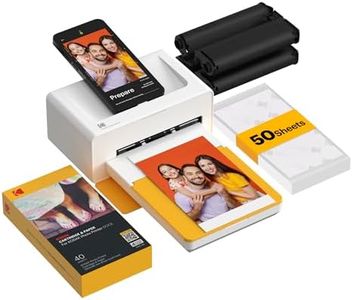
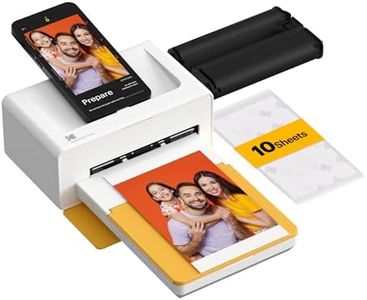
KODAK Dock Plus 4x6 Photo Printer, Smartphone Docking, 4PASS, 50 Sheets

Rating
9.4
Print Quality
App Features

Most important from
19389 reviews

Print Quality
It's super easy to assemble and the quality of the pictures is really nice and clear.
App Features
The app makes printing a breeze and is perfect for making memories tangible.

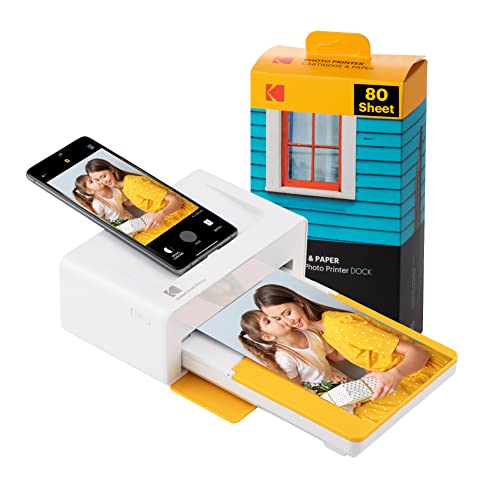
The KODAK Dock Plus 4PASS Instant Photo Printer is designed for those who want to print high-quality photos directly from their smartphones or tablets. One of its standout features is the ability to print and charge your device simultaneously, which adds convenience for users on the go. The printer's 4PASS Technology delivers superior photo quality, producing vibrant and durable prints that are both fingerprint-proof and water-resistant, ensuring your memories last a long time.

In terms of print size, it accommodates 4x6 inches, a popular choice for photo enthusiasts. It also offers the flexibility of choosing between border and borderless prints, catering to personal preferences in photo presentation. Connectivity is straightforward with options for Bluetooth and direct docking, making it accessible for both iPhone and Android users.

There are a few drawbacks to consider. The print speed is relatively slow at just 1 page per minute for color, which might be frustrating if you're looking to print multiple photos quickly. Additionally, although the initial cost per print is low, it's essential to factor in the long-term costs of consumables if you're planning to print frequently. The app features are fun, including augmented reality options and filters, but some users may find the app usability less intuitive.

Portability is a plus, weighing about 4.4 pounds, which makes it easy to carry for events or gatherings. Battery life is decent as it uses a D battery, but reliance on batteries could be a downside for users wanting a more consistent power source.

The KODAK Dock Plus 4PASS Instant Photo Printer is an excellent choice for casual users who prioritize quality and convenience over speed, especially those who enjoy creative features offered by the accompanying app. It’s a great fit for anyone looking to print memories at home or on special occasions.

Rating
9.4
Print Quality
App Features

Most important from
19389 reviews

Print Quality
It's super easy to assemble and the quality of the pictures is really nice and clear.
App Features
The app makes printing a breeze and is perfect for making memories tangible.
#3

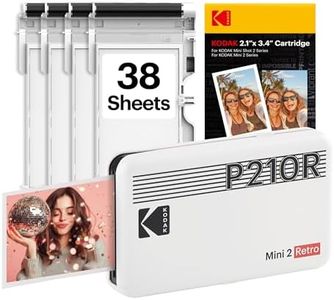
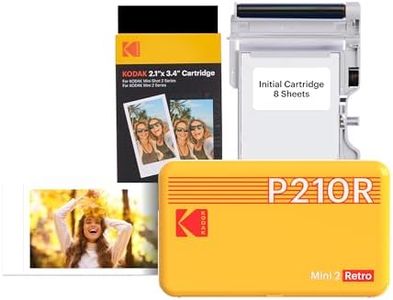
KODAK Mini 2 Retro 2x3 Portable Photo Printer, 4PASS, 38 Sheets, White

Rating
9.1
Print Quality
Print Size
Connectivity

Most important from
11864 reviews

Print Quality
Print quality is decent, though sometimes tones might not be 100% accurate.
Print Size
Despite the small print size, it adds a lot of fun and practicality.
Connectivity
Simple setup and easy to use with the Kodak app and Bluetooth connectivity.
Portability
Perfect for journaling and scrapbooking, fits comfortably in a purse or bag.
Cost of Consumables
Great value with high-quality pictures and a decent amount of paper and ink included.

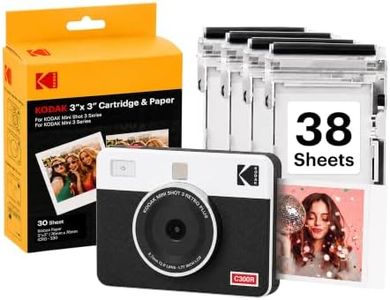
The KODAK Mini 2 Retro 4PASS is a portable photo printer designed for smartphone users who want to print their favorite memories on the go. It produces 2.1 x 3.4-inch photos using 4Pass Technology, which ensures high-quality prints that are both fingerprint-proof and waterproof. While the print quality is impressive, the print size is on the smaller side, suitable for quick snapshots but not ideal for larger prints.

Connectivity is straightforward with Bluetooth, allowing easy pairing with both Android and iOS devices through the free Kodak app. This makes it simple to print photos directly from your smartphone. The printer is lightweight at 200 grams, making it highly portable and easy to carry around. However, the print speed is quite slow at 1 page per minute, which might be a drawback if you need to print multiple photos quickly.

Cost of consumables, such as the photo paper and ribbon, can add up over time, so it’s worth considering if you plan to print frequently. App features are user-friendly, enhancing the printing experience. The initial bundle includes 8 sheets with an additional 60 sheets, providing a good starting point for your printing needs. The KODAK Mini 2 Retro 4PASS excels in portability, print quality, and ease of use, but its small print size, slow speed, and potential ongoing costs might limit its appeal for some users.

Rating
9.1
Print Quality
Print Size
Connectivity

Most important from
11864 reviews

Print Quality
Print quality is decent, though sometimes tones might not be 100% accurate.
Print Size
Despite the small print size, it adds a lot of fun and practicality.
Connectivity
Simple setup and easy to use with the Kodak app and Bluetooth connectivity.
Portability
Perfect for journaling and scrapbooking, fits comfortably in a purse or bag.
Cost of Consumables
Great value with high-quality pictures and a decent amount of paper and ink included.

Buying Guide for the Best Smartphone Photo Printers

Choosing the right smartphone photo printer can be a bit overwhelming with the variety of options available. The key is to understand your needs and how different features of the printer can meet those needs. Here are some important specifications to consider when selecting a smartphone photo printer, along with explanations to help you make an informed decision.
Print QualityPrint quality is determined by the resolution and color accuracy of the printer. This is important because it affects how sharp and vibrant your printed photos will be. Higher resolution printers (measured in DPI - dots per inch) produce more detailed images. If you want professional-looking prints, aim for a printer with a higher DPI. For casual use, a lower DPI might suffice.
Print SizePrint size refers to the dimensions of the photos the printer can produce. This is important because it determines the size of the prints you can create. Common sizes include 2x3 inches, 4x6 inches, and larger. If you prefer wallet-sized photos, a smaller print size will do. For larger prints to frame or display, look for a printer that supports bigger sizes.
ConnectivityConnectivity options determine how you can connect your smartphone to the printer. This is important for ease of use and compatibility. Common options include Bluetooth, Wi-Fi, and NFC. If you want a hassle-free, wireless experience, look for printers with Bluetooth or Wi-Fi. For quick tap-and-print functionality, NFC is a good choice.
PortabilityPortability refers to the size and weight of the printer, which affects how easy it is to carry around. This is important if you plan to take the printer with you on trips or events. Smaller, lighter printers are more portable but may have fewer features. If you need a printer for on-the-go use, prioritize portability. For home use, a larger printer with more features might be better.
Battery LifeBattery life indicates how long the printer can operate on a single charge. This is important for uninterrupted printing sessions, especially when you're away from a power source. Longer battery life is beneficial for extended use. If you plan to use the printer frequently while traveling, look for one with a longer battery life. For occasional use at home, battery life may be less critical.
Print SpeedPrint speed measures how quickly the printer can produce a photo. This is important if you need to print multiple photos in a short amount of time. Faster print speeds are convenient for events or parties where you want to quickly share prints. If speed is not a priority, a slower printer might be acceptable.
Cost of ConsumablesCost of consumables refers to the price of ink, paper, and other materials needed to print photos. This is important for budgeting and long-term use. Some printers have higher ongoing costs due to expensive consumables. If you plan to print frequently, consider the cost of consumables to avoid high expenses. For occasional printing, this might be less of a concern.
App FeaturesApp features refer to the capabilities of the printer's companion app, such as editing tools, filters, and social media integration. This is important for enhancing your printing experience. A feature-rich app can offer more creative options and convenience. If you enjoy customizing your photos, look for printers with robust app features. For basic printing needs, a simpler app might be sufficient.

FAQ

Most Popular Categories Right Now