We Use CookiesWe use cookies to enhance the security, performance, functionality and for analytical and promotional activities. By continuing to browse this site you are agreeing to our privacy policy

10 Best Photo Printers For Smartphone 2026 in the United States

How do we rank products for you?

Our technology thoroughly searches through the online shopping world, reviewing hundreds of sites. We then process and analyze this information, updating in real-time to bring you the latest top-rated products. This way, you always get the best and most current options available.

headphones-stars

Our Top Picks

#1

Winner

Liene M100 4x6'' Photo Printer, Phone Printer 100 Sheets & 3 Cartridges, Full-Color Photo, Portable Instant Photo Printer for iPhone Android, Thermal Dye Sublimation, Wi-Fi Picture Printer 100 Papers

Rating
10.0
Chosen by1,445
Print Quality
Connectivity
Portability

Most important from
4193 reviews

Print Quality
The quality of printed photos is better than expected, with correct colors and a balanced finish.
Connectivity
Wi-Fi Direct functionality allows printing without needing other Wi-Fi connections, making it convenient for offline photo printing.
Portability
The compact size of the printer adds to its value, making it both portable and capable.
Cost of Consumables
The printer offers great value for money, especially when purchased with additional sheets and ink cartridges.

The Liene M100 4x6'' Photo Printer is a versatile and user-friendly device designed for printing high-quality photos directly from your smartphone. One of its standout strengths is the use of thermal-dye sublimation technology, which ensures vibrant, durable printouts that resist water, scratches, fingerprints, and fading. This is particularly beneficial for preserving cherished memories in physical form.

The printer is highly portable, featuring a compact design with a built-in hotspot that allows for easy wireless printing without the need for an external network. This makes it exceptionally convenient for on-the-go use and sharing among multiple devices simultaneously. Additionally, the Liene App offers a range of customization options, including borders, filters, and brightness adjustments, enhancing user experience.

However, the printer does have some limitations. The maximum print resolution of 300 x 300 dpi is relatively low compared to some other photo printers, which might affect the sharpness of highly detailed images. The print speed is also quite slow, with a maximum of 1 page per minute, and it takes nearly a minute for the initial page to print. The cost of consumables, such as proprietary cartridges and photo paper, may add up over time, making it less economical for heavy users. Despite these drawbacks, the Liene M100 remains a solid choice for casual users who value ease of use, portability, and good print quality for everyday photo printing needs.

Rating
10.0
Chosen by1,445
Print Quality
Connectivity
Portability

Most important from
4193 reviews

Print Quality
The quality of printed photos is better than expected, with correct colors and a balanced finish.
Connectivity
Wi-Fi Direct functionality allows printing without needing other Wi-Fi connections, making it convenient for offline photo printing.
Portability
The compact size of the printer adds to its value, making it both portable and capable.
Cost of Consumables
The printer offers great value for money, especially when purchased with additional sheets and ink cartridges.
#2

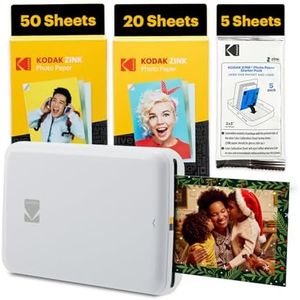
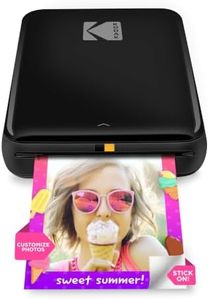
Kodak Step Instant Smartphone Photo Printer - 75 Sheets Bundle - Portable Mini Color Wireless Mobile Printer - Zink 2x3” Sticky-Back Photos - Bluetooth Compatible with Smart Devices - Fun App -White

Rating
9.7
Print Quality
App Features
Connectivity

Most important from
401 reviews

Print Quality
The printer is perfect for casual journaling and daily informal pictures, offering ease of use and just the right print quality for non-professional needs.
App Features
The Kodak app enhances creativity with options to edit photos, add frames, stickers, and even create collages and pre-cut stickers.
Connectivity
Bluetooth connectivity is seamless and setup is straightforward, but it’s important to connect to the printer before opening the app for smooth operation.
Portability
The compact size and lightweight design make it highly portable, fitting easily in a bag or pocket for on-the-go printing.
Cost of Consumables
Refill packs are budget-friendly, costing around $20 for 50 sheets, which supports frequent printing without breaking the bank.
Print Speed
Print speed is quick enough for casual use, delivering a photo in about a minute, ideal for small bursts rather than bulk printing.

The Kodak Step Instant Smartphone Photo Printer is a compact and portable device perfect for anyone who wants quick, fun prints directly from their smartphone. It uses Zink (Zero Ink) technology, which means no messy ink cartridges—just peel-and-stick 2x3 inch photos that are smudge-proof and water-resistant. The print quality is decent at 300 dpi, offering bright and vibrant color images, though the small print size limits use mostly to casual snapshots or stickers rather than large photos.

Connectivity is simple via Bluetooth, compatible with both iOS and Android devices, and the printer connects quickly without fuss. The included Kodak app adds a lot of value, letting you edit photos with filters, borders, stickers, and text before printing, which enhances creativity. Portability is a major plus; the printer is lightweight and rechargeable, fitting easily in a bag or even a larger pocket. Battery life allows for about 25 prints per charge, which should be enough for casual use but might need frequent recharging for heavy printing. The print speed is about one photo per minute, so it’s not for fast bulk printing but fine for small bursts.

Consumables cost is moderate; while the starter bundle includes 75 sheets of sticky-backed photo paper, replacement paper can add up if you print often. This printer is ideal for users who want instant, fun prints on the go without the hassle of ink cartridges or large machines. It is less suited for those needing high-volume or larger photo prints. The device is friendly and easy to use, tailored for casual photo enthusiasts, scrapbookers, and social media lovers who value portability and creative app features.

Rating
9.7
Print Quality
App Features
Connectivity

Most important from
401 reviews

Print Quality
The printer is perfect for casual journaling and daily informal pictures, offering ease of use and just the right print quality for non-professional needs.
App Features
The Kodak app enhances creativity with options to edit photos, add frames, stickers, and even create collages and pre-cut stickers.
Connectivity
Bluetooth connectivity is seamless and setup is straightforward, but it’s important to connect to the printer before opening the app for smooth operation.
Portability
The compact size and lightweight design make it highly portable, fitting easily in a bag or pocket for on-the-go printing.
Cost of Consumables
Refill packs are budget-friendly, costing around $20 for 50 sheets, which supports frequent printing without breaking the bank.
Print Speed
Print speed is quick enough for casual use, delivering a photo in about a minute, ideal for small bursts rather than bulk printing.
#3

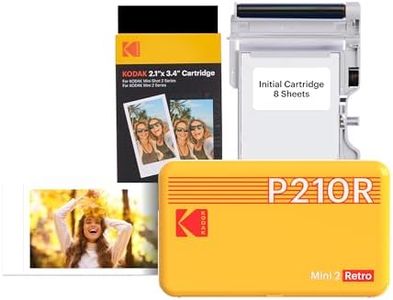
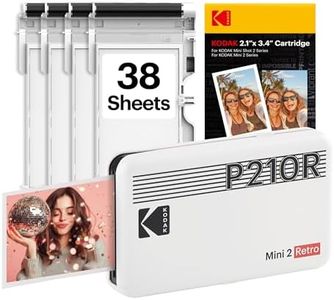
KODAK Mini 2 Retro 2x3 Portable Photo Printer, 38 Sheets, Bluetooth Smartphone Printer for iPhone & Android, Instant Color Prints, 4PASS Dye Sublimation, Yellow

Rating
8.5
Connectivity
Print Quality
Portability

Most important from
11822 reviews

Connectivity
Setup is quick and straightforward, with Bluetooth connection and an easy-to-navigate app that even first-time users find accessible.
Print Quality
The print quality delivers a charming, nostalgic look with good color accuracy and clarity, perfect for casual use rather than professional lab standards.
Portability
Its compact size makes it incredibly portable, fitting easily into bags or drawers, ideal for travel, events, or scrapbooking on the go.
Print Speed
Printing takes about a minute per photo, which is reasonable given the convenience and instant gratification it provides.
Print Size
Photos are a great size for journaling and creative projects, with clear and vibrant prints that enhance personal keepsakes.
Cost of Consumables
The included 38-sheet starter pack is generous, but refills are recommended for frequent printing to keep the fun going.

The KODAK Mini 2 Retro is a compact, pocket-sized photo printer designed for printing 2x3 inch photos directly from your smartphone using Bluetooth. Its 4PASS dye sublimation technology produces high-quality, durable prints that resist fingerprints, water, and fading, making it a solid choice if you want vibrant colors and long-lasting photos. The printing speed is about 55 seconds per photo, which is reasonable for casual use but slower than some other portable printers.

Setup and operation are straightforward—just connect via the KODAK Photo Printer app on iOS or Android, which also offers basic editing tools like cropping and filters to personalize your pictures before printing. Its portability is a strong point, weighing only 200 grams and fitting easily into a bag or pocket, so it’s great for travel, parties, or scrapbooking on the go. However, it does not include a built-in battery, meaning you need to stay near a USB power source to use it, which might limit its use outdoors or when away from power.

The included 38 sheets and 4 cartridges let you start printing immediately, but replacement consumables could add up over time if you print frequently. The Kodak Mini 2 Retro is well-suited for those who want quick, high-quality prints from their smartphone in a very portable form, but it is less ideal if you need faster prints, standalone battery power, or larger photo sizes.

Rating
8.5
Connectivity
Print Quality
Portability

Most important from
11822 reviews

Connectivity
Setup is quick and straightforward, with Bluetooth connection and an easy-to-navigate app that even first-time users find accessible.
Print Quality
The print quality delivers a charming, nostalgic look with good color accuracy and clarity, perfect for casual use rather than professional lab standards.
Portability
Its compact size makes it incredibly portable, fitting easily into bags or drawers, ideal for travel, events, or scrapbooking on the go.
Print Speed
Printing takes about a minute per photo, which is reasonable given the convenience and instant gratification it provides.
Print Size
Photos are a great size for journaling and creative projects, with clear and vibrant prints that enhance personal keepsakes.
Cost of Consumables
The included 38-sheet starter pack is generous, but refills are recommended for frequent printing to keep the fun going.

Buying Guide for the Best Photo Printers For Smartphone

Choosing the right photo printer for your smartphone can be a fun and rewarding experience. With the right printer, you can easily print your favorite photos directly from your phone, capturing memories in a tangible form. To make the best choice, it's important to understand the key specifications and how they align with your needs. Here are some important factors to consider when selecting a photo printer for your smartphone.
Print QualityPrint quality is determined by the resolution of the printer, usually measured in dots per inch (DPI). Higher DPI means more detail and sharper images. If you want professional-grade prints, look for a printer with a higher DPI, typically 300 DPI or more. For casual use and smaller prints, a lower DPI might suffice. Consider what you will be using the prints for; if they are for scrapbooking or framing, higher quality is essential.
Print SizePrint size refers to the dimensions of the photos the printer can produce. Common sizes include 2x3 inches, 4x6 inches, and larger. Smaller sizes are portable and great for quick prints, while larger sizes are better for framing and display. Think about how you plan to use your prints. If you want to create a photo wall or give prints as gifts, larger sizes might be more suitable.
ConnectivityConnectivity options determine how you can connect your smartphone to the printer. Common methods include Bluetooth, Wi-Fi, and NFC. Bluetooth is easy to use and widely compatible, while Wi-Fi allows for more flexibility and the ability to print from multiple devices. NFC is convenient for quick, one-touch printing. Consider your tech comfort level and how you prefer to connect your devices when choosing a printer.
PortabilityPortability is important if you plan to take your printer on the go. Portable printers are compact and lightweight, making them easy to carry in a bag or pocket. If you want to print photos at events, parties, or while traveling, look for a printer that is specifically designed for portability. However, if you plan to use the printer mainly at home, portability might be less of a concern.
Battery LifeBattery life is crucial for portable printers, as it determines how many prints you can make on a single charge. Longer battery life means more prints without needing to recharge. If you plan to use the printer frequently while away from a power source, look for one with a longer battery life. For occasional use, a shorter battery life might be acceptable.
Print SpeedPrint speed refers to how quickly the printer can produce a photo. Faster print speeds are convenient if you need to print multiple photos in a short amount of time. If you often print in batches or need quick prints at events, look for a printer with a higher print speed. For casual, occasional printing, speed might be less critical.
Cost of ConsumablesThe cost of consumables includes the price of paper and ink or other printing materials. Some printers use special paper with embedded ink, while others require separate ink cartridges. Consider the ongoing cost of these supplies when choosing a printer. If you plan to print frequently, look for a printer with affordable consumables to keep your printing costs manageable.
App FeaturesMany smartphone photo printers come with companion apps that offer additional features such as photo editing, filters, and collage creation. These features can enhance your printing experience and allow for more creative output. If you enjoy editing and customizing your photos, look for a printer with a robust app that offers a variety of tools and options.

FAQ

Most Popular Categories Right Now