We Use CookiesWe use cookies to enhance the security, performance, functionality and for analytical and promotional activities. By continuing to browse this site you are agreeing to our privacy policy

10 Best Compact Home Printers 2026 in the United States
How do we rank products for you?

Our technology thoroughly searches through the online shopping world, reviewing hundreds of sites. We then process and analyze this information, updating in real-time to bring you the latest top-rated products. This way, you always get the best and most current options available.

headphones-stars

Our Top Picks

#1

Winner

Brother DCP-L2640DW Wireless Compact Monochrome Multi-Function Laser Printer with Copy and Scan, Duplex, Mobile, Black & White | Includes Refresh Subscription Trial(1), Works with Alexa

Rating
10.0
Chosen by1,414
Print Quality (Resolution)
Print Speed
Connectivity Options

Most important from
3546 reviews

Print Quality (Resolution)
Prints with superior crispness compared to inkjet printers.
Print Speed
Fast and quiet operation, making it suitable for business needs.
Connectivity Options
Trouble-free performance with flawless Wi-Fi communication.
Ink or Toner Costs
Toner replacement is affordable and even cheaper in multipacks.
Multifunction Features
Innovative features like ID scanning and printing on one page.
Ease of Use
Dependable and easy to use, especially for non-tech savvy users.

The Brother DCP-L2640DW Wireless Compact Monochrome Multi-Function Laser Printer is a versatile choice for small businesses or home offices that need a reliable black-and-white printer, scanner, and copier in one device. It stands out with its high print speed of up to 36 pages per minute, which is great for those needing fast document production. The 50-page auto document feeder is a handy feature for batch scanning and copying, saving you time on larger tasks. Print quality is commendable for a monochrome laser printer, delivering sharp text that’s ideal for professional documents. Connectivity options are plentiful, including dual-band Wi-Fi, Ethernet, and USB, ensuring flexibility in various setups. The mobile app support is another plus, allowing you to manage printing tasks from your smartphone or tablet conveniently.

However, this printer is not without drawbacks. At 25 pounds, it is relatively heavy and might be inconvenient to move around frequently. Additionally, while it excels at monochrome printing, it does not support color printing, which could be a limitation for users needing occasional color prints. Cost-wise, the toner replacement can add up, but the Refresh EZ Print Subscription Service offers savings and convenience by automatically delivering toner before you run out. The auto-duplex feature is useful for double-sided printing, and the compact design is suitable for small spaces while still providing robust functionality. It’s a practical and efficient choice for users who prioritize speed and multifunctionality in a compact form.

Rating
10.0
Chosen by1,414
Print Quality (Resolution)
Print Speed
Connectivity Options

Most important from
3546 reviews

Print Quality (Resolution)
Prints with superior crispness compared to inkjet printers.
Print Speed
Fast and quiet operation, making it suitable for business needs.
Connectivity Options
Trouble-free performance with flawless Wi-Fi communication.
Ink or Toner Costs
Toner replacement is affordable and even cheaper in multipacks.
Multifunction Features
Innovative features like ID scanning and printing on one page.
Ease of Use
Dependable and easy to use, especially for non-tech savvy users.
#2

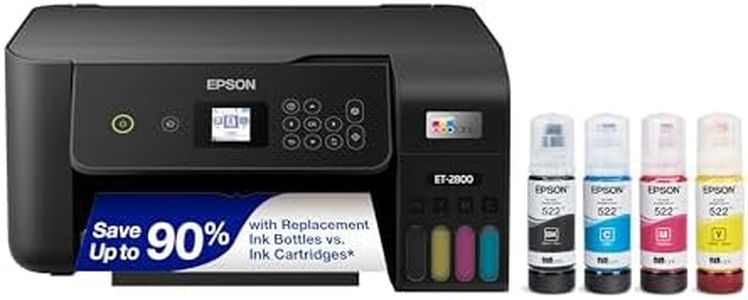
Epson EcoTank ET-2800 Wireless Color All-in-One Cartridge-Free Ink Supertank Printer with Scan and Copy for Home Use, White

Rating
9.4
Print Quality (Resolution)
Connectivity Options
Ink or Toner Costs

Most important from
9895 reviews

Print Quality (Resolution)
Photo print quality is excellent, with bright and vivid colors, and no ink smudges or off colors.
Connectivity Options
Mac compatibility is seamless, with full support and integration for the latest MacOS, ensuring smooth operation.
Ink or Toner Costs
Filling the ink tank is a satisfying process, with the ink lasting significantly longer than traditional cartridges, reducing plastic waste.
Multifunction Features
The scanner works great, and the keypad is easy to read and use, making it a very user-friendly device.
Size and Design
The Epson EcoTank ET-2800 is impressively compact and lightweight, taking up far less desk space than expected.
Ease of Use
Setup is a breeze with easy-to-follow instructions, both printed and through the app, making it ready to use in just about 10 minutes.

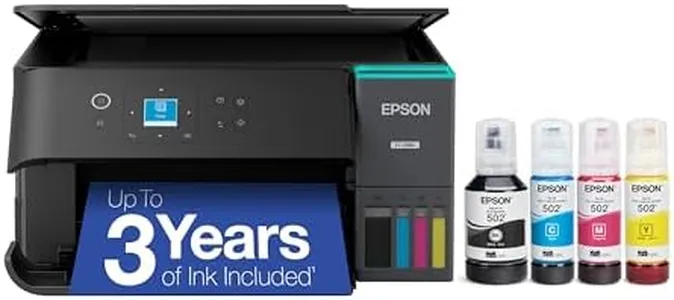
The Epson EcoTank ET-2800 is a compact and efficient home printer designed to fulfill basic printing needs. One of its key strengths is its cartridge-free system with high-capacity ink tanks, which can lead to significant savings on replacement ink and reduce environmental waste. The printer's high-resolution output (5760 x 1440 dpi) ensures sharp text and vibrant color prints, making it suitable for both document and photo printing. Additionally, the built-in scanner and copier add value by allowing users to handle multiple tasks with one device.

However, it has a relatively slow print speed, with a maximum of 10 pages per minute (ppm) for monochrome and 5 ppm for color prints, which might not be ideal for users who need to print large volumes quickly. The printer supports both wired and wireless connectivity, enhancing its versatility and ease of use with various devices. The paper handling capacity is 100 sheets, which is sufficient for typical home use but may require frequent reloading for heavier tasks. The absence of automatic duplex printing means users will have to manually flip the pages for double-sided printing, which might be a minor inconvenience for some.

On the positive side, its compact design and light weight (8.8 pounds) make it easy to fit in small spaces. The price of replacement ink bottles is also a notable advantage, as it can significantly lower ongoing costs compared to traditional cartridge systems. The printer's ease of use is supported by an LCD display and app control, allowing for straightforward navigation and mobile printing. In summary, the Epson EcoTank ET-2800 is a cost-effective and eco-friendly option for home users who prioritize print quality and multifunctionality over print speed and advanced paper handling features.

Rating
9.4
Print Quality (Resolution)
Connectivity Options
Ink or Toner Costs

Most important from
9895 reviews

Print Quality (Resolution)
Photo print quality is excellent, with bright and vivid colors, and no ink smudges or off colors.
Connectivity Options
Mac compatibility is seamless, with full support and integration for the latest MacOS, ensuring smooth operation.
Ink or Toner Costs
Filling the ink tank is a satisfying process, with the ink lasting significantly longer than traditional cartridges, reducing plastic waste.
Multifunction Features
The scanner works great, and the keypad is easy to read and use, making it a very user-friendly device.
Size and Design
The Epson EcoTank ET-2800 is impressively compact and lightweight, taking up far less desk space than expected.
Ease of Use
Setup is a breeze with easy-to-follow instructions, both printed and through the app, making it ready to use in just about 10 minutes.
#3

Epson EcoTank ET-2800 Wireless Color All-in-One Cartridge-Free Ink Supertank Printer with Scan and Copy for Home Use, Black

Rating
9.4
Ink or Toner Costs
Print Quality (Resolution)
Ease of Use

Most important from
7886 reviews

Ink or Toner Costs
The ink tanks last significantly longer than traditional cartridges, offering excellent value and reducing plastic waste.
Print Quality (Resolution)
Print quality is sharp and vivid, producing bright, smudge-free photos and clear black-and-white documents.
Ease of Use
Setup is straightforward and quick, with clear step-by-step instructions and helpful app guidance.
Size and Design
The compact and lightweight design fits well in small home office spaces without sacrificing functionality.
Connectivity Options
Connectivity via the Epson app can be inconsistent, sometimes failing to detect the printer or causing error messages.
Print Speed
Printing speed is decent for home use but not ideal for large volume or time-sensitive tasks.
Paper Handling
Paper handling is reliable when loading a few sheets at a time, with minimal paper jams reported.

The Epson EcoTank ET-2800 is a strong choice for home users looking for a compact all-in-one printer that handles printing, scanning, and copying without the hassle of cartridges. Its standout feature is the cartridge-free ink tank system, which uses refillable ink bottles that can print thousands of pages, significantly lowering ink costs and reducing waste. This makes it ideal for anyone who prints regularly and wants to save money over time. Print quality is sharp and vivid, with a high resolution up to 5760 x 1440 dpi, perfect for documents and colorful photos.

Speed-wise, it prints 10 pages per minute in black and 5 pages per minute in color, which is decent but not the fastest if you often need large volumes quickly. Connectivity options include USB and Wi-Fi, so you can easily print from multiple devices, including mobile phones. On the downside, it doesn’t support automatic double-sided printing, which could slow you down if you often print two-sided documents. Paper handling is straightforward with a single tray supporting up to 100 sheets, suitable for typical home use but limited for heavier workloads.

The compact design fits well in most home offices without taking too much space. Setup and daily operation are user-friendly, aided by a simple LCD and app control. For those seeking an affordable, eco-friendly printer with reliable print quality and low running costs, the ET-2800 is a solid pick, though if duplex printing or very fast print speeds are must-haves, you might want to look elsewhere.

Rating
9.4
Ink or Toner Costs
Print Quality (Resolution)
Ease of Use

Most important from
7886 reviews

Ink or Toner Costs
The ink tanks last significantly longer than traditional cartridges, offering excellent value and reducing plastic waste.
Print Quality (Resolution)
Print quality is sharp and vivid, producing bright, smudge-free photos and clear black-and-white documents.
Ease of Use
Setup is straightforward and quick, with clear step-by-step instructions and helpful app guidance.
Size and Design
The compact and lightweight design fits well in small home office spaces without sacrificing functionality.
Connectivity Options
Connectivity via the Epson app can be inconsistent, sometimes failing to detect the printer or causing error messages.
Print Speed
Printing speed is decent for home use but not ideal for large volume or time-sensitive tasks.
Paper Handling
Paper handling is reliable when loading a few sheets at a time, with minimal paper jams reported.

Buying Guide for the Best Compact Home Printers

Choosing the right compact home printer involves understanding your specific needs and matching them with the printer's features. Compact home printers are designed to save space while providing essential printing functions. To make an informed decision, consider the following key specifications and how they align with your requirements.
Print Quality (Resolution)Print quality is measured in dots per inch (DPI). Higher DPI means better print quality, which is important for printing detailed images and sharp text. For general home use, a resolution of 600 x 600 DPI is usually sufficient. If you plan to print high-quality photos or detailed graphics, look for a printer with a higher DPI, such as 1200 x 1200 or more.
Print SpeedPrint speed is measured in pages per minute (PPM). This spec indicates how quickly a printer can produce documents. For occasional home use, a speed of 10-20 PPM is typically adequate. If you need to print large volumes frequently, consider a printer with a higher PPM to save time.
Connectivity OptionsConnectivity options determine how you can connect your devices to the printer. Common options include USB, Wi-Fi, and Bluetooth. Wi-Fi and Bluetooth enable wireless printing from multiple devices, which is convenient for a home setting. If you prefer a direct connection, ensure the printer has a USB port. Choose based on your preferred method of connecting devices.
Paper HandlingPaper handling refers to the types and sizes of paper a printer can accommodate, as well as the capacity of the paper tray. For general home use, a printer that handles standard letter and legal sizes with a tray capacity of 50-100 sheets is usually sufficient. If you need to print on different media like envelopes or photo paper, check that the printer supports these options.
Ink or Toner CostsInk or toner costs can add up over time, so it's important to consider the cost and availability of replacement cartridges. Some printers use high-yield cartridges that last longer and can be more cost-effective. Research the cost per page for the printer models you are considering to ensure it fits your budget for ongoing expenses.
Multifunction FeaturesMultifunction printers (MFPs) offer additional features like scanning, copying, and faxing. If you need these functions, look for a compact MFP. For basic printing needs, a single-function printer may be sufficient. Consider how often you will use these additional features to determine if an MFP is worth the investment.
Size and DesignSince you are looking for a compact printer, size and design are crucial. Measure the space where you plan to place the printer to ensure it fits comfortably. Compact printers are designed to save space, but they vary in dimensions. Choose a model that fits your space without compromising on the features you need.
Ease of UseEase of use includes the printer's setup process, user interface, and maintenance requirements. Look for printers with straightforward setup instructions, intuitive control panels, and easy access to replace ink or toner. Reading user reviews can provide insights into the user experience and help you choose a printer that is simple to operate.

FAQ

Most Popular Categories Right Now