We Use CookiesWe use cookies to enhance the security, performance, functionality and for analytical and promotional activities. By continuing to browse this site you are agreeing to our privacy policy

10 Best Canon All In One Printers 2026 in the United States

How do we rank products for you?

Our technology thoroughly searches through the online shopping world, reviewing hundreds of sites. We then process and analyze this information, updating in real-time to bring you the latest top-rated products. This way, you always get the best and most current options available.

headphones-stars

Our Top Picks

#1

Winner

Canon imageCLASS MF753Cdw - Wireless Duplex Color Laser Printer, All-in-One with Scanner, Copier, Fax, Auto Document Feeder, Mobile Ready, 3 Year Limited Warranty, 35 PPM, White

Rating
10.0
Chosen by1,281
Print Quality (Resolution)
Print Speed
Connectivity Options

Most important from
592 reviews

Print Quality (Resolution)
Print quality is exceptional, with brilliant color reproduction and high resolution, even on ordinary copy paper.
Print Speed
Impressive print and scan speeds, complemented by efficient double-sided operations.
Connectivity Options
Seamless mobile printing, duplex scanning, and direct email functionality stand out as key features.
Paper Handling
Handles various paper types and sizes with ease, making it versatile for different printing needs.
Duplex Printing
Impressive print and scan speeds, complemented by efficient double-sided operations.

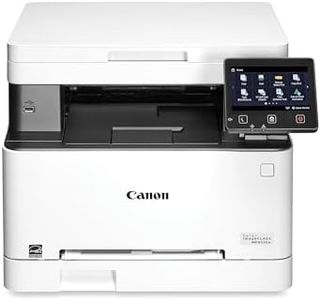
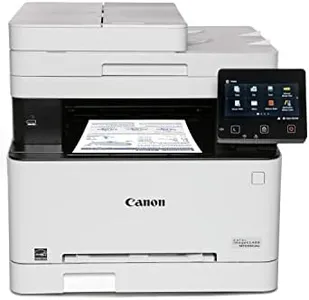
The Canon Color imageCLASS MF753Cdw is a versatile all-in-one printer that performs well in several key areas, making it a suitable choice for small to medium-sized offices. It offers excellent print speeds, reaching up to 35 pages per minute for both monochrome and color prints, which is quite efficient for a busy work environment. The wireless connectivity options, including Wi-Fi, Ethernet, and USB, ensure that you can easily connect and print from a variety of devices, including smartphones, adding convenience for users on the go.

One of its standout features is the automatic duplex printing, which saves paper and is more eco-friendly. The one-pass duplex scanning is also beneficial for saving time when dealing with double-sided documents. Additionally, the 50-sheet automatic document feeder (ADF) and expandable paper capacity up to 850 sheets mean it can handle larger jobs without frequent refills.

However, while the printer offers a decent print resolution of up to 1200 x 1200 dpi for color prints, it might not meet the needs of those requiring very high-quality, detailed print jobs, such as graphic designers. The scanner resolution, capped at 600 x 600 dpi, is adequate for basic scanning tasks but may fall short for high-resolution color scanning. The toner costs, while mitigated by the availability of high-capacity options, can still add up over time. It's important to consider the long-term running costs associated with toner replacement. At 48.5 pounds, the printer is also quite bulky, requiring a dedicated space in your office.

In terms of reliability, the 3-year limited warranty provides peace of mind, reflecting Canon’s confidence in their product's durability. The Canon Color imageCLASS MF753Cdw is well-suited for offices needing high-speed and versatile printing, scanning, and copying functions, provided that extreme print quality isn't a top priority.

Rating
10.0
Chosen by1,281
Print Quality (Resolution)
Print Speed
Connectivity Options

Most important from
592 reviews

Print Quality (Resolution)
Print quality is exceptional, with brilliant color reproduction and high resolution, even on ordinary copy paper.
Print Speed
Impressive print and scan speeds, complemented by efficient double-sided operations.
Connectivity Options
Seamless mobile printing, duplex scanning, and direct email functionality stand out as key features.
Paper Handling
Handles various paper types and sizes with ease, making it versatile for different printing needs.
Duplex Printing
Impressive print and scan speeds, complemented by efficient double-sided operations.
#2

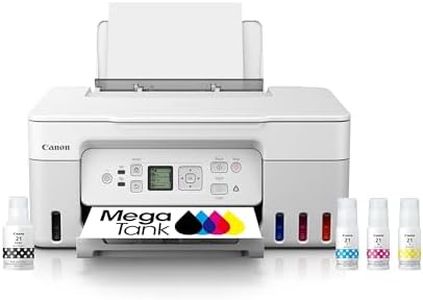
Canon MegaTank G3270 All-in-One Wireless Inkjet Printer. for Home Use, Print, Scan and Copy,White

Rating
9.7
Print Quality (Resolution)
Print Speed
Connectivity Options

Most important from
790 reviews

Print Quality (Resolution)
The printer is noticeably quieter and faster than older models, with better print quality overall.
Print Speed
The printer is noticeably quieter and faster than older models, with better print quality overall.
Connectivity Options
Setup can be quick and straightforward, with printing ready within minutes when using a USB connection instead of wireless.
Scanner Resolution
The flatbed scanner performs adequately for photos and documents, though an automatic document feeder would be a valuable addition.
Automatic Document Feeder (ADF)
The flatbed scanner performs adequately for photos and documents, though an automatic document feeder would be a valuable addition.
Ink/Toner Cost and Yield
Ink costs are drastically reduced thanks to the MegaTank refillable ink system, supporting high-volume printing for months without frequent refills.

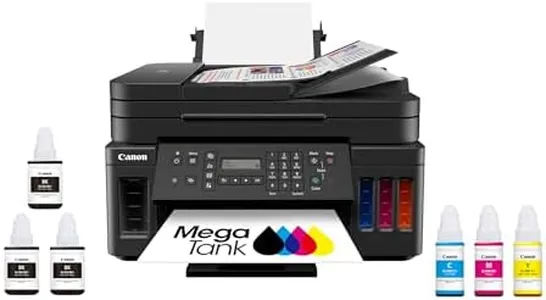
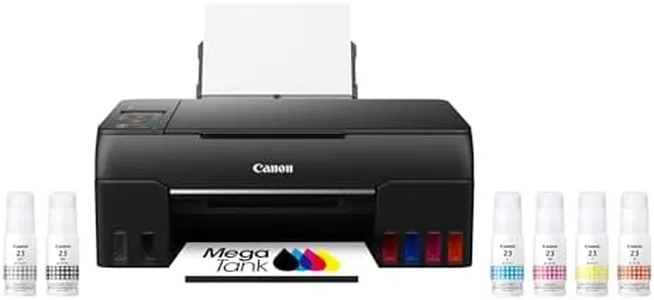
The Canon MegaTank G3270 is a solid choice for home users looking for an all-in-one printer that can handle printing, scanning, and copying tasks wirelessly. It offers impressive print quality with a maximum color resolution of 4800 x 1200 dpi, making photos and detailed documents look sharp. The print speeds are decent for home use—around 11 pages per minute in black and 6 in color—though not the fastest if you need heavy-duty printing. Connectivity-wise, it supports both USB and Wi-Fi, so you can print from your computer or smartphone easily. Paper handling includes a 100-sheet input tray, which is convenient for typical home printing needs, but it does not support automatic duplex (double-sided) printing, requiring manual page flipping.

The scanner is a flatbed style with good resolution, suitable for scanning photos and documents, but it lacks an automatic document feeder (ADF), so scanning multi-page documents involves manual effort. A standout feature is the refillable ink tanks that come with enough ink for up to 2 years of printing and very high page yield—up to 6,000 black and 7,700 color pages—helping save significantly on ink costs compared to regular cartridges.

The printer only supports single-sided printing and has a small 1.35-inch LCD screen, which means navigation may feel a bit limited. This model is best suited for home users who want low-cost, high-volume printing and good print quality without needing advanced office features such as duplexing or an automatic document feeder.

Rating
9.7
Print Quality (Resolution)
Print Speed
Connectivity Options

Most important from
790 reviews

Print Quality (Resolution)
The printer is noticeably quieter and faster than older models, with better print quality overall.
Print Speed
The printer is noticeably quieter and faster than older models, with better print quality overall.
Connectivity Options
Setup can be quick and straightforward, with printing ready within minutes when using a USB connection instead of wireless.
Scanner Resolution
The flatbed scanner performs adequately for photos and documents, though an automatic document feeder would be a valuable addition.
Automatic Document Feeder (ADF)
The flatbed scanner performs adequately for photos and documents, though an automatic document feeder would be a valuable addition.
Ink/Toner Cost and Yield
Ink costs are drastically reduced thanks to the MegaTank refillable ink system, supporting high-volume printing for months without frequent refills.
#3

Canon MegaTank MAXIFY GX2020 All-in-One Wireless Color Printer – Print, Copy, Scan with Duplex Printing – Refillable Tank System, Compact Desktop Design – Wireless Print Scan Copy for Home & Office

Rating
9.1
Print Quality (Resolution)
Connectivity Options
Scanner Resolution

Most important from
862 reviews

Print Quality (Resolution)
Print quality is impressive, producing crisp and vibrant copies, suitable for both documents and photos.
Connectivity Options
Setup is straightforward, with Wi-Fi connectivity allowing multiple devices to connect seamlessly without additional programs or drivers.
Scanner Resolution
Scanning quality is very good, with the ability to send scans directly to email or cloud services, adding to the overall efficiency.
Automatic Document Feeder (ADF)
The automatic document feeder and duplex printing features are highly convenient for handling multiple pages and saving paper.
Duplex Printing
The automatic document feeder and duplex printing features are highly convenient for handling multiple pages and saving paper.
Ink/Toner Cost and Yield
The ink tanks are a game-changer, with 132 ml of each color and 167 ml of black ink included, making it incredibly cost-efficient.

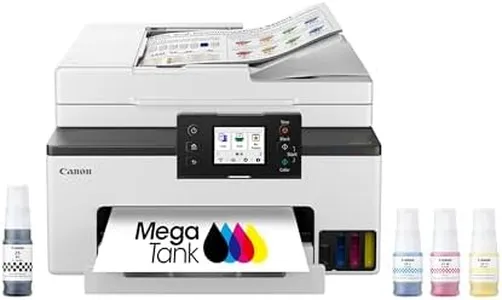
The Canon Megatank GX2020 All-in-One printer is designed to meet the needs of a busy office or a home with high printing demands. One of its standout features is the high ink yield, allowing up to 3,000 black and white or color pages from a single set of ink bottles, which can significantly reduce running costs over time. The print quality is solid with a maximum resolution of 600 x 1200 dpi, suitable for general document printing and basic color needs. Its print speeds are reasonable at 15 pages per minute (ppm) for black and white and 10 ppm for color, making it efficient for everyday tasks.

The automatic document feeder (ADF) can handle 35 sheets, which is convenient for scanning or copying multiple pages at once, and the automatic duplex printing feature helps save paper by printing on both sides automatically. Connectivity options are versatile with USB, Wi-Fi, and wired LAN, ensuring it can easily integrate into various network setups. The 2.7” LCD color touchscreen simplifies navigation and control of the printer’s functions.

On the downside, the scanner resolution is modest at 1200 x 2400 dpi, which while adequate for standard tasks, may not suffice for high-detail image scanning. Additionally, the printer’s relatively bulky size and weight (17.8 pounds) might be a consideration for those with limited space. The cost of the initial ink bottles and the printer itself may be higher upfront compared to standard cartridge printers, but the long-term savings on ink costs can be a significant advantage. This printer is best suited for small offices or home users who require reliable, high-volume printing, scanning, and copying capabilities.

Rating
9.1
Print Quality (Resolution)
Connectivity Options
Scanner Resolution

Most important from
862 reviews

Print Quality (Resolution)
Print quality is impressive, producing crisp and vibrant copies, suitable for both documents and photos.
Connectivity Options
Setup is straightforward, with Wi-Fi connectivity allowing multiple devices to connect seamlessly without additional programs or drivers.
Scanner Resolution
Scanning quality is very good, with the ability to send scans directly to email or cloud services, adding to the overall efficiency.
Automatic Document Feeder (ADF)
The automatic document feeder and duplex printing features are highly convenient for handling multiple pages and saving paper.
Duplex Printing
The automatic document feeder and duplex printing features are highly convenient for handling multiple pages and saving paper.
Ink/Toner Cost and Yield
The ink tanks are a game-changer, with 132 ml of each color and 167 ml of black ink included, making it incredibly cost-efficient.

Buying Guide for the Best Canon All In One Printers

Choosing the right Canon all-in-one printer involves understanding your specific needs and how different features can meet those needs. All-in-one printers are versatile devices that combine printing, scanning, copying, and sometimes faxing capabilities into one machine. This makes them ideal for both home and office use. To make an informed decision, you should consider several key specifications that will impact the printer's performance and suitability for your tasks.
Print Quality (Resolution)Print quality is measured in dots per inch (DPI). Higher DPI means better print quality, which is important for printing detailed images and professional documents. For general home use, a resolution of 600 x 600 DPI is usually sufficient. For high-quality photo printing or professional documents, look for printers with 1200 x 1200 DPI or higher. Consider what you will be printing most often to determine the necessary print quality.
Print SpeedPrint speed is measured in pages per minute (PPM). This spec is crucial if you need to print large volumes of documents quickly. For occasional home use, a speed of 10-15 PPM is adequate. For office environments or frequent printing, look for printers with speeds of 20 PPM or higher. Assess how often and how much you print to choose the right speed.
Connectivity OptionsConnectivity options include USB, Wi-Fi, Ethernet, and sometimes Bluetooth. USB connections are reliable for direct connections to a single computer. Wi-Fi and Ethernet are essential for networked environments, allowing multiple devices to connect to the printer. Bluetooth is useful for printing from mobile devices. Consider your setup and how you prefer to connect your devices to the printer.
Paper HandlingPaper handling refers to the types and sizes of paper the printer can accommodate, as well as the capacity of the paper tray. If you print on various paper sizes or types, such as envelopes or cardstock, ensure the printer supports them. A larger paper tray capacity is beneficial for high-volume printing to reduce the frequency of refilling. Think about the types of documents you print and how often you print to determine your paper handling needs.
Scanner ResolutionScanner resolution, also measured in DPI, affects the quality of scanned images and documents. Higher resolution is important for detailed image scans. For general document scanning, 600 x 1200 DPI is usually sufficient. For high-quality image scans, look for 1200 x 2400 DPI or higher. Consider what you will be scanning most often to choose the appropriate scanner resolution.
Automatic Document Feeder (ADF)An Automatic Document Feeder (ADF) allows you to scan, copy, or fax multiple pages without manually placing each page on the scanner bed. This feature is particularly useful for high-volume scanning or copying tasks. If you frequently handle multi-page documents, an ADF can save you a lot of time and effort. Determine how often you will need to scan or copy multiple pages to decide if an ADF is necessary.
Duplex PrintingDuplex printing enables the printer to print on both sides of the paper automatically. This feature is important for saving paper and creating professional-looking double-sided documents. If you print a lot of reports, brochures, or want to reduce paper usage, duplex printing is a valuable feature. Consider how often you need double-sided prints to decide if this feature is important for you.
Ink/Toner Cost and YieldThe cost and yield of ink or toner cartridges can significantly impact the overall cost of owning a printer. Yield refers to the number of pages a cartridge can print before needing replacement. High-yield cartridges are more cost-effective for frequent printing. Research the cost and yield of the printer's cartridges to understand the long-term expenses. Consider how much you print and your budget for consumables to choose the right printer.

FAQ

Most Popular Categories Right Now