We Use CookiesWe use cookies to enhance the security, performance, functionality and for analytical and promotional activities. By continuing to browse this site you are agreeing to our privacy policy

10 Best Barcode Printers 2026 in the United States
How do we rank products for you?

Our technology thoroughly searches through the online shopping world, reviewing hundreds of sites. We then process and analyze this information, updating in real-time to bring you the latest top-rated products. This way, you always get the best and most current options available.

headphones-stars

Our Top Picks

#1

Winner

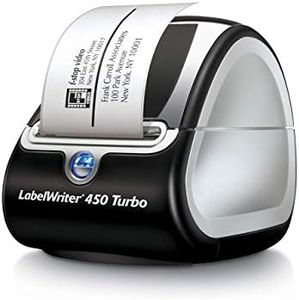
DYMO Label Printer | LabelWriter 450 Turbo Direct Thermal Label Printer, Fast Printing, Great for Labeling, Filing, Shipping, Mailing, Barcodes and More, Home & Office Organization (Renewed)

Rating
10.0
Chosen by1,500
Durability and Build Quality
Ease of Use
Label Size Compatibility

Most important from
64 reviews

Durability and Build Quality
The printer is compact and fits perfectly on a desk, making it ideal for small office or home use.
Ease of Use
Setup is straightforward and user-friendly, enabling quick operation without hassle.
Label Size Compatibility
Supports the use of generic labels, providing flexibility beyond authentic DYMO labels.

The DYMO LabelWriter 450 Turbo is a compact thermal label printer designed mostly for home and office use, especially for labeling, filing, shipping, and barcodes. It uses direct thermal printing technology, which means it doesn’t require ink or toner, saving ongoing costs and making maintenance easier. The print resolution is 203 dpi, which is good enough for clear barcodes and address labels but not for high-detail graphics. It can print up to 71 labels per minute, so it’s quite fast for everyday tasks. The printer supports label sizes up to about 2.3 inches wide, covering typical shipping and file folder labels.

Connectivity is straightforward with a single USB port, which works well for connecting to a desktop or laptop but means no wireless or network options. The build is lightweight and compact, making it easy to fit on a desk without taking much space, though it might not be as rugged as some industrial models. Setup and operation are user-friendly, especially since it integrates well with common software like Microsoft Word, Excel, Outlook, and Google Contacts, allowing easy label customization. It works best with authentic DYMO labels for consistent quality.

The printer is limited to monochrome printing and doesn’t support double-sided printing. It also comes with only a 90-day warranty, which might be short compared to other devices. This printer suits small offices or personal use where fast, reliable label printing without extra ink costs is needed, but it’s less ideal for large-scale or networked printing environments.

Rating
10.0
Chosen by1,500
Durability and Build Quality
Ease of Use
Label Size Compatibility

Most important from
64 reviews

Durability and Build Quality
The printer is compact and fits perfectly on a desk, making it ideal for small office or home use.
Ease of Use
Setup is straightforward and user-friendly, enabling quick operation without hassle.
Label Size Compatibility
Supports the use of generic labels, providing flexibility beyond authentic DYMO labels.
#2

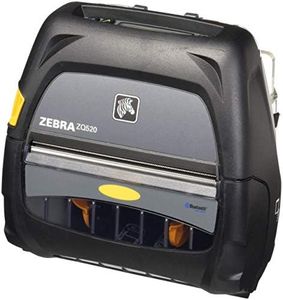
Zebra Technologies ZQ52-AUE0000-00 Thermal Printer, Portable, ZQ520, 4" Size, Bluetooth 4.0, 203 DPI (Renewed)

Rating
8.8
Durability and Build Quality
Ease of Use

Most important from
35 reviews

Durability and Build Quality
The printer performs like brand new, delivering reliable and consistent results.
Ease of Use
The device meets essential needs perfectly, providing exactly what is required for mobile printing tasks.

The Zebra ZQ520 portable thermal printer is designed for on-the-go printing, making it a good fit for mobile businesses needing quick label printing. It prints at a speed of up to 5 inches per second, which helps keep up with busy workflows. The print resolution is 203 dpi, standard for many barcode and label printers, providing clear enough prints for typical barcode scanning but not suited for very detailed graphics. Its 4-inch label size compatibility covers most common label needs without being bulky.

Connectivity is a strong point, offering Bluetooth 4.0, allowing easy wireless printing from smartphones or tablets on iOS, Android, Windows Mobile, and BlackBerry. This makes it very convenient for printing directly from mobile devices. The build quality is solid for a portable device, designed to handle travel and office use, though it comes with only a 90-day limited warranty, which is shorter than some competitors. The printer supports popular programming languages like CPCL and ZPL, useful for integration but more relevant to advanced users.

The device is straightforward to use with fast response times and minimal setup required. However, it prints in monochrome only and does not support duplex printing, limiting its use to single-sided labels. For those needing a compact, reliable portable label printer for basic barcode and label tasks, this Zebra model meets those needs well, though it may not satisfy users requiring high-resolution or multi-function printing.

Rating
8.8
Durability and Build Quality
Ease of Use

Most important from
35 reviews

Durability and Build Quality
The printer performs like brand new, delivering reliable and consistent results.
Ease of Use
The device meets essential needs perfectly, providing exactly what is required for mobile printing tasks.
#3

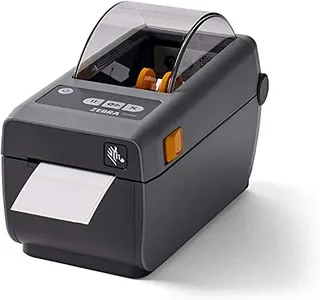
Zebra ZD410 2.2in Direct Thermal Label Printer USB 203dpi, Renewed

Rating
8.5
Label Size Compatibility
Connectivity Options
Durability and Build Quality

Most important from
16 reviews

Label Size Compatibility
Compatibility issues can arise when pairing the printer with older software, particularly due to label size formatting mismatches.
Connectivity Options
Bluetooth connectivity may fail, preventing the printer from being discovered by devices and causing frustration.
Durability and Build Quality
Refurbished units may come with defective print heads, leading to additional repair costs that could approach the price of a new printer.
Ease of Use
Despite some technical hurdles, the printer’s compact design and ease of media loading remain valuable for space-limited environments.
Software Compatibility
Compatibility issues can arise when pairing the printer with older software, particularly due to label size formatting mismatches.

The Zebra ZD410 is a compact direct thermal barcode printer designed for spaces where desk room is limited. It supports up to 2-inch wide labels, making it suitable for typical barcode labels, wristbands, and small shipping tags. The printing resolution is 203 dpi, which provides clear, readable barcodes but might not be sharp enough if highly detailed graphics are required. It uses direct thermal technology, meaning it doesn’t require ink or ribbons, which lowers maintenance and replacement costs. Printing speed is adequate for small to medium volume tasks, helping keep things moving in retail or warehouse settings.

Connectivity options include USB and Bluetooth, allowing easy setup with PCs and point-of-sale systems. The printer is designed with user-friendliness in mind, featuring simple media loading and intuitive controls to minimize jams and reduce complexity. It supports single-sided printing and labels up to around 2.25 inches wide, so it is not suitable for wider labels or duplex printing. The build quality is solid for a desktop device, and it comes with a 90-day limited warranty as a renewed product, which may be a consideration for long-term durability.

Software compatibility aligns well with common PC systems, supporting typical label printing needs. The Zebra ZD410 is well-suited for reliable, space-saving barcode and label printing in office, retail, or light warehouse environments, offering a balanced mix of ease, efficiency, and cost-effectiveness.

Rating
8.5
Label Size Compatibility
Connectivity Options
Durability and Build Quality

Most important from
16 reviews

Label Size Compatibility
Compatibility issues can arise when pairing the printer with older software, particularly due to label size formatting mismatches.
Connectivity Options
Bluetooth connectivity may fail, preventing the printer from being discovered by devices and causing frustration.
Durability and Build Quality
Refurbished units may come with defective print heads, leading to additional repair costs that could approach the price of a new printer.
Ease of Use
Despite some technical hurdles, the printer’s compact design and ease of media loading remain valuable for space-limited environments.
Software Compatibility
Compatibility issues can arise when pairing the printer with older software, particularly due to label size formatting mismatches.

Buying Guide for the Best Barcode Printers

Choosing the right barcode printer is essential for ensuring efficient and accurate labeling in your business operations. Whether you need a barcode printer for retail, manufacturing, healthcare, or logistics, understanding the key specifications will help you make an informed decision. Here are the main factors to consider when selecting a barcode printer.
Print TechnologyPrint technology refers to the method a barcode printer uses to produce labels. The two main types are direct thermal and thermal transfer. Direct thermal printers use heat-sensitive paper and are ideal for short-term labeling, such as shipping labels. Thermal transfer printers use a ribbon to transfer ink onto the label, making them suitable for long-lasting labels that can withstand harsh environments. Choose direct thermal for temporary labels and thermal transfer for durable, long-lasting labels.
Print ResolutionPrint resolution is measured in dots per inch (DPI) and determines the clarity and detail of the printed barcode. Common resolutions are 203 DPI, 300 DPI, and 600 DPI. A higher DPI produces sharper and more detailed barcodes, which is important for small labels or those with intricate designs. For general use, 203 DPI is usually sufficient. For high-quality, detailed labels, consider 300 DPI or higher.
Print SpeedPrint speed is measured in inches per second (IPS) and indicates how quickly a printer can produce labels. Faster print speeds are beneficial for high-volume printing environments, such as warehouses or production lines. Typical print speeds range from 2 to 12 IPS. If you need to print large quantities of labels quickly, opt for a printer with a higher IPS. For lower volume needs, a slower speed may be adequate.
Label Size CompatibilityLabel size compatibility refers to the range of label sizes a printer can handle. This is important because different applications require different label sizes. Ensure the printer you choose can accommodate the smallest and largest labels you plan to use. For example, retail price tags may require small labels, while shipping labels need larger ones. Check the printer's specifications for minimum and maximum label width and length.
Connectivity OptionsConnectivity options determine how the printer connects to your computer or network. Common options include USB, Ethernet, Wi-Fi, and Bluetooth. USB is suitable for direct connections to a single computer, while Ethernet and Wi-Fi are ideal for networked environments where multiple users need access. Bluetooth is useful for mobile printing applications. Choose the connectivity option that best fits your operational setup and ensures seamless integration with your existing systems.
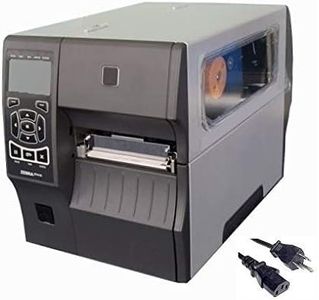
Durability and Build QualityDurability and build quality are crucial for ensuring the printer can withstand the demands of your work environment. Industrial barcode printers are built to handle heavy-duty use and harsh conditions, making them suitable for manufacturing and warehousing. Desktop barcode printers are more compact and designed for lighter use, such as in retail or office settings. Consider the environment in which the printer will be used and choose a model that offers the necessary durability.
Ease of UseEase of use encompasses the printer's user interface, setup process, and maintenance requirements. A printer with an intuitive interface and straightforward setup can save time and reduce the learning curve for new users. Features like easy label loading, clear display screens, and simple maintenance procedures contribute to overall ease of use. If you have a team with varying levels of technical expertise, prioritize a printer that is user-friendly and requires minimal training.
Software CompatibilitySoftware compatibility refers to the printer's ability to work with your existing label design and printing software. Ensure the printer supports the software you use for creating and managing labels. Many printers come with their own software, but compatibility with popular third-party programs can offer more flexibility. Check for compatibility with your operating system and any specific software features you need, such as barcode generation or database integration.

FAQ

Most Popular Categories Right Now