10 Best Xfinity Modems 2026 in the United States
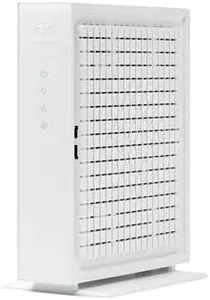
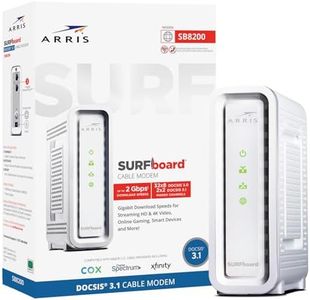
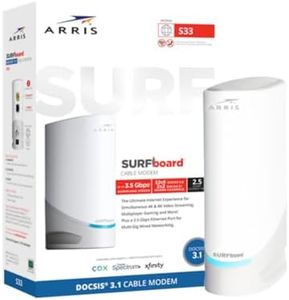
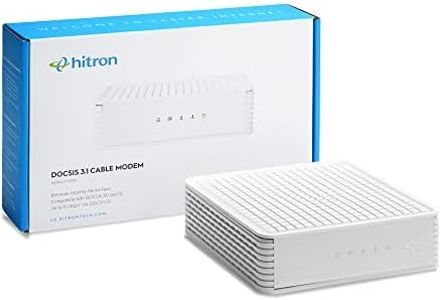
Related Products
Up to 38% off

Our technology thoroughly searches through the online shopping world, reviewing hundreds of sites. We then process and analyze this information, updating in real-time to bring you the latest top-rated products. This way, you always get the best and most current options available.

Our Top Picks
Winner
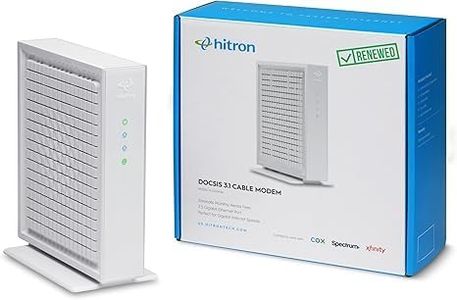
Hitron CODA56 DOCSIS 3.1 Cable Modem ONLY (NOT Fiber) | 2.5 Gbps | NO WiFi/Voice/Router | Single Ethernet Port | Xfinity/Spectrum/Cox Compatible | Requires Separate WiFi Router
Most important from
2821 reviews
The Hitron CODA56 Multi-Gigabit DOCSIS 3.1 Modem is designed for users with high-speed internet plans, supporting speeds up to 2.5 Gbps. It's compatible with major ISPs like Xfinity, Spectrum, and Cox. The modem shines with its DOCSIS 3.1 standard, which is ten times faster than DOCSIS 3.0, ideal for users who need fast internet for gaming, streaming, and video conferencing. One major advantage is the ability to save on rental fees, potentially saving up to $168 annually.
The 2.5 gigabit Ethernet port ensures your router can handle these high speeds, but it’s crucial to note that this modem lacks built-in WiFi or router capabilities. This means you’ll need a separate router or WiFi mesh system to connect your devices wirelessly. While the modem offers significant speed improvements and excellent compatibility with major ISPs, it's not suitable for DSL, fiber, fixed wireless, or satellite services, and it doesn't work with providers like AT&T, Verizon, and Google Fiber.
With a customer rating of 4.2 out of 5 stars, most users find it reliable and high-performing, though some might find the lack of built-in WiFi limiting. This modem is ideal for tech enthusiasts and heavy internet users who have or plan to upgrade to high-speed internet plans and don’t mind using separate devices for WiFi connectivity.
Most important from
2821 reviews
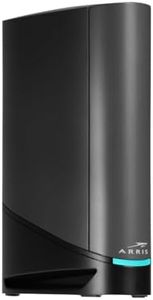
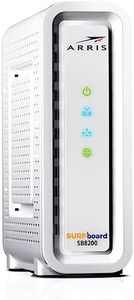
ARRIS SURFboard SB8200 DOCSIS 3.1 Multi‑Gig Cable Modem | 2 -1Gbps Ethernet Ports | Works with Xfinity, Cox, Spectrum | For Cable Internet Plans up to 2Gbps | Modem Only, Router Required
Most important from
20021 reviews
The ARRIS SURFboard SB8200 is a robust cable modem designed for high-speed internet access, especially for users of Comcast Xfinity and other major U.S. providers. It utilizes the advanced DOCSIS 3.1 technology, which significantly increases internet speed potential, offering up to 1 Gbps, making it suitable for heavy streaming and gaming. This modem includes two 1-Gigabit Ethernet ports, providing flexibility for wired connections to other devices or a Wi-Fi router.
One of the key advantages of the SB8200 is its ability to save you money in the long run by eliminating the need for rental fees from your ISP, potentially saving up to $168 annually. It’s compatible with various cable internet providers, which adds to its versatility. The device is also designed for easy setup; users simply need to plug it in and follow the instructions via the SURFboard Central App.
There are a few drawbacks to consider. While the built-in features are excellent for standard use, the SB8200 doesn't have a built-in Wi-Fi router. This means you'll need to purchase a separate router for wireless connectivity, which could be an additional expense. Additionally, while the modem is compatible with most major ISPs, it’s important to confirm compatibility with your specific plan to avoid any service interruptions. Some users may find the initial setup challenging if they're not very tech-savvy.
Most important from
20021 reviews
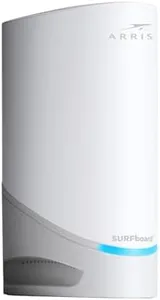
Arris Surfboard S33 DOCSIS 3.1 Multi‑Gig Cable Modem | 2.5Gbps + 1Gbps Ethernet Ports | Works with Xfinity, Cox, Spectrum | for Cable Internet Plans up to 2.5Gbps | Modem Only, Router Required
Most important from
18 reviews
The Arris Surfboard S33 is a solid choice if you want a fast, reliable cable modem compatible with Xfinity and other major ISPs like Cox and Spectrum. It supports the latest DOCSIS 3.1 standard, which means it can handle internet plans up to 2.5 Gbps — perfect for heavy streaming, gaming, or multiple connected devices. It offers two Ethernet ports: a 2.5 Gbps port and a standard 1 Gbps port, giving flexibility for high-speed wired connections. This device is modem-only, so you’ll need to add your own Wi-Fi router if you want wireless network access at home. This separation can be a bit inconvenient if you prefer an all-in-one device but allows for more customization and potentially better Wi-Fi performance with a dedicated router.
The modem is compact and easy to set up, with simple LED indicators for status. Additionally, owning the modem can save you from monthly rental fees often charged by ISPs. Although it doesn’t include a built-in router or Wi-Fi, which might require extra help for beginners in choosing and setting up a separate router, it supports multi-gig speeds that let you maximize your internet plan and home network equipment capabilities. If you want a future-proof modem for fast cable internet and don’t mind pairing it with your own router, the Arris Surfboard S33 is a dependable option that meets key needs for modern cable internet users.
Most important from
18 reviews
Buying Guide for the Best Xfinity Modems
Choosing the right modem for your Xfinity internet service is crucial for ensuring a reliable and fast internet connection. The modem is the device that connects your home network to the internet, so it's important to pick one that meets your needs and is compatible with your service plan. Here are some key specifications to consider when selecting an Xfinity modem, along with explanations to help you make an informed decision.FAQ
Most Popular Categories Right Now


