10 Best Wood Laser Engraving Machine 2026 in the United States

Related Products
Up to 31% off
Recommended lists


Our technology thoroughly searches through the online shopping world, reviewing hundreds of sites. We then process and analyze this information, updating in real-time to bring you the latest top-rated products. This way, you always get the best and most current options available.

Our Top Picks
Winner
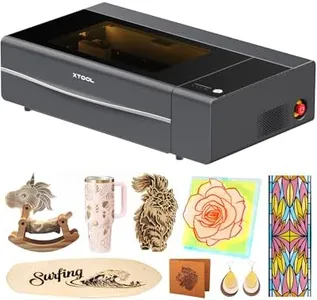
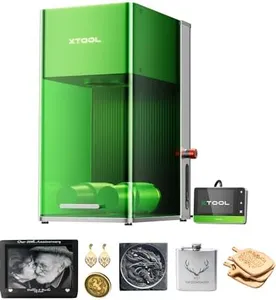
xTool F2 5W IR & 15W Diode Dual Laser Engraver, with Slide Extension, RA3 Rotary, Air Purifier, 50MP Camera, 6000mm/s Ultra Fast, 3D Embossing, Color Marking on Metal, Portable Laser Engraving Machine
Most important from
18 reviews
The xTool F2 is a versatile wood laser engraving machine that stands out with its dual-laser system—a 15W diode laser for cutting and 3D embossing thicker materials and a 5W infrared laser ideal for vivid, deep color marking, especially on metal. This combination extends its use well beyond wood to over 300 material types, offering extensive creative freedom. The built-in 50MP camera helps you position your designs precisely, reducing material waste and ensuring detailed, high-resolution engravings.
With motion accuracy down to 0.00199 inches and up to 6000mm/s engraving speed, this machine completes projects quickly, making it suitable for both hobbyists and small businesses aiming for batch production. It includes handy features like a fully enclosed case and an air purifier option, helping keep your workspace safe and clean when cutting or engraving wood.
The machine weighs about 48.6 pounds, which might be a consideration if you plan to move it frequently. It comes ready to use right out of the box, with software presets that simplify the setup. Designed for powerful, efficient, and precise wood laser engraving, the xTool F2 is a strong contender for those seeking both creative flexibility and commercial-grade performance.
Most important from
18 reviews
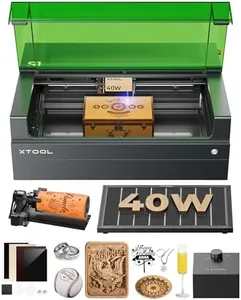
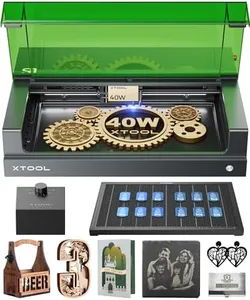
xTool S1 40W Laser Cutter and Laser Engraver for Tumblers, 23.93" x 15.16" Bed Size, 600mm/s Speed, Laser Engraving Machine, Laser Engraver for Wood and Metal, Acrylic, Big Project - Rotary Bundle
Most important from
216 reviews
The xTool S1 40W Laser Cutter and Engraver stands out in the wood laser engraving machine category with its impressive 40W laser power, allowing it to cut through materials like 18mm cherry wood effortlessly. Its generous engraving area of 23.93" x 15.16" makes it suitable for larger projects, and a speed of up to 600mm/s ensures efficient work. One of its key strengths is the intuitive xTool Creative Space software, which simplifies the engraving process even for beginners. The AI features help generate designs with minimal input, making it accessible for those without design experience.
A significant highlight is the Class 1 safety design, which not only protects users but also makes it safe to operate around children and pets. The protective cover blocks 99% of laser light, and built-in flame sensors provide an extra layer of security. This attention to safety is a great advantage for home users or small business owners.
There are some considerations to keep in mind. While the machine is built with a durable aerospace-grade aluminum frame, weighing 79.2 pounds may make it less portable for some users. Additionally, the learning curve associated with understanding the software might still be a challenge for complete novices, despite the tutorials available. The xTool S1 is a powerful and user-friendly laser engraving machine that is particularly suitable for hobbyists and small businesses looking for safety, quality, and efficiency in their projects. However, its weight and the complexity of software could be drawbacks for some users.
Most important from
216 reviews
xTool P3 80W Flagship CO2 Laser Cutter with Intelligent Automation, Desktop Laser Engraver Dual HD Camera 1200mm/s High Speed, 36"x18'' Large Format CO2 Laser Engraver with ACS Auto-Focus System
Most important from
20 reviews
The xTool P3 80W CO2 laser engraver is a powerful desktop machine designed for serious woodworkers and small businesses needing precision and speed. Its strong 80W laser can cut through thick wood up to 20mm and acrylic up to 25mm, which is impressive for detailed projects or small production runs. The large 36" by 18" workspace offers ample room for bigger pieces or multiple smaller items at once. With a max speed of 1200mm/s and 0.0079" alignment accuracy thanks to dual HD cameras and an autofocus system, it delivers clean, precise cuts and engravings. The machine also features smart software with AI-powered nesting to minimize material waste and supports batch processing for efficiency. Safety is well-covered with a fully enclosed design and active protection systems.
On the downside, the unit is quite heavy (over 300 pounds) and large, which means it needs a dedicated space and might not be ideal for casual hobbyists or those with limited room. While it excels at wood and acrylic, the CO2 laser is less suited for metals unless additional accessories are purchased. Also, some advanced features like the conveyor feeder and rotary attachments are sold separately, potentially increasing the overall cost.
For those needing a reliable, high-speed laser engraver for wood and similar materials with professional accuracy and who can manage the size and investment, the xTool P3 is a solid choice.
Most important from
20 reviews
Buying Guide for the Best Wood Laser Engraving Machine
Choosing the right wood laser engraving machine can be a bit overwhelming, but understanding the key specifications can help you make an informed decision. A wood laser engraving machine uses a laser beam to engrave or cut designs into wood. The right machine for you will depend on your specific needs, such as the type of projects you plan to work on, the level of detail you require, and the size of the materials you will be using. Here are some key specifications to consider when selecting a wood laser engraving machine.FAQ
Most Popular Categories Right Now


