10 Best Usb Webcams 2026 in the United States


Related Products

Our technology thoroughly searches through the online shopping world, reviewing hundreds of sites. We then process and analyze this information, updating in real-time to bring you the latest top-rated products. This way, you always get the best and most current options available.

Our Top Picks
Winner
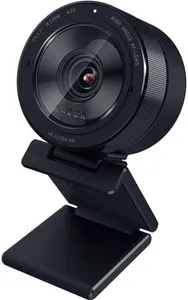
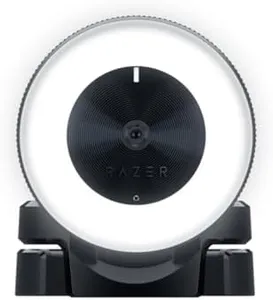
Razer Kiyo Pro Ultra 4K Webcam: Large Sensor - Auto Light Correction - Built-in Mic and Shutter - Pro Grade Content Creation, Streaming, Gaming, Video Calls - Works with OBS, Xsplit, PC, Zoom, Teams
Most important from
233 reviews
The Razer Kiyo Pro Ultra 4K webcam stands out with its impressive 4K resolution and a large 1/1.2" Sony STARVIS 2 sensor, which captures sharp, detailed images and accurate colors, making it ideal for professional content creation and streaming. Its custom F/1.7 aperture lens lets in a lot of light, ensuring clear videos even in dimly lit rooms, which is beneficial if you often work or stream in varying lighting conditions. The webcam also features AI-powered autofocus and auto exposure, keeping your face sharply in focus and well-lit without manual adjustments. One notable feature is its ability to blur the background naturally, giving your video a polished, portrait-like look without needing extra software.
The webcam supports HDR at 30 FPS, enhancing color and contrast for a more vibrant image. You can stream in uncompressed 4K at 24 FPS, 1440p at 30 FPS, or 1080p at 60 FPS, offering flexibility depending on your streaming setup or internet speed. It includes a built-in microphone and a physical shutter for privacy, though while the microphone quality is generally good, it may not replace a dedicated external mic for clear audio needs. Mounting options are typical for webcams, fitting most monitors or tripods.
The device is optimized for Windows with full software controls to fine-tune settings; however, on MacOS, advanced features are limited to plug-and-play basic use. Key considerations include a slightly heavier build and the fact that some advanced features aren’t available on Mac. Additionally, streaming at full 4K resolution requires a powerful computer and good internet speed. This webcam is well suited for serious streamers, content creators, and professionals who want high-quality video with flexible controls in both good and poor lighting environments.
Most important from
233 reviews
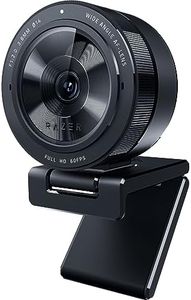
Razer Kiyo Pro Webcam for Streaming, Gaming, Video Calls: Full HD 1080p 60FPS - Adaptive Light Sensor - HDR Enabled - Wide Angle Lens with Adjustable FOV - Works with OBS, Xsplit, Twitch, Zoom, Teams
Most important from
5709 reviews
The Razer Kiyo Pro is a powerful USB webcam that delivers sharp and smooth Full HD 1080p video at 60 frames per second, making it a solid choice for streaming, gaming, video calls, and online meetings. It offers three adjustable field of view options (103°, 90°, 80°), allowing you to choose how much background you want visible. One of its standout features is excellent low-light performance thanks to an adaptive light sensor, which helps your image stay clear and detailed even in dim rooms. It also supports HDR at 30FPS, so colors look vibrant and balanced without overexposure.
In terms of audio, the built-in microphone provides decent quality with 16-bit 48 kHz sound, suitable for most casual or professional calls but might not replace a dedicated microphone for serious audio needs. The webcam connects via USB 3.0, ensuring a strong, uncompressed video signal for smooth streaming. Compatibility is broad: it works effortlessly with popular platforms like OBS, Twitch, Zoom, Microsoft Teams, and more. The device is easy to set up with plug-and-play functionality and includes a sturdy 1.5-meter braided cable for flexible positioning.
While the webcam offers versatile mounting options, some users might find the size a bit bulky compared to simpler models. This webcam is ideal for users looking for high-quality, reliable video and adaptable viewing angles, especially in environments where lighting varies. Its price and feature set make it more appealing for serious streamers, gamers, or remote workers rather than casual users who want a basic webcam.
Most important from
5709 reviews
AVerMedia Live Streamer CAM 315, Webcam, 1080p/60fps Recording, Microphones, Fixed Focus, Wide Adjustable Field of View, Works with Skype, Zoom, Teams - Black
Most important from
103 reviews
The AVerMedia Live Streamer CAM 315 is a solid choice if you're looking for a USB webcam with good video quality and a wide viewing angle. It streams in full HD 1080p at a smooth 60 frames per second, providing clear and fluid video—ideal for video calls, streaming games, or online meetings. One of its standout features is the 95° ultra-wide field of view, which is wider than many webcams, allowing you to fit more people or background into your frame without needing to adjust the camera.
Unlike many webcams, this model uses fixed focus instead of autofocus, meaning the image stays sharp only within a certain range and might not adjust well if you move closer or farther from the camera. The webcam includes a built-in microphone that is suitable for casual calls but may not replace a dedicated mic for professional sound. It performs reasonably well in low light thanks to its sensor, though it might not handle very dark rooms perfectly. For privacy, it has a sliding shutter to cover the lens when not in use, enhancing security. The camera can swivel 360 degrees, giving you flexibility to angle it just right.
It works smoothly with popular platforms like Skype, Zoom, and Microsoft Teams, making setup straightforward. The included CamEngine software adds useful video effects and color adjustments. This webcam is well-suited for users who prioritize sharp HD video and wide coverage for streaming or group video chats while accepting fixed focus and basic audio features.
Most important from
103 reviews
Buying Guide for the Best Usb Webcams
When choosing a USB webcam, it's important to consider your specific needs and how you plan to use the webcam. Whether it's for video conferencing, streaming, or casual video calls, different webcams offer various features that can enhance your experience. Understanding the key specifications will help you make an informed decision and select the best webcam for your requirements.FAQ
Most Popular Categories Right Now


