We Use CookiesWe use cookies to enhance the security, performance, functionality and for analytical and promotional activities. By continuing to browse this site you are agreeing to our privacy policy

10 Best Usb Charging Stations 2026 in the United States
How do we rank products for you?

Our technology thoroughly searches through the online shopping world, reviewing hundreds of sites. We then process and analyze this information, updating in real-time to bring you the latest top-rated products. This way, you always get the best and most current options available.

headphones-stars

Our Top Picks

#1

Winner

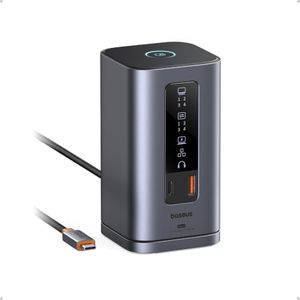
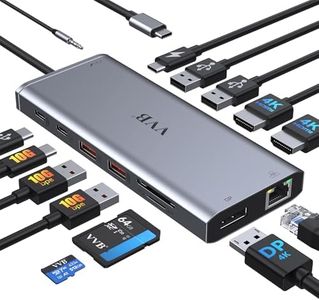
Baseus Spacemate Docking Station, 11-in-1 USB-C Dock for Windows Laptop, Triple Display with 4K HDMI & DP, 10Gbps USB-C & USB-A, Ethernet, Audio, 100W PD Charging for Dell HP Lenovo Acer and More

Rating
10.0
Chosen by1,217
Number of Ports
Power Output
Port Types

Most important from
823 reviews

Number of Ports
The dock’s robust port selection, including multiple HDMI and DisplayPort connections plus Ethernet and audio jack, covers most connectivity needs for Windows laptops.
Power Output
Fast USB data transfer and 100W power delivery ensure efficient charging and connectivity for laptops and peripherals.
Port Types
The dock’s robust port selection, including multiple HDMI and DisplayPort connections plus Ethernet and audio jack, covers most connectivity needs for Windows laptops.
Size and Design
Its compact upright design with a sleek aluminum finish effectively saves desk space while providing a comprehensive array of ports.
Smart Charging
The integrated status display and front/rear port placement enhance usability and provide clear connection feedback.

The Baseus Spacemate Docking Station is a versatile 11-in-1 USB-C hub designed mainly for Windows laptops, offering a strong mix of ports including 2 HDMI, 2 DisplayPort, multiple USB-C and USB-A ports, Gigabit Ethernet, and a 3.5mm audio jack. It supports fast data transfer up to 10Gbps, making file transfers quick and efficient. One of its standout features is the ability to connect up to three monitors simultaneously in 4K resolution, which is ideal for multitasking and professional use, although Mac users should note it only supports one external display under MacOS.

The docking station also supports up to 100W power delivery, allowing it to charge your laptop while connected, though you need to supply your own charger. The upright, compact design with an aluminum finish and a magnetic base helps save desk space and looks sleek. A digital display shows port status, and a screen-lock button adds an extra layer of security for sensitive connections.

This dock covers most connectivity and charging needs and is well-suited for users with Windows laptops who want a powerful, space-saving dock to expand their workspace and charge devices efficiently.

Rating
10.0
Chosen by1,217
Number of Ports
Power Output
Port Types

Most important from
823 reviews

Number of Ports
The dock’s robust port selection, including multiple HDMI and DisplayPort connections plus Ethernet and audio jack, covers most connectivity needs for Windows laptops.
Power Output
Fast USB data transfer and 100W power delivery ensure efficient charging and connectivity for laptops and peripherals.
Port Types
The dock’s robust port selection, including multiple HDMI and DisplayPort connections plus Ethernet and audio jack, covers most connectivity needs for Windows laptops.
Size and Design
Its compact upright design with a sleek aluminum finish effectively saves desk space while providing a comprehensive array of ports.
Smart Charging
The integrated status display and front/rear port placement enhance usability and provide clear connection feedback.
#2

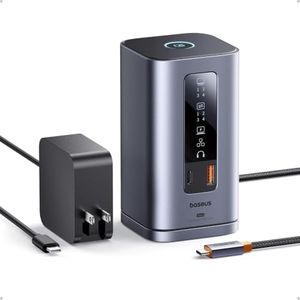
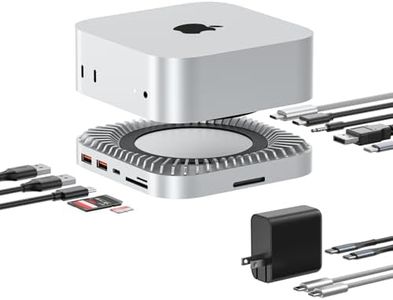
Baseus Spacemate Laptop Docking Station, 11-in-1 USB-C Docking Station for Windows, Triple Display with 4K HDMI & DP, 10Gbps USB-C & USB-A, Ethernet, Audio, 100W PD Charging (Adapter Included)

Rating
10.0
Number of Ports
Power Output
Size and Design

Most important from
125 reviews

Number of Ports
Transforms the workspace by seamlessly connecting multiple devices like monitors, keyboard, mouse, printer, and speakers without any glitches.
Power Output
Stays cool during simultaneous charging and data transfer, ensuring reliable performance without overheating.
Size and Design
Compact vertical design saves valuable desk space while maintaining excellent organization and functionality.
Smart Charging
The front LED display clearly shows connection and charging status, making it easy to monitor device activity.

The Baseus Spacemate Laptop Docking Station is a versatile 11-in-1 USB-C hub designed especially for Windows users who need to connect multiple devices and displays simultaneously. It offers a generous selection of ports including two HDMI, two DisplayPorts, three USB-A ports (two with very fast 10Gbps speeds), one USB-C 10Gbps data port, Gigabit Ethernet, and a 3.5mm audio jack. This variety means you can plug in monitors, external drives, a wired internet connection, and audio equipment all at once, making it ideal for professionals or anyone with a busy workspace.

One of its standout features is the ability to power three external monitors at up to 4K resolution, which is great for multitasking or creative work. It also delivers fast 100W USB-C charging with an included high-quality GaN adapter, providing up to 85W pass-through charging to your laptop so you can keep working without worrying about battery life.

In terms of design, the docking station is compact and stands vertically to save desk space, with a magnetic base for stability and an LED screen to show port activity. A handy screen-lock button adds a layer of security by instantly disabling connections, which is rare in docks and useful for protecting sensitive data. It supports a wide range of laptops including recent Mac and Windows models but is optimized primarily for Windows systems. Its height and vertical design might not suit every desk setup, and it lacks smart home compatibility. If you want a powerful, all-in-one USB-C hub with excellent port variety, fast charging, and multi-display support, the Baseus Spacemate is a strong option that caters well to demanding users looking to streamline their workspace.

Rating
10.0
Number of Ports
Power Output
Size and Design

Most important from
125 reviews

Number of Ports
Transforms the workspace by seamlessly connecting multiple devices like monitors, keyboard, mouse, printer, and speakers without any glitches.
Power Output
Stays cool during simultaneous charging and data transfer, ensuring reliable performance without overheating.
Size and Design
Compact vertical design saves valuable desk space while maintaining excellent organization and functionality.
Smart Charging
The front LED display clearly shows connection and charging status, making it easy to monitor device activity.
#3

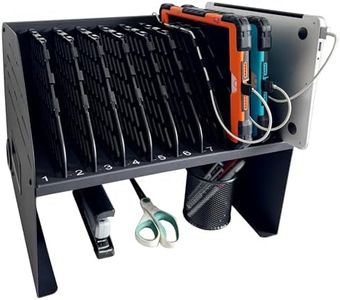
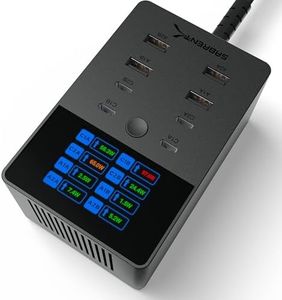
Plugsharge 10-Device Laptop & Tablet Charging Station with 6 AC Outlets & 4 Fast-Charging USB Ports, Charging Rack for Chromebooks, iPads & Devices Up to 15.6", Classroom, Office & Library Organizer

Rating
8.5
Size and Design
Safety Features

Most important from
44 reviews

Size and Design
Perfect solution for charging multiple Chromebooks without bulky carts, keeping devices neatly organized.
Safety Features
Dual locks for laptops and plugs provide secure storage, preventing unauthorized access to devices and chargers.

The Plugsharge 10-Device Charging Station is a solid choice for anyone needing to charge and organize multiple laptops, tablets, or other devices at once, especially in classrooms, offices, or libraries. It offers 6 AC outlets plus 4 USB ports, letting you charge up to 10 devices simultaneously. The built-in cable management keeps cords tidy, which helps reduce clutter—a big plus when working with many devices. Its vertical rack design makes it easy to insert and remove devices without fiddling with cabinet doors, saving workspace with a compact footprint.

For safety, it includes surge protection rated for 110V/10A, adding peace of mind for everyday use. The materials used, like alloy steel and plastic, give it a sturdy feel, and the non-slip base helps keep it stable on desks or counters. However, it doesn’t support smart charging features or smart home integration, so it won’t optimize charging speed based on device type beyond the standard ports.

Its size (about 15 by 13 inches) is reasonable for most workspaces but might be a bit heavy at over 17 pounds if you plan to move it frequently. The product is designed mainly for shared environments rather than personal use, making it a great fit for schools, offices, or libraries where many devices need organized charging in one spot. If you want a reliable, straightforward station to keep multiple devices powered and neatly stored, this Plugsharge model handles that well, though it lacks some advanced charging tech found in other newer stations.

Rating
8.5
Size and Design
Safety Features

Most important from
44 reviews

Size and Design
Perfect solution for charging multiple Chromebooks without bulky carts, keeping devices neatly organized.
Safety Features
Dual locks for laptops and plugs provide secure storage, preventing unauthorized access to devices and chargers.

Buying Guide for the Best Usb Charging Stations

When choosing a USB charging station, it's important to consider your specific needs and the devices you plan to charge. A good USB charging station can help you manage multiple devices efficiently, ensuring they are charged quickly and safely. Here are some key specifications to consider when selecting the best USB charging station for you.
Number of PortsThe number of ports on a USB charging station determines how many devices you can charge simultaneously. This is important because it helps you avoid the hassle of juggling multiple chargers and outlets. If you have many devices, such as smartphones, tablets, and other gadgets, you might need a station with more ports. Typically, stations range from 2 to 10 ports. For a small family or individual with a few devices, 2-4 ports might be sufficient. For larger families or tech enthusiasts with many devices, 6-10 ports would be more appropriate.
Power OutputPower output, measured in watts (W), indicates how quickly the charging station can charge your devices. Higher power output means faster charging. This is crucial for saving time and ensuring your devices are ready when you need them. USB charging stations usually offer a range of power outputs, from 10W to 100W or more. For basic needs, a lower power output (10W-30W) might be enough. For faster charging or for power-hungry devices like tablets and laptops, look for stations with higher power output (40W-100W).
Port TypesDifferent devices require different types of USB ports, such as USB-A, USB-C, or even specialized ports like Quick Charge. This specification is important because it ensures compatibility with your devices. USB-A is the most common and works with many older devices, while USB-C is becoming the standard for newer devices due to its faster charging capabilities and reversible design. Quick Charge ports are designed for devices that support fast charging. Assess your devices and choose a station that offers the right mix of port types to meet your needs.
Safety FeaturesSafety features protect your devices from overcharging, overheating, and short-circuiting. This is important to prevent damage to your expensive gadgets and ensure safe operation. Look for charging stations with built-in safety mechanisms like over-current protection, over-voltage protection, and temperature control. These features are especially crucial if you plan to leave your devices charging overnight or unattended.
Size and DesignThe size and design of a USB charging station can affect its convenience and portability. This is important if you need to save space on your desk or if you plan to travel with the station. Compact and lightweight designs are ideal for travel, while larger stations with more ports might be better suited for home or office use. Consider where and how you will use the charging station to choose the right size and design for your needs.
Smart ChargingSmart charging technology automatically detects the optimal charging speed for each connected device. This is important for maximizing charging efficiency and protecting your devices from overcharging. Stations with smart charging can adjust the power output to match the needs of each device, ensuring they charge as quickly and safely as possible. If you have a variety of devices with different charging requirements, a station with smart charging technology can be very beneficial.

FAQ

Most Popular Categories Right Now