10 Best Usb C Monitors 2026 in the United States

Related Products
Up to 33% off





Recommended lists

monitors
Our technology thoroughly searches through the online shopping world, reviewing hundreds of sites. We then process and analyze this information, updating in real-time to bring you the latest top-rated products. This way, you always get the best and most current options available.

Our Top Picks
Winner
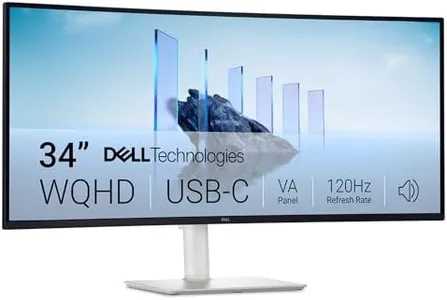
Dell 34 Plus USB-C Curved Monitor - S3425DW - 34-inch (3440 x 1440) up to 120 Hz 21:9 Display, VA Panel, AMD FreeSync Premium, 99% sRGB, 95% DCI-P3, Integrated Speakers, 3000:1 Contrast Ratio
Most important from
459 reviews
The Dell 34 Plus USB-C Curved Monitor offers a large 34-inch curved screen with a sharp 3440 x 1440 resolution, providing plenty of space and clarity for work, entertainment, or multitasking. Its 21:9 wide aspect ratio makes it ideal if you want immersive viewing and more room side-by-side compared to standard monitors. The VA panel delivers deep contrast (3000:1), making dark scenes richer and colors more vivid, which is great for watching movies or general usage. With 99% sRGB and 95% DCI-P3 color coverage, it’s solid for tasks that need good color accuracy like photo editing, though it might not fully satisfy professional color-critical work.
The refresh rate can go up to 120Hz with AMD FreeSync Premium support, ensuring smooth motion and reducing screen tearing, which benefits light gaming and video playback. The ultra-low response time helps reduce blur during fast movements. Connectivity is straightforward with a USB-C port that supports up to 65W power delivery, which means you can connect and charge a laptop with a single cable, keeping your desk tidy. The monitor also includes integrated speakers with improved sound quality, useful if you don’t want extra speakers on your desk. The matte screen surface helps cut down reflections, enhancing viewing comfort. A notable comfort feature is the ComfortView Plus that reduces harmful blue light without hurting color quality, which is nice if you spend long hours in front of the screen.
The monitor weighs about 20 pounds and measures over 31 inches wide, so it needs a sturdy desk and enough space. This monitor is well suited for users looking for a spacious, sharp, and color-rich ultrawide screen with good connectivity and smooth visuals, making it ideal for office work, media consumption, and casual gaming.
Most important from
459 reviews
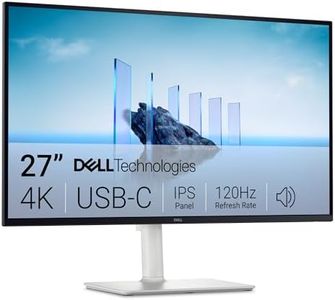
Dell 27 Plus 4K USB-C Monitor - S2725QC - 27-inch 4K (3840 x 2160) 120Hz 16:9 Display, AMD FreeSync Premium, sRGB 99%, Integrated Speakers, 1500:1 Contrast Ratio, Comfortview - Ash White
Most important from
701 reviews
The Dell 27 Plus 4K USB-C Monitor offers a sharp and spacious 27-inch 4K display, which is great if you want plenty of screen space with clear, detailed images. Its 3840 x 2160 resolution means you’ll see crisp text and vivid visuals, good for work, watching videos, or casual gaming. The screen uses an IPS panel, giving you wide viewing angles and accurate colors, covering 99% of the sRGB color range, so photos and videos look natural and vibrant.
The 120Hz refresh rate combined with AMD FreeSync Premium helps reduce screen tearing and makes motion smoother, which is a nice bonus if you do light gaming or want smooth scrolling in everyday use. ComfortView Plus technology lowers blue light emissions, making it easier on your eyes during long hours in front of the screen. The matte screen surface reduces reflections, helping with visibility in bright rooms. Connectivity is simple and clean thanks to a USB-C port that can also charge your laptop with up to 65W, cutting down on cable clutter.
It also includes integrated speakers with enhanced sound quality, which might be enough for casual listening though external speakers or headphones will be better for serious audio needs. The contrast ratio of 1500:1 is average, so blacks might not be as deep as on some higher-end monitors. This monitor suits users looking for a quality 4K display with good color performance and smooth visuals, especially if you value neat connectivity and eye comfort.
Most important from
701 reviews
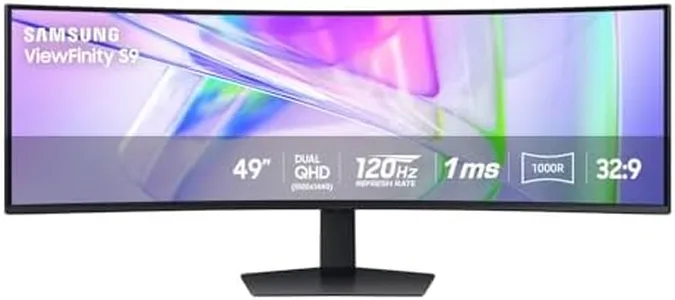
Samsung 49” Business Curved Ultrawide Dual QHD Computer Monitor, USB-C, DisplayPort, HDMI, 120Hz, VESA DisplayHDR 400, Built-in Speakers, Height Adjustable Stand, Eye Care, LS49C954UANXZA, 2024
Most important from
219 reviews
The Samsung 49” Business Curved Ultrawide Monitor offers a huge, immersive workspace with its 49-inch screen and 32:9 aspect ratio, effectively combining two QHD displays side-by-side (5120x1440 resolution). This makes it great for multitasking, creative work, and even light gaming thanks to a smooth 120Hz refresh rate. Its 1000R curvature closely matches your natural field of vision, reducing eye strain and providing an engaging viewing experience. The matte screen surface helps minimize glare, and VESA DisplayHDR 400 support means it delivers decent color brightness and contrast for most video and design tasks, though it may not satisfy professionals needing top-tier color accuracy.
Connectivity is a strong point, with USB-C supporting 90W charging, plus DisplayPort and HDMI inputs, effectively turning the monitor into a docking hub that can reduce desktop clutter. Ergonomics are addressed with a height-adjustable stand, which adds comfort during long work sessions. Built-in speakers are a convenient touch, although they won’t replace dedicated audio devices for those seeking high-quality sound. At 32.2 pounds, it’s a substantial monitor that requires sufficient desk space but justifies this with its broad feature set.
This monitor excels for business users, remote workers, and content creators looking for a large, versatile display, although casual users might find its size and price more than needed. For those seeking an all-in-one, visually expansive monitor that balances work and entertainment, this Samsung model is a solid option to consider.
Most important from
219 reviews
Buying Guide for the Best Usb C Monitors
Choosing the right USB-C monitor can significantly enhance your computing experience, whether you're using it for work, gaming, or general use. USB-C monitors offer the convenience of a single cable for video, data, and power, making them a popular choice for modern setups. To make an informed decision, it's important to understand the key specifications and how they align with your needs.FAQ
Most Popular Categories Right Now


