We Use CookiesWe use cookies to enhance the security, performance, functionality and for analytical and promotional activities. By continuing to browse this site you are agreeing to our privacy policy

10 Best Tablets For Seniors 2026 in the United States
How do we rank products for you?

Our technology thoroughly searches through the online shopping world, reviewing hundreds of sites. We then process and analyze this information, updating in real-time to bring you the latest top-rated products. This way, you always get the best and most current options available.

headphones-stars

Our Top Picks

#1

Winner

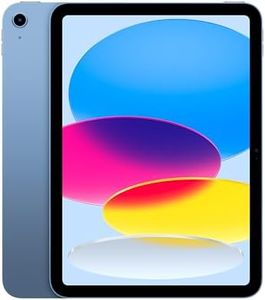
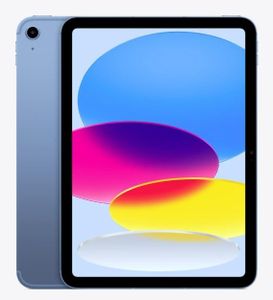
Apple iPad 11-inch: A16 chip, 11-inch Model, Liquid Retina Display, 128GB, Wi-Fi 6, 12MP Front/12MP Back Camera, Touch ID, All-Day Battery Life — Blue

Rating
10.0
Chosen by1,104
Screen Size
Operating System
Weight and Portability

Most important from
26440 reviews

Screen Size
The display is brighter and noticeably bigger, offering a major upgrade from older models.
Operating System
Setup is straightforward, even for those with limited technical skills, making it accessible for seniors.
Weight and Portability
The device is lightweight and easy to handle, comparable to previous models in terms of weight.
Storage Capacity
This iPad is incredibly fast with ample storage, ensuring smooth performance and plenty of space for apps and media.

The 11-inch Apple iPad with the powerful A16 chip offers a seamless and enjoyable user experience, making it a good option for seniors. Its 11-inch Liquid Retina display provides clear and vibrant visuals, which is beneficial for viewing photos, reading, and watching videos. The display also adjusts to the ambient light in the room, reducing eye strain.

With 128GB of storage, users can store plenty of apps, photos, and videos without worrying about running out of space quickly. The lightweight design at just 1.05 pounds makes it easy to hold and carry around, enhancing portability for seniors who may prefer a lighter device. Battery life is another strong point, as it lasts all day, reducing the need for frequent charging. The Touch ID feature adds a layer of security and convenience for unlocking the iPad and making payments, which can be more accessible and safer for seniors.

Accessibility features within iPadOS cater to various needs, such as larger text sizes, voice commands, and hearing aid compatibility, ensuring a more comfortable user experience. However, the advanced cameras, while great for video calls and photos, might be less of a priority for many senior users. The high-resolution display and powerful chip also make this iPad quite capable, perhaps more so than necessary for basic tasks like reading emails or browsing the web. Some seniors may find the abundance of features and the initial setup slightly overwhelming, but once set up, the intuitive interface of iPadOS helps in navigation. The new Apple iPad 11-inch model caters well to seniors, especially those who appreciate high-quality displays, robust performance, and ease of use.

Rating
10.0
Chosen by1,104
Screen Size
Operating System
Weight and Portability

Most important from
26440 reviews

Screen Size
The display is brighter and noticeably bigger, offering a major upgrade from older models.
Operating System
Setup is straightforward, even for those with limited technical skills, making it accessible for seniors.
Weight and Portability
The device is lightweight and easy to handle, comparable to previous models in terms of weight.
Storage Capacity
This iPad is incredibly fast with ample storage, ensuring smooth performance and plenty of space for apps and media.
#2

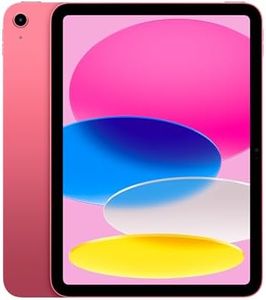
Apple iPad 11-inch: A16 chip, 11-inch Model, Liquid Retina Display, 128GB, Wi-Fi 6, 12MP Front/12MP Back Camera, Touch ID, All-Day Battery Life — Pink

Rating
9.7
Screen Size
Battery Life
Weight and Portability

Most important from
26233 reviews

Screen Size
Its 11-inch Liquid Retina display is bright, sharp, and showcases beautiful, vibrant colors that enhance viewing experiences.
Battery Life
Battery life comfortably lasts all day with regular use, supporting extended activities without frequent charging.
Weight and Portability
The iPad balances a perfect size for both work and personal use, combining versatility with great quality and fast charging.
Storage Capacity
The 128GB storage provides ample space for apps, photos, and files, fitting well with diverse usage needs.

The Apple iPad 11-inch is a powerful and stylish tablet featuring a bright Liquid Retina display that’s easy on the eyes, making it enjoyable for watching movies or reading. Its 11-inch screen offers a comfortable viewing experience, balancing size between too large and too small. The iPad runs on the intuitive iPadOS, providing a smooth user experience and access to many apps, although seniors unfamiliar with Apple products may require some time to get comfortable with the interface.

Battery life lasts all day, eliminating the need for frequent charging, which is convenient for extended use. Weighing just over a pound, it is light enough to hold for long periods, though some seniors might find it a bit heavier compared to smaller tablets designed specifically for ease of handling. The iPad includes helpful accessibility features such as Touch ID for easy unlocking with a fingerprint, simplifying security by removing the need to remember passwords. It also supports the Apple Pencil, which is ideal for note-taking or drawing but not necessary for basic senior tasks. Storage starts at 128GB, sufficient for everyday apps, photos, and videos.

The camera quality is excellent, with sharp 12MP front and back cameras suited for video calls and taking pictures, although seniors who rarely use cameras might find this feature more than necessary. The iPad may be more expensive than simpler tablets geared toward seniors, and its advanced features could be overwhelming to those seeking only basic functions like video calling or web browsing. For users who want strong performance, a great display, good cameras, and reliable battery life, and who are comfortable or willing to learn the Apple ecosystem, this iPad is a solid choice. However, seniors desiring something simpler and more affordable might find a basic tablet with fewer features easier to use.

Rating
9.7
Screen Size
Battery Life
Weight and Portability

Most important from
26233 reviews

Screen Size
Its 11-inch Liquid Retina display is bright, sharp, and showcases beautiful, vibrant colors that enhance viewing experiences.
Battery Life
Battery life comfortably lasts all day with regular use, supporting extended activities without frequent charging.
Weight and Portability
The iPad balances a perfect size for both work and personal use, combining versatility with great quality and fast charging.
Storage Capacity
The 128GB storage provides ample space for apps, photos, and files, fitting well with diverse usage needs.
#3

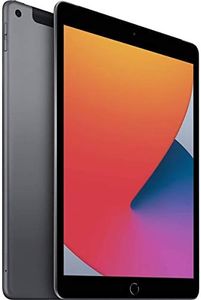
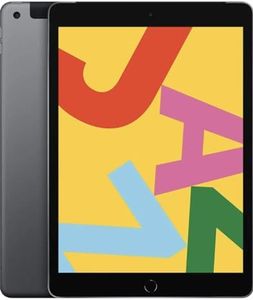
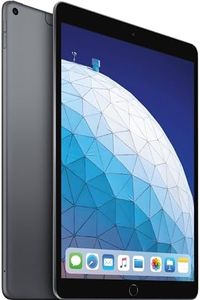
Apple iPad (8th Generation, 10.2-inch, 2020), 32GB, Wi-Fi + Cellular, Space Gray (Renewed)

Rating
8.5
Display Quality

Most important from
1375 reviews

Display Quality
The bright and sharp screen delivers impressive visual clarity, making reading and browsing comfortable and enjoyable.

The Apple 2020 iPad 8th Generation is a solid choice for seniors who want a reliable and easy-to-use tablet. Its 10.2-inch Retina display is bright and sharp, making text and images clear without straining the eyes. The iPad runs on iPadOS, which is known for being simple and intuitive, and it includes Touch ID for easy unlocking with a fingerprint—great for those who prefer not to remember passwords. Battery life is impressive, offering up to 10 hours on a single charge, so it can last through a day of reading, video calls, or browsing. Weighing just over 1 pound, it is lightweight enough to hold comfortably for extended periods. It also supports cellular connectivity, meaning you can stay connected even without Wi-Fi, which adds convenience for outdoor use or travel.

Storage at 32GB is enough for everyday apps, photos, and videos, though it might feel limited if you want to store many large files. The 8MP rear camera and 1.2MP front camera are decent for video calls and casual photos, but they will not replace a dedicated camera if photo quality is a priority. Accessibility features in iPadOS like voice control, magnifier, and adjustable text sizes make the device senior-friendly. However, the iPad has only 1GB of RAM, which may slow down performance when running multiple apps at once or with future software updates, and the Lightning connector is somewhat outdated compared to newer USB-C standards. Since this is a renewed product, the warranty is limited to 90 days, which is shorter than new devices.

If you want a straightforward, well-built tablet with good screen quality and a gentle learning curve, this iPad model serves as a dependable option for seniors who value ease of use and portability.

Rating
8.5
Display Quality

Most important from
1375 reviews

Display Quality
The bright and sharp screen delivers impressive visual clarity, making reading and browsing comfortable and enjoyable.

Buying Guide for the Best Tablets For Seniors

When choosing a tablet for seniors, it's important to consider factors that will make the device easy to use and enjoyable. Seniors may have different needs compared to younger users, such as larger screens, simpler interfaces, and better accessibility features. The goal is to find a tablet that offers a good balance of performance, ease of use, and features that cater to the specific needs of seniors. Here are some key specifications to consider when selecting a tablet for seniors.
Screen SizeScreen size refers to the diagonal measurement of the tablet's display. This spec is important because a larger screen can make it easier for seniors to read text, view images, and navigate the device. Tablets typically range from 7 inches to 12 inches. Smaller screens (7-8 inches) are more portable but may be harder to read, while larger screens (10-12 inches) provide better visibility but can be heavier. For seniors, a screen size of around 10 inches is often a good balance between readability and portability.
Display QualityDisplay quality includes factors like resolution, brightness, and color accuracy. A higher resolution means sharper text and images, which can reduce eye strain. Brightness is important for visibility in different lighting conditions, and good color accuracy ensures that images and videos look natural. Look for tablets with at least Full HD resolution (1920x1080 pixels) for clear and crisp visuals. Higher brightness levels and good color reproduction can enhance the overall viewing experience for seniors.
Operating SystemThe operating system (OS) is the software that runs the tablet and determines how the user interacts with it. The most common tablet operating systems are iOS (Apple) and Android. iOS is known for its user-friendly interface and strong ecosystem of apps, while Android offers more customization options and a wider range of devices. For seniors, an intuitive and easy-to-navigate OS is crucial. iOS is often recommended for its simplicity, but some Android tablets also offer senior-friendly modes and features.
Battery LifeBattery life indicates how long the tablet can be used on a single charge. This is important for seniors who may not want to frequently recharge their device. Tablets typically offer battery life ranging from 6 to 12 hours of continuous use. For seniors, a tablet with at least 8-10 hours of battery life is ideal, ensuring that the device can last through a day of moderate use without needing to be recharged.
Weight and PortabilityWeight and portability refer to how easy it is to carry and handle the tablet. A lighter tablet is easier to hold for extended periods, which is important for seniors who may have limited strength or dexterity. Tablets generally weigh between 0.5 to 1.5 pounds. For seniors, a tablet weighing around 1 pound or less is preferable, as it strikes a good balance between screen size and ease of handling.
Accessibility FeaturesAccessibility features are tools and settings that make the tablet easier to use for people with disabilities or impairments. These can include options like larger text, voice commands, screen readers, and adjustable contrast. These features are crucial for seniors who may have vision, hearing, or motor skill challenges. Look for tablets that offer robust accessibility settings, such as adjustable font sizes, voice assistants, and easy-to-use interfaces, to ensure a comfortable user experience.
Storage CapacityStorage capacity refers to the amount of space available on the tablet for apps, photos, videos, and other files. Tablets typically come with storage options ranging from 16GB to 256GB or more. For seniors, a tablet with at least 32GB of storage is recommended to ensure there is enough space for essential apps and media without running out of space quickly. If the senior plans to store a lot of photos, videos, or download many apps, opting for higher storage capacity or expandable storage options can be beneficial.
Camera QualityCamera quality is determined by the resolution and features of the tablet's front and rear cameras. While seniors may not prioritize high-end camera specs, having decent cameras can be useful for video calls with family and friends. Look for tablets with at least a 5MP front camera for clear video calls and an 8MP rear camera for taking photos. Good camera quality can enhance the experience of staying connected with loved ones through video chats and sharing moments.

FAQ

Most Popular Categories Right Now