10 Best Slide And Negative Scanners 2026 in the United States



Related Products




Recommended lists


Our technology thoroughly searches through the online shopping world, reviewing hundreds of sites. We then process and analyze this information, updating in real-time to bring you the latest top-rated products. This way, you always get the best and most current options available.

Our Top Picks
Winner
Epson FastFoto FF-680W Wireless High-Speed Duplex Photo and Document Scanner and System with USB Connect and Mobile Scanning
Most important from
3350 reviews
The Epson FastFoto FF-680W is a remarkable choice for anyone looking to digitize photos quickly and efficiently. This scanner claims to be the world's fastest personal photo scanner, capable of scanning up to one photo per second at a resolution of 300 dpi. This feature is particularly beneficial for users with large collections of photographs, as it can batch-scan up to 36 images at once, making the process much quicker than traditional methods. Its ability to handle a variety of photo types, including Polaroids and panoramas, along with the single-step technology that captures notes from the back of photos, enhances its versatility.
One of the standout features is its Perfect Picture Imaging System, which automatically enhances images through color restoration and red-eye reduction. This is a significant advantage for those looking to revive older or faded photos. The included Epson ScanSmart software adds functionality by enabling optical character recognition (OCR) for document scanning, converting images into text, which is great for users needing to digitize paperwork as well.
On the connectivity front, the FF-680W offers both USB and wireless options, allowing for flexible placement in your workspace. Its ability to upload directly to cloud services like Dropbox and Google Drive simplifies sharing and backup processes, which is a modern necessity.
There are some drawbacks to consider. While it excels in scanning speed and efficiency, the resolution for photo scanning reaches a maximum of 600 dpi, which may not satisfy users looking for ultra-high-resolution scans, especially for detailed negatives or professional-quality prints. Additionally, although the device is relatively compact, weighing 8.2 pounds might be cumbersome for users seeking ultra-portability.
The Epson FastFoto FF-680W is an excellent scanner for both casual users and family historians, thanks to its speed and features. Professionals or those needing the highest resolution scans might want to explore other options.
Most important from
3350 reviews
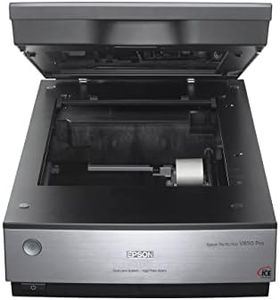
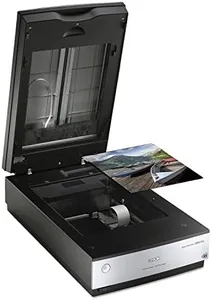
Epson Perfection V850 Pro Scanner
Most important from
498 reviews
The Epson Perfection V850 Pro scanner is designed for those who need high-quality scanning for slides and negatives, making it an excellent choice for photographers and archivists. With a stunning 6400 dpi resolution, it captures intricate details and vibrant colors, ensuring your images look their best. The scanner's impressive 4.0 Dmax dynamic range allows for smooth gradations and fine shadow details, which is crucial when working with film or slides that require precise color reproduction.
One of the standout features is its exclusive dual lens system, which automatically selects the best lens for various scanning needs, optimizing results for both reflective and transparent media. This user-friendly approach makes it easier for individuals who may not be familiar with technical settings. Additionally, it is compatible with a wide range of operating systems, including older versions of Windows and Mac OS, providing flexibility for users with different setups.
The Epson V850 Pro is on the heavier side, weighing around 20.9 pounds, which may hinder portability for some users. Its dimensions also require a decent amount of desk space, which might not suit everyone’s needs. Moreover, while the scanning speed is decent, it may not be the fastest option available, particularly for bulk scanning tasks. Some users may find the initial setup and software installation slightly complex, particularly if they are not tech-savvy. The scanner excels in delivering high-quality scans with impressive detail and color accuracy, making it ideal for serious photographers or anyone looking to archive film. However, its weight, size, and moderate scanning speed may pose challenges for those seeking a more portable or faster option.
Most important from
498 reviews
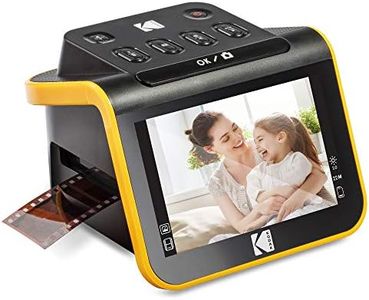
KODAK Slide N SCAN Film & Slide Scanner Digitizer with 5” LCD Screen, Quickly Convert Negatives & Slides to Digital 22MP JPEG Photos, Compatible with 135, 126 and 110 Film & Slides
Most important from
12508 reviews
The Kodak Digital Film Scanner is a solid option for anyone looking to digitize old photos, whether they’re color or black-and-white negatives or slides. With its 22MP resolution, you can expect high-quality digital images that preserve your memories well. The 5” LCD screen is a standout feature, offering a clear display for previewing and editing scans, making it user-friendly for individuals who may not be tech-savvy. Its easy-load film inserts and quick-feeding tray technology streamline the scanning process, allowing you to work quickly through multiple films, which is a definite plus if you have a large collection to digitize.
On the downside, while the scanner supports various film types and comes with adapters, it requires an SD card (not included) for storing scanned images, which could be an extra expense. The scanning speed may not be the fastest on the market, so if you're looking to digitize a significant number of slides or negatives in one sitting, it might take some time. Additionally, while it connects to computers via USB and HDMI, the lack of built-in Wi-Fi could be a limitation for those who prefer wireless transfers.
This scanner is quite accessible for casual users wanting to preserve their old photos, thanks to its intuitive design and decent features. It suits hobbyists and families looking to breathe new life into their cherished memories, though enthusiasts seeking the latest high-speed scanning technology may want to explore more advanced options.
Most important from
12508 reviews
Buying Guide for the Best Slide And Negative Scanners
When choosing a slide-and-negative scanner, it's important to consider several key specifications to ensure you get the best fit for your needs. These devices are designed to convert your old slides and negatives into digital format, preserving your memories and making them easier to share and store. Understanding the key features will help you make an informed decision and select a scanner that meets your requirements.FAQ
Most Popular Categories Right Now


