10 Best Router With Coax Input 2026 in the United States
Related Products
Up to 58% off
Our technology thoroughly searches through the online shopping world, reviewing hundreds of sites. We then process and analyze this information, updating in real-time to bring you the latest top-rated products. This way, you always get the best and most current options available.

Our Top Picks
Winner
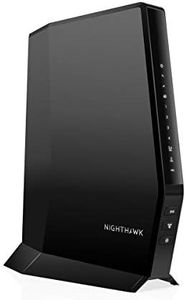
NETGEAR Nighthawk Modem Router Combo (CAX30) DOCSIS 3.1 Cable Modem and WiFi 6 Router - AX2700 2.7 Gbps - Compatible with Xfinity, Spectrum, Cox, and More - Gigabit Wireless Internet
Most important from
1669 reviews
The NETGEAR Nighthawk CAX30 is a solid choice if you want a single device that replaces both your cable modem and Wi-Fi router. It works with most major cable providers like Xfinity, Spectrum, and Cox, thanks to its DOCSIS 3.1 support and coax input, which ensures fast and reliable internet speeds up to 2.7 Gbps using Wi-Fi 6 technology. The dual-band setup (2.4 GHz and 5 GHz) helps balance speed and range, covering around 2,000 square feet and handling about 25 devices at once, making it suitable for most homes and small offices.
With four gigabit Ethernet ports and a USB 3.0 port, it offers plenty of wired connection options for devices like gaming consoles or streaming players. Security is a strong point here, featuring NETGEAR Armor that protects against online threats including malware and hackers, plus support for the latest WPA3 encryption standards. The included Nighthawk app makes setup and network management straightforward, even if you’re not tech-savvy.
On the downside, it isn’t compatible with DSL providers or certain bundled voice services, and its coverage might fall short for very large homes. Also, while it supports good speeds and multiple devices, heavy gamers or users with very large smart home setups may find more advanced models with additional bands or antennas better suited to their needs. For most cable internet users looking for a reliable, easy-to-use combo device with modern Wi-Fi standards and solid security, the CAX30 offers good value and performance.
Most important from
1669 reviews
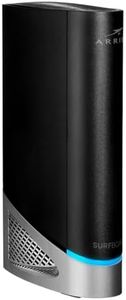
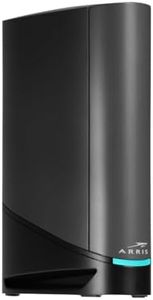
ARRIS (G54) - Cable Modem Router Combo - Fast DOCSIS 3.1 Multi-Gigabit & BE 18000 WiFi 7 Comcast Xfinity, Cox, Spectrum Quad-Band 1, Up to 18 Gbps Max Speed
Most important from
265 reviews
The ARRIS G54 is a cable modem-router combo designed for users looking for fast internet over coax connections. It supports the latest DOCSIS 3.1 standard and Wi-Fi 7, delivering very high speeds—up to 18 Gbps—making it suitable for heavy streaming, gaming, and smart home use. Its quad-band Wi-Fi setup extends coverage to about 5,000 square feet, suitable for most medium to large homes.
The router includes four 1-Gigabit Ethernet ports plus one ultra-fast 10-Gigabit port for wired connections, which is ideal for devices like gaming consoles or smart TVs that require stable speeds. It works with major internet providers like Xfinity, Spectrum, and Cox, and owning this device can save you rental fees. The device is relatively large and might be tricky for beginners to configure without some guidance.
If you want a high-performance, future-proof modem-router that works well with cable internet and covers a large area, the ARRIS G54 is a strong choice, especially if avoiding rental fees matters to you. However, if you need something simpler or have a smaller space, there might be easier or more compact options available.
Most important from
265 reviews
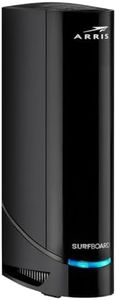
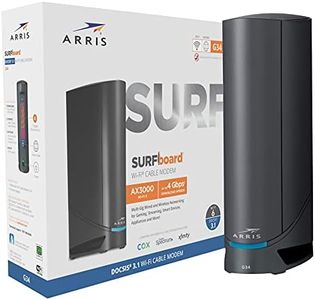
Arris (G20) - Cable Modem Router Combo - Fast DOCSIS 3.1 Multi-Gigabit WiFi 6 (AX3000), Approved for Comcast Xfinity, Cox, Spectrum & More, 1.0 Gbps Max Speeds, Next-Generation Upload Optimized
Most important from
196 reviews
The ARRIS G20 Cable Modem Router Combo is a strong contender in the 'router-with-coax-input' category. One of its standout features is its compatibility with DOCSIS 3.1, the latest standard for cable internet, which ensures much faster and more secure connections compared to the older DOCSIS 3.0. This modem can handle speeds up to 1.0 Gbps, making it suitable for high-speed internet plans and heavy usage, such as gaming, streaming, and business applications. Additionally, the modem supports Wi-Fi 6 (802.11ax), the latest Wi-Fi standard, which provides better performance and coverage for multiple devices.
The dual-band capability (5 GHz and 2.4 GHz) enhances its range and connectivity options, making it versatile for various devices like gaming consoles, security cameras, PCs, smart TVs, and smartphones. With multiple Ethernet ports, it offers flexibility for wired connections, which can be beneficial for gaming or other high-priority devices. Security features, including internet security and parental controls, are a plus, offering peace of mind for families. Setup is straightforward with the SURFboard Central App, which helps users get started quickly and manage their network easily.
One of the key benefits is the potential cost savings, as owning this modem can help eliminate rental fees from your internet service provider. However, there are some drawbacks. The initial cost of the device might be higher compared to basic models, and it requires compatibility with your internet service provider, so it's essential to check that it supports your specific provider. Additionally, the modem's performance might be more than necessary for users with lower-speed internet plans or fewer devices. If you need a high-performance modem-router combo that can handle modern internet demands, the ARRIS G20 is worth considering.
Most important from
196 reviews
Buying Guide for the Best Router With Coax Input
Choosing the right router with a coax input can significantly improve your internet experience, especially if you are using a cable internet service. The router acts as the central hub for your home network, distributing the internet connection to various devices. When selecting a router, it's important to consider several key specifications to ensure it meets your needs for speed, coverage, and reliability.FAQ
Most Popular Categories Right Now


