We Use CookiesWe use cookies to enhance the security, performance, functionality and for analytical and promotional activities. By continuing to browse this site you are agreeing to our privacy policy

10 Best Photo Printers For Photographers 2026 in the United States
How do we rank products for you?

Our technology thoroughly searches through the online shopping world, reviewing hundreds of sites. We then process and analyze this information, updating in real-time to bring you the latest top-rated products. This way, you always get the best and most current options available.

headphones-stars

Our Top Picks

#1

Winner

Epson EcoTank Photo ET-8550 Wireless Wide-Format Color All-in-One Supertank Printer with High Resolution Scanner, Ethernet, USB, and Color Touchscreen

Rating
10.0
Chosen by1,393
Print Resolution
Color Accuracy
Ink Type

Most important from
2522 reviews

Print Resolution
Lines are crisp and accurate to the original, making sale-worthy prints.
Color Accuracy
Prints on many different materials like sticker paper, cardstock, and holographic paper with great accuracy.
Ink Type
The ink tanks are huge and transparent, so you can tell how much ink is in them, and the ink lasts a long time.
Connectivity Options
The wireless print function is really great. I can print a 4x6 from my phone in a few clicks.

The Epson EcoTank Photo ET-8550 is a versatile photo printer designed specifically for photographers and creative enthusiasts. One of its standout strengths is its cartridge-free printing system. This feature allows for vibrant and sharp prints thanks to Epson's Claria ET Premium 6-color inks. The ability to print borderless photos up to 13" x 19" makes it an excellent choice for larger projects, appealing to those looking to create professional-quality prints from the comfort of their home. Printing speed is respectable too, with 4" x 6" photos taking just 15 seconds and color documents printing at 12 pages per minute.

The printer also excels in cost efficiency, boasting significant savings on ink; it promises to save up to 80% on replacement ink costs compared to traditional cartridges. Each set of ink bottles can provide enough ink to print up to 6,200 pages, making it a great long-term investment for avid photographers.

However, there are a few drawbacks to consider. Its weight of 24.5 pounds makes it somewhat bulky, so it may not be the best fit for small workspaces. Additionally, while the wireless connectivity and mobile printing features are convenient, users may experience occasional connectivity issues, which can be frustrating when working on urgent projects. Also, the printer relies heavily on genuine Epson ink to maintain optimal performance, meaning that using third-party inks could void the warranty.

Rating
10.0
Chosen by1,393
Print Resolution
Color Accuracy
Ink Type

Most important from
2522 reviews

Print Resolution
Lines are crisp and accurate to the original, making sale-worthy prints.
Color Accuracy
Prints on many different materials like sticker paper, cardstock, and holographic paper with great accuracy.
Ink Type
The ink tanks are huge and transparent, so you can tell how much ink is in them, and the ink lasts a long time.
Connectivity Options
The wireless print function is really great. I can print a 4x6 from my phone in a few clicks.
#2

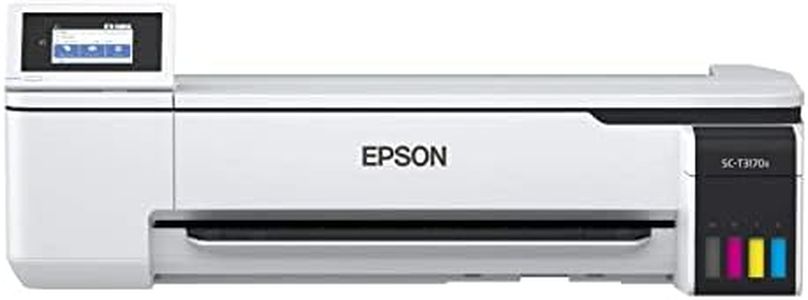
Epson SureColor T3170x 24" Desktop Printer, White, Extra Large

Rating
8.2
Print Resolution
Print Speed
Ink Type

Most important from
47 reviews

Print Resolution
Delivers excellent print quality with sharp, detailed images, meeting professional standards for large-format prints.
Print Speed
The printer operates a bit slowly, which is expected for a large-format device focused on quality rather than speed.
Ink Type
The refillable ink system helps keep running costs low and reduces waste, making it economical for frequent printing.
Connectivity Options
Connectivity options like USB and Wi-Fi make it convenient to print from multiple devices with ease.

The Epson SureColor T3170x is a wide-format desktop printer designed for professionals who need large, detailed prints, making it suitable for photographers who require high print quality and size. It offers excellent print resolution at 2400 x 1200 dpi, which ensures sharp images with fine detail. Its color printing uses CMYK ink with cartridge-free refillable bottles, helping keep running costs low and reducing waste, which is great if you print often. The printer can handle roll media up to 24 inches wide, allowing for large photo prints and posters, though the maximum sheet size for standard paper is 11 x 17 inches. This is useful if you want flexibility in print sizes, especially for bigger projects.

Speed-wise, it can produce an A1 size print in about 34 seconds, which is fast for its class, though the color print speed in regular page terms is slower (0.5 pages per minute), reflecting its focus on quality over quantity. Connectivity options include USB and Wi-Fi, making it convenient to print from various devices including PCs and tablets. The printer also features a clear and easy-to-use color LCD screen, which simplifies operation even if you're not very tech-savvy.

On the downside, the color printing speed might feel slow for high-volume photo printing, and it supports only one paper tray with a moderate capacity (150 sheets). It lacks more advanced photo-specific paper handling options some photographers might want, such as multiple trays for different paper types. The Epson SureColor T3170x is a strong choice for photographers needing high-resolution, large-format prints with good color accuracy and low ink costs. It fits best in environments where print quality and size matter more than ultra-fast output or heavy paper handling options.

Rating
8.2
Print Resolution
Print Speed
Ink Type

Most important from
47 reviews

Print Resolution
Delivers excellent print quality with sharp, detailed images, meeting professional standards for large-format prints.
Print Speed
The printer operates a bit slowly, which is expected for a large-format device focused on quality rather than speed.
Ink Type
The refillable ink system helps keep running costs low and reduces waste, making it economical for frequent printing.
Connectivity Options
Connectivity options like USB and Wi-Fi make it convenient to print from multiple devices with ease.
#3

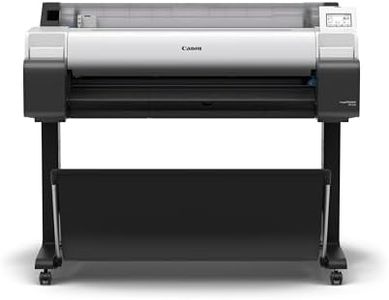
Canon imagePROGRAF TM-340 36" - Large Format 5 Color Poster & Plotter Printer with Media Detection, Color Calibration, Printer Stand/Catch Basket, 300 ml of Ink, and 2-Year Warranty

Rating
8.2
Print Resolution

Most important from
12 reviews

Print Resolution
The large format prints come out with excellent quality, capturing every detail vividly.

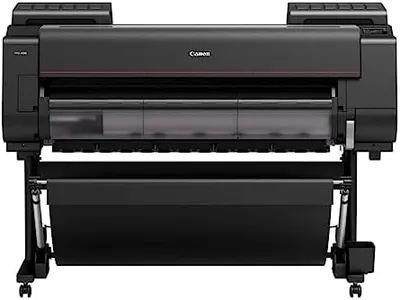
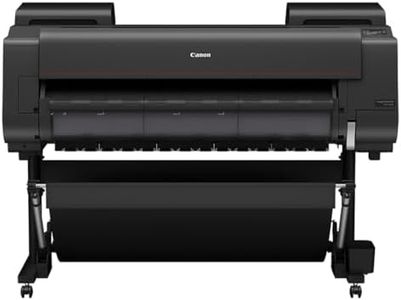
The Canon imagePROGRAF TM-340 is a large format photo printer designed for creating detailed, vibrant posters up to 36 inches wide. It uses a 5-color pigment ink system that provides sharp lines and rich colors, which is important for photographers and artists who need color accuracy and long-lasting prints. The printer includes 300 ml of ink, which is enough to get started without frequent refills. One of its user-friendly features is automatic media detection, which means it can recognize the type and size of the paper you load, making the printing process smoother and reducing setup errors. It also has automatic color calibration to help keep your prints consistent over time.

The print speed is about 2.7 pages per minute for both color and monochrome, which is moderate and suitable for detailed poster printing rather than fast photo printing. Connectivity options include high-speed USB and Ethernet, allowing easy connection to your computer or network. The printer also comes with a tiltable touchscreen and guided setup to simplify operation and maintenance. On the downside, while the printer handles large print sizes well, it may not be the fastest option if you need quick turnaround on many prints. Also, the focus on pigment inks means excellent durability but might slightly limit some color vibrancy compared to dye-based inks favored in some photo printers.

This printer is well-suited for photographers or professionals who need reliable, high-quality large prints with accurate colors and straightforward operation.

Rating
8.2
Print Resolution

Most important from
12 reviews

Print Resolution
The large format prints come out with excellent quality, capturing every detail vividly.

Buying Guide for the Best Photo Printers For Photographers

Choosing the right photo printer is crucial for photographers who want to produce high-quality prints of their work. The right printer can make a significant difference in the color accuracy, detail, and overall presentation of your photos. When selecting a photo printer, it's important to consider several key specifications that will impact the quality and efficiency of your printing process. Understanding these specs will help you make an informed decision and ensure that the printer you choose meets your specific needs as a photographer.
Print ResolutionPrint resolution is measured in dots per inch (DPI) and indicates how many dots of ink the printer can place on a square inch of paper. Higher DPI values generally mean better print quality, with more detail and smoother gradients. For photographers, a higher resolution is important to accurately reproduce the fine details and textures in your photos. Printers with a resolution of 2400 DPI or higher are typically suitable for professional photo printing. If you frequently print large photos or need the highest possible quality, aim for the highest DPI available.
Color AccuracyColor accuracy refers to how well a printer can reproduce the colors in your photos. This is crucial for photographers who need their prints to match the original image as closely as possible. Printers with more ink cartridges (such as those with six or more colors) tend to offer better color accuracy and a wider color gamut. Look for printers that use pigment-based inks, as they generally provide more accurate and long-lasting colors compared to dye-based inks. If you work with a lot of vibrant or subtle colors, prioritize color accuracy in your choice.
Ink TypeThere are two main types of ink used in photo printers: dye-based and pigment-based. Dye-based inks are known for their vibrant colors and smooth gradients, making them ideal for glossy prints. However, they may not be as long-lasting as pigment-based inks, which are more resistant to fading and water damage. Pigment-based inks are better suited for archival-quality prints and matte finishes. Consider the type of prints you produce most often and choose a printer with the appropriate ink type to match your needs.
Print SizePrint size refers to the maximum dimensions of the prints a printer can produce. Standard photo printers typically handle up to 8.5 x 11 inches, while larger format printers can print up to 13 x 19 inches or even larger. If you frequently print large photos or need to create posters and other large-format prints, opt for a printer that supports larger paper sizes. For everyday photo printing, a standard size printer may be sufficient. Consider your typical print size requirements when making your decision.
Print SpeedPrint speed is measured in pages per minute (PPM) and indicates how quickly a printer can produce prints. While speed may not be the most critical factor for photographers, it can be important if you need to produce a large number of prints in a short amount of time. Faster printers can save you time, especially during busy periods or when working on large projects. However, be aware that higher print speeds can sometimes compromise print quality. Balance your need for speed with the quality requirements of your prints.
Connectivity OptionsConnectivity options determine how you can connect your printer to your computer or other devices. Common options include USB, Wi-Fi, and Ethernet. Wi-Fi connectivity allows for wireless printing, which can be convenient if you want to print from multiple devices or locations. Some printers also offer mobile printing capabilities, enabling you to print directly from your smartphone or tablet. Consider your workflow and how you prefer to connect your devices when choosing a printer with the right connectivity options for you.
Paper HandlingPaper handling refers to the types and sizes of paper a printer can accommodate, as well as the capacity of its paper trays. For photographers, it's important to choose a printer that can handle a variety of photo paper types, including glossy, matte, and fine art papers. Additionally, a printer with multiple paper trays or a high-capacity tray can save you time by reducing the need to frequently reload paper. Consider the types of paper you use most often and ensure the printer you choose can handle them efficiently.

FAQ

Most Popular Categories Right Now