10 Best Parental Control Routers 2026 in the United States
Related Products
Up to 24% off



Our technology thoroughly searches through the online shopping world, reviewing hundreds of sites. We then process and analyze this information, updating in real-time to bring you the latest top-rated products. This way, you always get the best and most current options available.

Our Top Picks
Winner
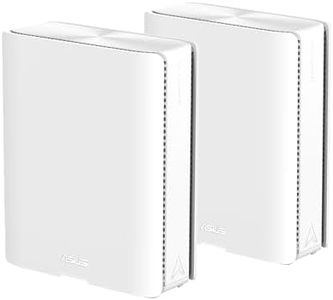
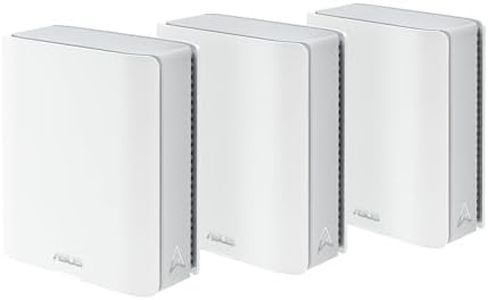
ASUS ZenWiFi BQ16 Pro WiFi 7 Router - Quad-Band, 8K sq. ft, 30Gbps (2 Pack)
Most important from
178 reviews
The ASUS ZenWiFi BQ16 Pro is a powerful mesh router system designed for large homes, covering up to 8,000 square feet with strong Wi-Fi 7 quad-band technology. This means it provides fast, stable wireless connections across multiple devices and rooms, which is great for busy households where smart TVs, gaming consoles, and phones are all used at once. It supports advanced parental controls through its app, allowing parents to manage internet access and keep an eye on kids' online activities easily. The system also supports creating multiple Wi-Fi networks (SSIDs), which helps separate kids' devices from other smart home gadgets for added security and better management.
Security is robust, with VPN support and the latest WPA3 encryption, keeping your home network well protected without needing extra subscriptions. The setup and controls are app-based, designed to be user-friendly for those who aren't very tech-savvy. On the downside, while the router excels in coverage and speed, its premium features might be more than what's needed for smaller homes or simpler internet needs, potentially making it a pricier choice. Some users note the 3.8-star rating and mention occasional complexity in advanced settings, but the included warranty and ASUS support add peace of mind.
If you're aiming for a future-proof, secure mesh system with strong parental controls for a large, smart home, this router fits well, though it might be a bit much if you only need basic controls or coverage for a smaller space.
Most important from
178 reviews
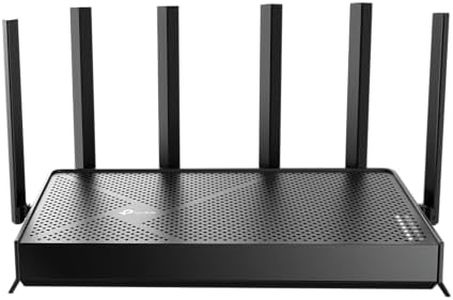
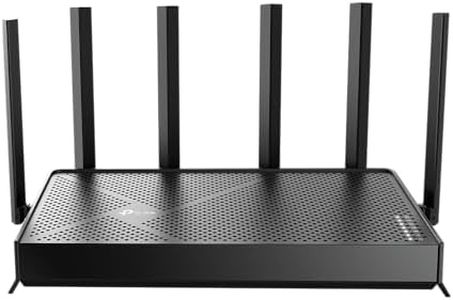
TP-Link BE6500 Dual-Band WiFi 7 Router (BE400) – Dual 2.5Gbps Ports, USB 3.0, Covers up to 2,400 sq. ft., 90 Devices, Quad-Core CPU, HomeShield, Private IoT, Free Expert Support
Most important from
1268 reviews
The TP-Link BE6500 (Archer BE400) is a powerful dual-band Wi-Fi 7 router designed for modern homes needing fast, reliable connections with strong security and parental controls. It supports the latest Wi-Fi 7 standard, delivering very high internet speeds (up to 6.5 Gbps combined) and can handle many devices simultaneously—up to 90—making it ideal for busy families with numerous phones, tablets, and smart home gadgets. Its coverage reaches about 2,400 square feet, which suits medium to large homes but may require extra mesh units for bigger spaces.
For parents, the router includes TP-Link HomeShield, offering comprehensive parental controls that allow management of screen time, content filtering, and real-time network activity monitoring through a smartphone app. These features help keep internet use safe and appropriate for kids. Security features include WPA3 encryption and built-in IoT protection, which guard your home network and smart devices against common online threats.
Setup and management are straightforward with the Tether app, making the router accessible even for users without technical expertise. Support is available through TP-Link’s expert team, which is helpful if any issues arise. While the router is rich in high-end features and future-ready technology, some advanced options might feel overwhelming for those who prefer simple, no-fuss devices. Additionally, the coverage is suitable for most homes, but very large houses might benefit from additional mesh units to avoid Wi-Fi dead zones. This router is well-suited for families seeking fast internet with strong security and flexible parental controls, and who are comfortable managing their network via an app. It remains a solid choice as devices and internet needs evolve.
Most important from
1268 reviews
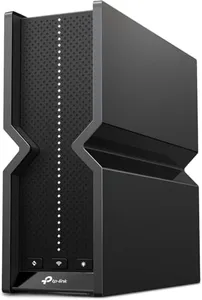
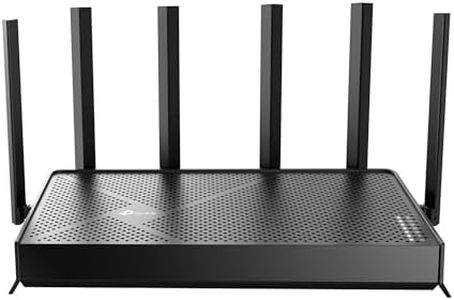
TP-Link Tri-Band BE9300 WiFi 7 Router (Archer BE550) – 6-Stream, Full 2.5G Ports, 6 Internal Antennas, Up to 2,000 sq. ft., EasyMesh Expansion, VPN
Most important from
1716 reviews
The TP-Link Archer BE550 is a high-performance tri-band Wi-Fi 7 router designed to deliver extremely fast internet speeds with excellent coverage of up to 2,000 square feet, making it suitable for most medium-sized homes. It supports the latest Wi-Fi 7 standard, which means it can handle multiple devices streaming 4K/8K videos or gaming without lag. One highlight for families is the TP-Link HomeShield feature, which offers strong parental controls to manage and monitor internet use, plus added security like real-time IoT protection and WPA3 encryption to keep smart home devices safe.
The router also supports EasyMesh, allowing you to extend coverage easily with compatible devices, which is helpful in larger or multi-story homes. Its six internal antennas and beamforming technology boost connection reliability and reduce interference. The built-in 2.5G Ethernet ports ensure fast wired connections for gaming consoles or PCs. Setup is simple through the intuitive Tether App on smartphones, making it accessible even if you aren’t very tech-savvy.
This router is ideal for tech-forward households that use many connected devices, providing cutting-edge Wi-Fi speed combined with strong security and parental controls. While it is designed for coverage up to 2,000 square feet, homes larger than this may require additional mesh devices for optimal performance. Additionally, some users with fewer devices or simpler internet needs may find the advanced Wi-Fi 7 features more than necessary.
Most important from
1716 reviews
Buying Guide for the Best Parental Control Routers
When choosing a parental control router, it's important to consider several key specifications to ensure you get the best fit for your family's needs. Parental control routers help you manage and monitor your children's internet usage, providing a safer online environment. Understanding the key specs will help you make an informed decision and select a router that meets your requirements.FAQ
Most Popular Categories Right Now


