10 Best Macbook Docking Stations 2026 in the United States

Related Products
Up to 24% off




Recommended lists


Our technology thoroughly searches through the online shopping world, reviewing hundreds of sites. We then process and analyze this information, updating in real-time to bring you the latest top-rated products. This way, you always get the best and most current options available.

Our Top Picks
Winner
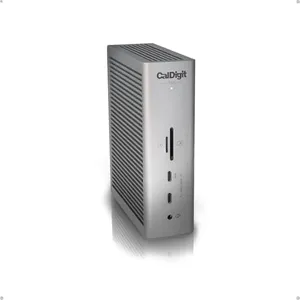
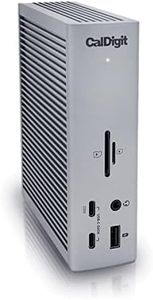
CalDigit TS5 Thunderbolt 5 Dock - 15 Port, 140W Charging, 80Gb/s TBT 5 x 4, USB-C 10Gb x 3, USB-A x2, 2.5Gb Ethernet, Dual 8K@60Hz Displays, SD & microSD UHS-II, 1m Braided Cable, Space Gray 240W PSU
Most important from
282 reviews
The CalDigit TS5 Thunderbolt 5 Dock is a robust option for MacBook users needing extensive connectivity and power. With 15 ports, including four Thunderbolt 5/USB4 ports, multiple USB-C and USB-A ports, SD and microSD card slots, and a 2.5 Gigabit Ethernet port, it covers nearly all connection needs. Its 140W power delivery can fully charge power-hungry laptops like the 16” M4 MacBook Pro, supported by a strong 240W power supply that ensures stable power for all connected devices.
Display support is impressive, with the ability to run dual 6K or even dual 8K monitors at 60Hz on compatible Macs, and high refresh rates up to 240Hz for 4K displays, making it suitable for professionals who use multiple high-resolution screens. The aluminum chassis not only looks premium but also helps keep the dock cool during heavy use. Compatibility is best with Thunderbolt 5 or USB4 v2 hosts; older Thunderbolt or USB-C connections will limit some features. The dock also supports fast 2.5GbE wired networking, which is a step up from standard docks. Users should note that triple displays are not supported on macOS.
The TS5’s braided 1m cable and well-designed form factor add to its appeal. While the price may be higher than simpler docks, for those needing power, speed, and versatile ports in a single device, the CalDigit TS5 represents a compelling and future-proof solution.
Most important from
282 reviews
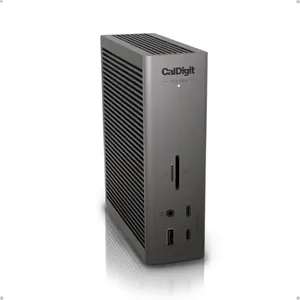
CalDigit TS5 PLUS - Thunderbolt 5 Dock - 20 Port, 10Gb Ethernet, 140W dedicated host Charging, TBT-5 x 3, USB 10Gb/s x10, Dual USB Controllers, Up to Two 8K 60Hz Displays, 1.0m Braided Cable, 330W PSU
Most important from
282 reviews
The CalDigit TS5 Plus is a powerful docking station designed for MacBook users who need extensive connectivity and strong power support. It offers an impressive 20 ports, including three very fast Thunderbolt 5 ports, a mix of USB-A and USB-C ports, plus a 10 Gigabit Ethernet port for fast network speeds—great for those working with big files or needing reliable connections. It can charge your MacBook Pro at full speed with 140W power delivery, which is enough even for larger models, and it also powers other devices from the dock.
The dock supports dual 6K or even dual 8K monitors on Macs, providing excellent display options for creative work or multitasking. Its aluminum case helps keep it cool during heavy use, which adds to its durability. However, to get the most from this dock, your Mac or PC needs to support Thunderbolt 5 or USB4 v2; older devices will see fewer benefits. Also, Windows users need to install a driver to use the Ethernet port properly.
Though it is a bit on the larger side and pricier than simpler docks, the TS5 Plus suits professionals or power users who want a single hub that handles high-speed data, multiple displays, and strong charging in a solid, stylish design.
Most important from
282 reviews
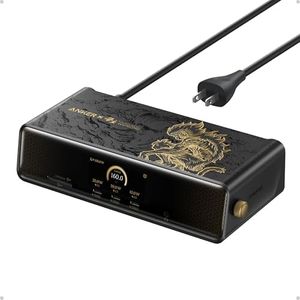
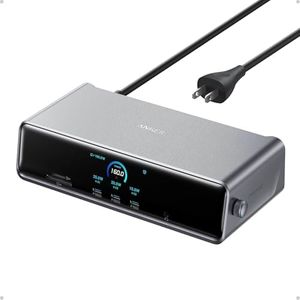
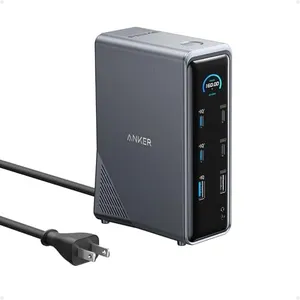
Anker Prime Docking Station (DL7400) Black Myth: Wukong Limited Edition, 14-Port Triple Display, 140W Max, Triple 4K 60Hz, for macOS and Windows (The Latest DisplayLink Driver Required)
Most important from
754 reviews
The Anker Prime Docking Station DL7400 is a strong choice if you want to connect multiple devices to your MacBook or Windows laptop. It stands out with 14 ports, including several USB-C and USB-A options, two HDMI ports, a DisplayPort, and fast Ethernet, covering most connectivity needs you might have. It supports powerful charging, delivering up to 140W to your laptop through the main USB-C port, and the front USB-C ports can also charge devices at up to 100W, though they don’t support video output.
When it comes to displays, this dock impresses by supporting three monitors at once, including one with an ultra-high 8K resolution and two others at 4K 60Hz. This makes multitasking easier and is great for users needing large or multiple screens. Just keep in mind that macOS requires installing the latest DisplayLink driver for everything to work smoothly.
The build quality is well thought out, with a unique design inspired by the Wukong theme, giving it a distinctive, tactile look. It also includes a smart display panel that shows real-time info about charging, display status, and cooling, while a built-in fan helps keep the dock cool during heavy use. Compatibility is broad, covering MacBook Pro, MacBook Air (2020 and later), and popular Windows laptops, but it’s important to use the included USB-C cable for stable performance. Some users might find the requirement for specific drivers and cables a bit of a hassle. This docking station suits users who want extensive port options and triple-monitor support with strong charging capabilities. If you value style and detailed device info alongside solid performance, it’s a good fit. However, less tech-savvy users should be aware of the need for proper driver setup and cable use to get the best experience.
Most important from
754 reviews
Buying Guide for the Best Macbook Docking Stations
When choosing a MacBook docking station, it's important to consider how you plan to use it and what features you need to enhance your productivity. A docking station can expand the connectivity options of your MacBook, allowing you to connect multiple peripherals and devices. Here are some key specifications to consider when selecting the best docking station for your needs.FAQ
Most Popular Categories Right Now


