10 Best Logitech Keyboards 2026 in the United States
Related Products
Up to 16% off
Our technology thoroughly searches through the online shopping world, reviewing hundreds of sites. We then process and analyze this information, updating in real-time to bring you the latest top-rated products. This way, you always get the best and most current options available.

Our Top Picks
Winner
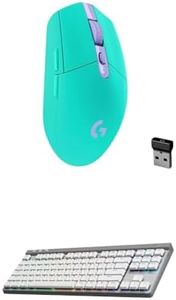
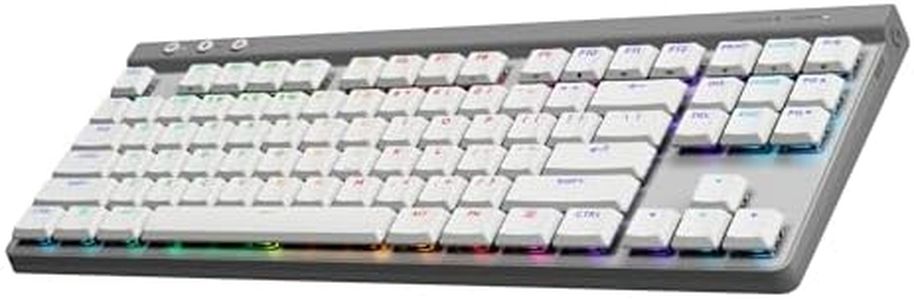
Logitech G305 Lightspeed Wireless Gaming Mouse (Mint) + G515 TKL Wireless Gaming Keyboard (Tactile, White) Bundle
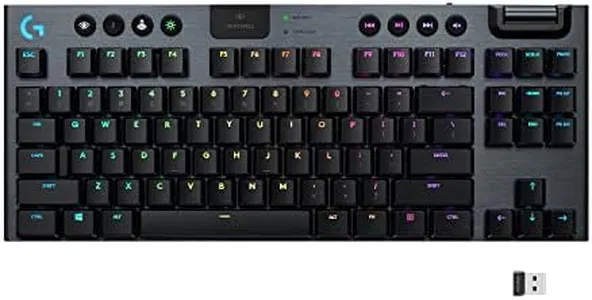
This Logitech bundle pairs the G305 Lightspeed Wireless Gaming Mouse with the G515 TKL Wireless Gaming Keyboard, designed mainly for gamers seeking solid performance in a compact setup. The keyboard uses low-profile GL mechanical switches that are factory-lubed, offering a smooth and tactile typing experience with fast response, suitable for both gaming and typing. Its tenkeyless (TKL) layout lacks the number pad to save space, appealing to users who want more desk room or prefer a more portable keyboard.
Connectivity options are versatile with three modes: LIGHTSPEED wireless for ultra-fast, lag-free gaming, Bluetooth for convenience, and wired mode for zero latency, making it adaptable to different setups. The battery life lasts up to 36 hours on a single charge, which covers long gaming sessions but may require occasional recharging compared to some competitors offering longer endurance. The keyboard features a slim profile with a modern design, though it does not include special ergonomic features such as wrist rests.
The mouse features the highly accurate HERO optical sensor and offers excellent battery life with up to 250 hours on one AA battery, supporting intense gaming without frequent replacements. Both devices emphasize wireless freedom with LIGHTSPEED technology, making this bundle a strong choice for users seeking reliable, responsive wireless gaming gear in a sleek, minimalist design. However, users needing a full-sized keyboard with dedicated macro keys or advanced ergonomic support might find this set less suitable.
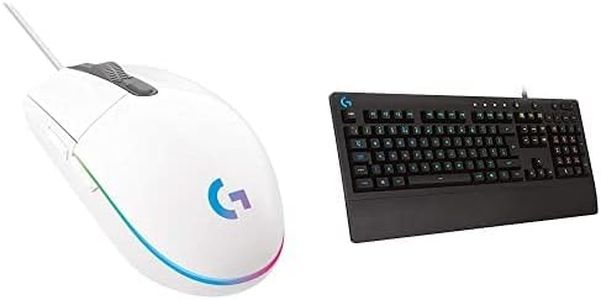
Logitech G203 Wired Gaming Mouse + G213 Prodigy Gaming Keyboard Bundle - White
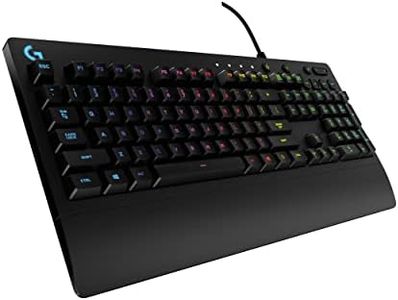
This Logitech G203 and G213 bundle offers a solid entry point for gamers looking for quality peripherals without breaking the bank. The G213 Prodigy keyboard is a full-sized, wired gaming keyboard with a classic layout that’s easy to use and comfortable for long sessions thanks to an integrated palm rest and adjustable feet. It features tactile, responsive keys designed to keep up with fast gameplay, supporting multi-key presses without ghosting, which is great for complex commands. The keyboard’s bright RGB backlighting can be customized across five zones and synchronized with other Logitech devices, making it visually appealing and practical for low-light environments. It’s also built to resist spills and crumbs, adding durability for everyday use.
The G203 mouse complements the keyboard well with an 8,000 DPI optical sensor that ensures precise and smooth tracking, adjustable through Logitech’s software. Its simple six-button design is ambidextrous and comfortable for various grip styles. Both devices connect via USB, providing reliable, low-latency wired performance preferred by many gamers.
The keyboard uses membrane-style keys rather than mechanical switches, which might feel less tactile and durable to some users who prefer that mechanical feedback. Additionally, while the lighting and customization features are impressive, they require installing Logitech’s software, which might be a minor inconvenience for those wanting plug-and-play simplicity. This bundle suits gamers seeking dependable, stylish, and ergonomic wired peripherals with good performance and customization options, especially if they prefer not to invest in high-end mechanical keyboards or mice.
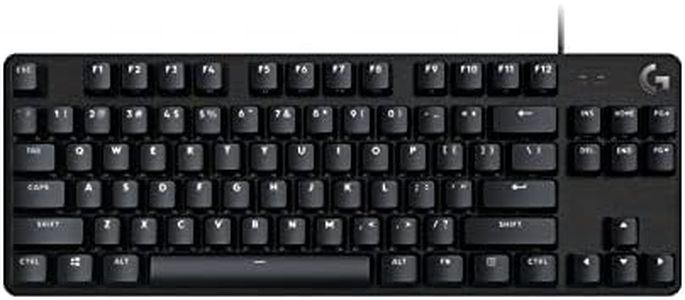
Logitech G413 TKL SE Mechanical Gaming Keyboard - Compact Backlit Keyboard with Tactile Mechanical Switches, Anti-Ghosting, Compatible with Windows, macOS - Black Aluminum
Most important from
1044 reviews
The Logitech G413 TKL SE is a solid choice for gamers looking for a compact, tenkeyless mechanical keyboard that doesn’t sacrifice durability or performance. Its tactile mechanical switches provide satisfying, responsive feedback, which helps improve gaming precision. The keyboard’s wired connection ensures a stable, lag-free experience. Built with a sleek black aluminum top case and PBT keycaps, it offers durability and a premium feel while resisting wear and heat. The white LED backlighting is simple but effective for low-light gaming sessions.
It also includes anti-ghosting and 6-key rollover, meaning multiple key presses register accurately — a must-have for gaming. Media controls accessed via the FN key add convenience without crowding the design. However, the keyboard lacks customizable RGB lighting, which some gamers prefer for personalization. Being tenkeyless means it’s compact and great for desk space, but if you often use the number pad, this could be a drawback. Also, it’s a wired keyboard, so it doesn’t offer wireless flexibility.
If you want a sturdy, no-nonsense mechanical keyboard with tactile switches and a clean look for gaming on Windows or Mac, the Logitech G413 TKL SE proves to be a dependable pick.
Most important from
1044 reviews
Buying Guide for the Best Logitech Keyboards
Choosing the right keyboard can significantly enhance your typing experience, whether you're using it for work, gaming, or casual use. When selecting a keyboard, it's important to consider various specifications that can affect comfort, functionality, and overall performance. Understanding these key specs will help you make an informed decision that best suits your needs.FAQ
Most Popular Categories Right Now


