We Use CookiesWe use cookies to enhance the security, performance, functionality and for analytical and promotional activities. By continuing to browse this site you are agreeing to our privacy policy

10 Best Laptops For College Students 2026 in the United States
How do we rank products for you?

Our technology thoroughly searches through the online shopping world, reviewing hundreds of sites. We then process and analyze this information, updating in real-time to bring you the latest top-rated products. This way, you always get the best and most current options available.

headphones-stars

Our Top Picks

#1

Winner

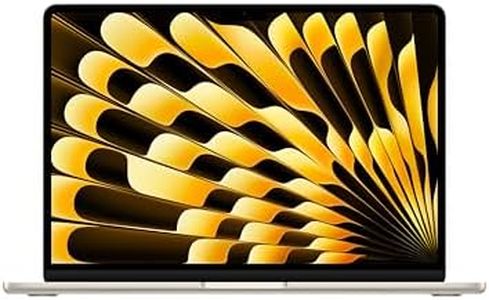
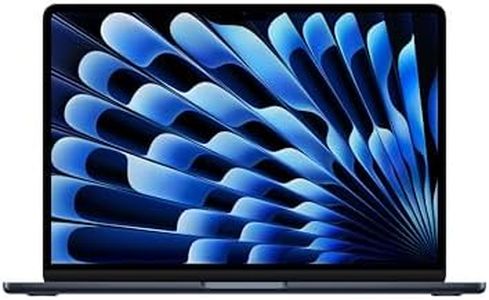
Apple 2026 MacBook Air 13-inch Laptop with M5 chip: Built for AI, 13.6-inch Liquid Retina Display, 16GB Unified Memory, 1TB SSD, 12MP Center Stage Camera, Touch ID, Wi-Fi 7; Midnight

The Apple 2026 MacBook Air with the new M5 chip is an excellent laptop option for college students who want a powerful yet portable device. It features a fast 10-core CPU and 16GB of unified memory, which means it can handle multitasking and demanding apps smoothly, including AI-related tasks. The 1TB SSD ensures plenty of storage space and quick access to your files. The 13.6-inch Liquid Retina display delivers vibrant colors and sharp text, making it great for reading, studying, and media consumption.

One of the standout points is its impressive battery life—up to 18 hours—which means you can get through a full day of classes and assignments without searching for a charger. Weighing just 2.7 pounds and measuring under half an inch thick, it's very easy to carry around campus. Running macOS, it offers a user-friendly experience and seamless integration if you use other Apple products like an iPhone. The Wi-Fi 7 and Bluetooth 6 support ensure fast and reliable wireless connections.

On the downside, the MacBook Air has only two Thunderbolt 4 ports and a headphone jack, which might require adapters if you need to connect multiple devices. Also, while the performance and features are impressive, the price is higher compared to many Windows laptops offering similar specs. This MacBook Air is ideal for students who value strong performance, excellent battery life, and a premium, lightweight design, especially if they are already invested in the Apple ecosystem. However, those on a tight budget or needing more ports might want to look at other options.

#2

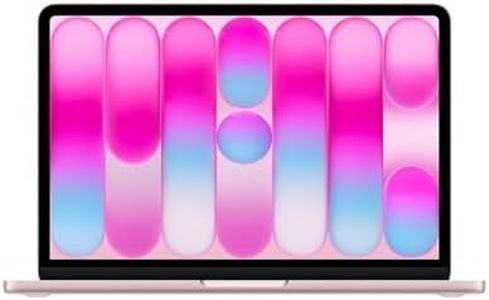
Apple 2026 MacBook Air 13-inch Laptop with M5 chip: Built for AI, 13.6-inch Liquid Retina Display, 16GB Unified Memory, 512GB SSD, 12MP Center Stage Camera, Touch ID, Wi-Fi 7; Midnight

Rating
9.1
Connectivity
Portability
Battery Life

Most important from
826 reviews

Connectivity
The MacBook Air M5 delivers blazing fast Wi-Fi 7 speeds, nearly maxing out a 1Gbps internet connection even from a room away.
Portability
This model strikes the perfect balance of power, portability, and price, making it the best MacBook Air yet.
Battery Life
Battery life outperforms many Windows laptops, easily lasting through a full day of heavy use.
Operating System
macOS comes with all the essential tools pre-installed, providing a smooth and efficient user experience right out of the box.
Processor (CPU)
The new color options and upgraded specs ensure this laptop will remain relevant and fast for years to come.

The 2026 Apple MacBook Air with the M5 chip is a strong choice for college students who want a lightweight and powerful laptop. It offers a fast 10-core CPU and 16GB of unified memory, meaning it can handle multitasking and creative work smoothly—perfect for writing papers, browsing, and using demanding apps. The 512GB SSD provides quick storage with enough space for most students' documents and media. The battery life is impressive, reaching up to 18 hours, so you can get through a full day of classes and studying without needing to recharge frequently. Its 13.6-inch Liquid Retina display delivers sharp and colorful images, making reading and watching videos more enjoyable. The laptop runs macOS, which is user-friendly and integrates seamlessly with iPhones if you use other Apple devices.

For connectivity, it has two Thunderbolt 4 ports, a MagSafe charger, and supports Wi-Fi 7, ensuring fast internet and peripheral connections. However, it only includes integrated graphics, which means it’s not suited for intensive gaming or heavy video editing. Also, while the two USB-C ports are versatile, some users might find them limiting if they need multiple wired connections at once, requiring adapters.

The MacBook Air's price might be higher than many Windows alternatives, but it makes up for it with build quality, portability at just about 3 pounds, and a premium user experience. This MacBook Air is an excellent pick for college students who prioritize portability, battery life, and a smooth day-to-day performance, especially if they are already invested in Apple's ecosystem.

Rating
9.1
Connectivity
Portability
Battery Life

Most important from
826 reviews

Connectivity
The MacBook Air M5 delivers blazing fast Wi-Fi 7 speeds, nearly maxing out a 1Gbps internet connection even from a room away.
Portability
This model strikes the perfect balance of power, portability, and price, making it the best MacBook Air yet.
Battery Life
Battery life outperforms many Windows laptops, easily lasting through a full day of heavy use.
Operating System
macOS comes with all the essential tools pre-installed, providing a smooth and efficient user experience right out of the box.
Processor (CPU)
The new color options and upgraded specs ensure this laptop will remain relevant and fast for years to come.
#3

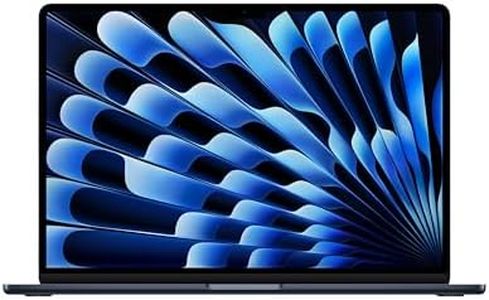
Apple 2026 MacBook Air 15-inch Laptop with M5 chip: Built for AI, 15.3-inch Liquid Retina Display, 16GB Unified Memory, 512GB SSD, 12MP Center Stage Camera, Touch ID, Wi-Fi 7; Midnight

Rating
9.1
Display
Processor (CPU)
RAM

Most important from
426 reviews

Display
The 15.3-inch Liquid Retina display offers vibrant colors, deep blacks, and sharp text, making every task from content creation to casual browsing a visual delight.
Processor (CPU)
The M5 chip delivers incredibly responsive performance, handling multitasking and demanding workloads effortlessly with instant application launches.
RAM
With 16GB of unified memory, the laptop maintains smooth and fluid operation even during heavy multitasking and creative projects.
Battery Life
Battery life easily lasts through a full day of classes, work, or travel, providing the freedom to stay unplugged without anxiety.
Portability
Despite the larger screen, the laptop remains slim, lightweight, and highly portable, perfect for carrying around campus or on the go.
Operating System
macOS is polished and user-friendly, optimized for seamless hardware-software integration with excellent stability and security.
Connectivity
Connectivity is future-proofed with Wi-Fi 7 and Bluetooth 6, providing fast, stable wireless connections for accessories and networks.

The Apple 2026 MacBook Air 15-inch with the new M5 chip is a strong choice for college students who want a powerful yet lightweight laptop. It has a fast 10-core processor and 16GB of unified memory, which means it can handle multitasking, creative projects, and everyday tasks smoothly. The 512GB SSD provides quick storage, although students needing more space might consider external drives or cloud storage. The battery life stands out, offering up to 18 hours, perfect for long classes or study sessions without needing to recharge. At just 3.3 pounds and a slim design, it’s very portable and easy to carry around campus.

The 15.3-inch Liquid Retina display is bright and sharp with excellent color support, great for media consumption, presentations, and note-taking. macOS is user-friendly, secure, and works seamlessly with other Apple devices, which is handy if you own an iPhone or iPad. Connectivity is solid with Wi-Fi 7 and Bluetooth 6, plus two Thunderbolt 4 ports, MagSafe charging, and a headphone jack, covering most student needs for accessories and fast internet. The built-in 12MP camera and quality microphone setup are excellent for video calls and online classes.

One potential drawback is the price typical of Apple laptops, which might be a consideration for budget-conscious students. Also, the limited number of ports means you may need adapters for some peripherals. This MacBook Air suits students seeking a reliable, high-performance, and portable laptop to support study, creativity, and everyday use throughout college.

Rating
9.1
Display
Processor (CPU)
RAM

Most important from
426 reviews

Display
The 15.3-inch Liquid Retina display offers vibrant colors, deep blacks, and sharp text, making every task from content creation to casual browsing a visual delight.
Processor (CPU)
The M5 chip delivers incredibly responsive performance, handling multitasking and demanding workloads effortlessly with instant application launches.
RAM
With 16GB of unified memory, the laptop maintains smooth and fluid operation even during heavy multitasking and creative projects.
Battery Life
Battery life easily lasts through a full day of classes, work, or travel, providing the freedom to stay unplugged without anxiety.
Portability
Despite the larger screen, the laptop remains slim, lightweight, and highly portable, perfect for carrying around campus or on the go.
Operating System
macOS is polished and user-friendly, optimized for seamless hardware-software integration with excellent stability and security.
Connectivity
Connectivity is future-proofed with Wi-Fi 7 and Bluetooth 6, providing fast, stable wireless connections for accessories and networks.

Buying Guide for the Best Laptops For College Students

Choosing the right laptop for college can be a daunting task, but with the right approach, you can find a model that fits your needs perfectly. As a college student, you'll need a laptop that can handle your coursework, research, and possibly some entertainment. It's important to consider factors like performance, portability, battery life, and storage. Here's a breakdown of key specifications to help you make an informed decision.
Processor (CPU)The processor is the brain of your laptop and determines how fast and efficiently it can run programs. For college students, a mid-range processor like Intel Core i5 or AMD Ryzen 5 is usually sufficient for most tasks, including web browsing, word processing, and streaming videos. If you're studying a field that requires more intensive computing, such as engineering or graphic design, you might need a higher-end processor like Intel Core i7 or AMD Ryzen 7.
RAMRAM (Random Access Memory) affects how smoothly your laptop can run multiple applications at once. For general use, 8GB of RAM is typically enough for college students. If you plan to run more demanding software or multitask heavily, consider upgrading to 16GB. More RAM allows for better performance and faster access to data, which is crucial for tasks like video editing or running virtual machines.
StorageStorage determines how much data you can keep on your laptop. There are two main types: HDD (Hard Disk Drive) and SSD (Solid State Drive). SSDs are faster and more reliable but tend to be more expensive. For most students, a 256GB SSD should be sufficient for storing documents, applications, and some media files. If you need more space for large files like videos or software, consider a 512GB SSD or a combination of SSD and HDD.
Battery LifeBattery life is crucial for students who need to use their laptops throughout the day without frequent charging. Look for laptops that offer at least 8 hours of battery life to ensure you can get through classes, study sessions, and extracurricular activities. If you're often on the go or have long days, prioritize models with longer battery life.
PortabilityPortability is important for students who need to carry their laptops between classes, libraries, and dorms. Consider the weight and size of the laptop. Ultrabooks and lightweight models are ideal for portability, typically weighing around 2-3 pounds. A 13-14 inch screen size strikes a good balance between usability and portability.
DisplayThe display quality affects your viewing experience. A Full HD (1920x1080) resolution is generally sufficient for most tasks and provides clear and sharp visuals. If you're into graphic design, video editing, or gaming, you might want a higher resolution or better color accuracy. Consider the screen size as well; a 13-15 inch display is usually a good choice for balancing portability and usability.
Operating SystemThe operating system (OS) is the software that manages your laptop's hardware and software. The most common options are Windows, macOS, and Chrome OS. Windows is versatile and compatible with most software, making it a good choice for general use. macOS is preferred by students in creative fields due to its robust multimedia capabilities. Chrome OS is lightweight and ideal for web-based tasks but may not support all software needed for certain courses.
ConnectivityConnectivity options like USB ports, HDMI, and Wi-Fi are essential for connecting peripherals and accessing the internet. Ensure the laptop has enough USB ports for your needs, including USB-C for faster data transfer and charging. HDMI is useful for connecting to external displays. Good Wi-Fi capabilities ensure reliable internet access, which is crucial for online research and assignments.

FAQ

Most Popular Categories Right Now