10 Best High Resolution Printer 2026 in the United States

Related Products
Up to 23% off





Our technology thoroughly searches through the online shopping world, reviewing hundreds of sites. We then process and analyze this information, updating in real-time to bring you the latest top-rated products. This way, you always get the best and most current options available.

Our Top Picks
Winner
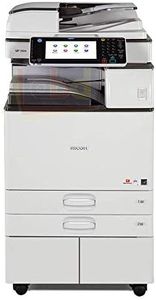
Ricoh Aficio MP C4504 A3 Color Laser Multifunction Copier - 45ppm, Copy, Fax, Print, Scan, Auto Duplex, Network, WIFI, 4 Trays and Comes with Pre-Installed Postscript 3 Supplement (Renewed)
Most important from
10 reviews
The Ricoh Aficio MP C4504 is a solid choice if you need a high-resolution color laser printer for an office setting. It offers sharp print quality with a resolution of 1200 x 1200 dpi for both color and black-and-white prints, ensuring documents and images come out clear and detailed. The printer works fast, handling up to 45 pages per minute for both color and monochrome, making it suitable for busy environments requiring quick results.
It supports A3-sized paper and has four trays with a large total capacity of up to 4700 sheets, which is convenient for handling different paper types or large print jobs without frequent refills. Built-in Wi-Fi and USB ports provide flexible connectivity options to your network or directly to a computer. The 10.1-inch smart touchscreen panel is user-friendly, simplifying operation and access to features like copying, scanning, and faxing, as this is an all-in-one device.
Since it uses toner cartridges for black, cyan, magenta, and yellow, typical of laser printers, toner costs and replacement frequency should be considered if printing volume is high. Color accuracy is generally reliable, suitable for professional documents but might not match the precision of higher-end photo printers for specialized color work. The printer also includes automatic duplex (double-sided) printing, which helps save paper. However, it comes renewed with only a 90-day limited warranty, which may not offer the same peace of mind as a brand-new model. This Ricoh printer is well-suited for offices requiring fast, high-quality color printing with versatile paper handling and connectivity.
Most important from
10 reviews
Ricoh Aficio MP 5054 A3 Monochrome Laser Multifunction Copier - 50ppm, Copy, Print, Scan, Auto Duplex, Network, 4 Trays (Renewed)
The Ricoh Aficio MP 5054 is a monochrome laser multifunction printer designed primarily for office, small business, or home office use where fast, reliable black-and-white printing is key. It offers a sharp print and copy resolution of 1200 x 1200 dpi, which is quite good for text and simple graphics but does not produce color prints, limiting it if you need color accuracy. The print speed is strong at 50 pages per minute, making it suitable for busy environments that require quick turnaround. It uses toner instead of ink, which generally means less frequent replacements and better efficiency for volume printing, but toner costs can add up over time.
Connectivity options include built-in Wi-Fi and Ethernet, allowing easy network integration and wireless printing from smartphones, which adds great convenience. Paper handling is versatile with 4 trays and auto-duplex printing for double-sided jobs, accommodating A3 size paper and holding up to 4700 sheets, so it can handle large print jobs without constant refills.
One downside is it only prints in monochrome, so it’s not suitable if you need color documents or photos. Also, since this model is renewed (refurbished), it comes with a limited 90-day warranty, which might be a concern if you want long-term peace of mind. This device represents a strong option for those who require a fast, high-resolution black-and-white printer with good connectivity and robust paper handling for office tasks, but it may not fit needs where color printing or extended warranty coverage is important.
Ricoh Aficio MP 5054 Tabloid/Ledger-Size Black and White Laser Multifunction Copier - 50ppm, Print, Scan, Copy, Network, Auto Duplex, 4 Trays, Stand (Renewed)
The Ricoh Aficio MP 5054 is a black and white laser multifunction printer designed for fast, efficient office use. It offers a high print resolution of 1200 x 1200 dpi, ensuring sharp, clear text and detailed monochrome prints. With a print speed of up to 50 pages per minute, it handles large volumes quickly, making it a good fit for busy work environments. The automatic duplex printing feature is handy for saving paper and printing double-sided documents effortlessly.
It supports tabloid and ledger-size paper (up to 11 x 17 inches) and comes standard with four trays, allowing a large paper capacity from 1,200 sheets up to 4,700 sheets with additional options, which means less frequent refills during high-demand periods. Connectivity is solid with Ethernet and USB ports, enabling easy network integration and remote control, although it lacks wireless options which may limit flexibility in some setups. Since it uses toner cartridges for printing, the cost of consumables tends to be more economical compared to inkjet printers, especially in high-volume printing scenarios.
This model is monochrome only, so it does not print in color, which could be a drawback if color printing is needed. Being a refurbished unit, it includes a limited 90-day warranty and ships with about 30% of toner, so budgeting for cartridges sooner than with a brand-new printer is advisable. This printer suits offices or businesses needing reliable, high-speed black and white printing with good paper handling, rather than users looking for color printing or wireless connectivity.
Buying Guide for the Best High Resolution Printer
Choosing the right high-resolution printer can be a daunting task, but with the right approach, you can find a model that perfectly suits your needs. High-resolution printers are essential for producing detailed and high-quality prints, whether for professional photography, graphic design, or high-end business documents. To make an informed decision, you need to understand the key specifications that define a high-resolution printer and how they align with your specific requirements.FAQ
Most Popular Categories Right Now


