We Use CookiesWe use cookies to enhance the security, performance, functionality and for analytical and promotional activities. By continuing to browse this site you are agreeing to our privacy policy

10 Best Gpus 2026 in the United States

How do we rank products for you?

Our technology thoroughly searches through the online shopping world, reviewing hundreds of sites. We then process and analyze this information, updating in real-time to bring you the latest top-rated products. This way, you always get the best and most current options available.

headphones-stars

Our Top Picks

#1

Winner

PNY VCNRTXA6000-PB NVIDIA 48GB GDDR6 Graphics Card

Rating
10.0
Chosen by1,309
VRAM (Video RAM)
Power Consumption
Cooling Solutions

Most important from
22 reviews

VRAM (Video RAM)
The massive 48GB VRAM is a game-changer for AI and deep learning tasks, preventing memory bottlenecks even with demanding workloads.
Power Consumption
This GPU excels in AI inferencing and workstation environments, providing a solid balance of performance and energy efficiency.
Cooling Solutions
Despite expectations, the card runs remarkably quiet under heavy load, far from the loud noise typical of many production GPUs.
Connectivity
The package thoughtfully includes useful adapters like DisplayPort to HDMI and DVI, saving extra expenses and hassle.

The PNY NVIDIA RTX A6000 is a high-end graphics card designed mainly for professionals who need massive video memory and top-tier performance, like 3D artists, video editors, and engineers. Its standout feature is the whopping 48GB of GDDR6 VRAM, which is excellent for handling very large datasets, complex simulations, or ultra-high-resolution content. It uses the powerful NVIDIA RTX Ampere architecture, supporting advanced features like ray tracing and AI-driven DLSS, which enhance realistic lighting effects and improve rendering speed in supported applications.

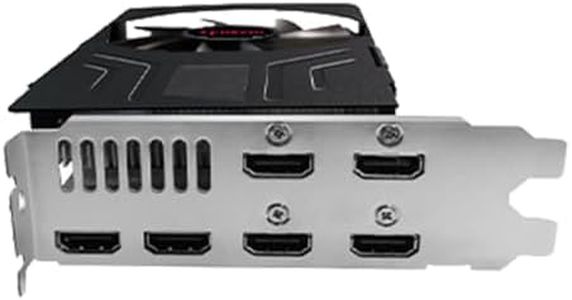
The RTX A6000 offers strong processing power suited for demanding workloads. The card supports up to 7680 x 4320 resolution, making it ideal for multi-monitor setups or extremely detailed displays. Connectivity includes four DisplayPorts, which is versatile for professional monitors. The card is relatively large (over 10 inches long) and weighs about 2.2 pounds, so compatible cases and power supplies should be considered.

This GPU targets workstation users rather than gamers, so it might be more than needed for typical gaming or casual use and comes at a premium price. For heavy professional workloads requiring large memory and excellent rendering capabilities, the PNY RTX A6000 is a strong contender. Gamers or casual users may find that its advanced features and high price do not provide proportional benefits.

Rating
10.0
Chosen by1,309
VRAM (Video RAM)
Power Consumption
Cooling Solutions

Most important from
22 reviews

VRAM (Video RAM)
The massive 48GB VRAM is a game-changer for AI and deep learning tasks, preventing memory bottlenecks even with demanding workloads.
Power Consumption
This GPU excels in AI inferencing and workstation environments, providing a solid balance of performance and energy efficiency.
Cooling Solutions
Despite expectations, the card runs remarkably quiet under heavy load, far from the loud noise typical of many production GPUs.
Connectivity
The package thoughtfully includes useful adapters like DisplayPort to HDMI and DVI, saving extra expenses and hassle.
#2

NVIDIA Tesla A100 Ampere 40 GB Graphics Processor Accelerator - PCIe 4.0 x16 - Dual Slot

Rating
8.8
Power Consumption

Most important from
4 reviews

Power Consumption
Power supply requirements are significant; a 500W bronze PSU may struggle to keep up with this card's demands.

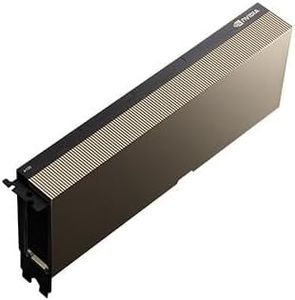
The NVIDIA Tesla A100 Ampere is a high-end graphics processor primarily designed for intensive computing tasks such as AI, data science, and professional workloads rather than gaming or everyday graphic use. It features a massive 40 GB of VRAM, which is excellent for handling large datasets and complex calculations. Its clock speed of 1410 MHz is solid, and the card's strength lies more in its architecture and CUDA cores, known for powerful parallel processing capabilities.

This GPU uses a passive cooler, meaning it doesn't have a fan and relies on external cooling solutions, making it best suited for well-ventilated workstations. This may be a drawback for users seeking a plug-and-play GPU with its own active cooling. Connectivity options include DisplayPort and HDMI, which cover typical display needs, though this model is primarily focused on computation rather than graphics output.

Ray tracing and DLSS are not the focus areas for this GPU, as it is built for professional compute rather than gaming visuals. Tesla cards usually require substantial power and a capable power supply. This GPU is an excellent choice for professionals needing large memory and compute power in deep learning or scientific tasks, but it is not intended for gaming or general multimedia use.

Rating
8.8
Power Consumption

Most important from
4 reviews

Power Consumption
Power supply requirements are significant; a 500W bronze PSU may struggle to keep up with this card's demands.
#3

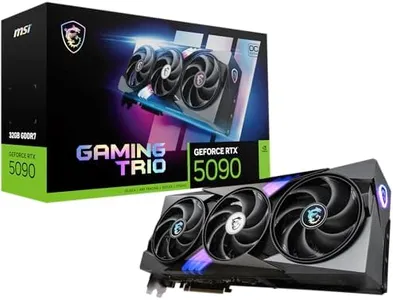
MSI GeForce RTX 5090 32G Gaming Trio OC 32GB GDDR7 (28Gbps/512-bit), PCIe 5, Boost: 2482MHz, HDMI 2.1b, DisplayPort 2.1b

Rating
8.5
Cooling Solutions
Ray Tracing and DLSS

Most important from
60 reviews

Cooling Solutions
Runs quietly even under load, maintaining a good balance between power and noise levels.
Ray Tracing and DLSS
Delivers astonishing performance with ultra settings and full ray tracing at 4K, reaching frame rates as high as 183fps in demanding titles.

The MSI GeForce RTX 5090 32G Gaming Trio OC is a high-end graphics card built for serious gaming and heavy graphics workloads. It offers a massive 32GB of fast GDDR7 VRAM, which is excellent for running high-resolution textures and future-proofing your setup. With a boost clock speed close to 2.5 GHz, it promises strong performance, helped by the powerful NVIDIA RTX 5090 GPU core. This card supports PCIe 5.0, ensuring good bandwidth with modern motherboards. It includes modern video outputs like HDMI 2.1b and DisplayPort 2.1b, which are great for connecting to the latest high refresh rate monitors and 8K displays. Its power consumption is high, requiring at least a 1000W power supply, so you’ll need a capable PSU and a well-cooled system. MSI’s Gaming Trio line is known for solid cooling solutions, which should keep temperatures manageable despite the card’s power.

The card supports advanced features like ray tracing and DLSS, which enhance gaming visuals and performance in supported titles. On the downside, the card is quite large and heavy (over 4 pounds), which means you’ll need sufficient space inside your PC case and possibly stronger mounting support. The price and power demands might be excessive for casual gamers or those with basic setups. However, for users seeking top-tier gaming or professional-level graphics capability with a compatible system, this GPU represents a strong option.

Rating
8.5
Cooling Solutions
Ray Tracing and DLSS

Most important from
60 reviews

Cooling Solutions
Runs quietly even under load, maintaining a good balance between power and noise levels.
Ray Tracing and DLSS
Delivers astonishing performance with ultra settings and full ray tracing at 4K, reaching frame rates as high as 183fps in demanding titles.

Buying Guide for the Best Gpus

Choosing the right GPU (Graphics Processing Unit) can significantly enhance your computer's performance, especially for tasks like gaming, video editing, and 3D rendering. The right GPU for you depends on your specific needs and how you plan to use your computer. Here are some key specifications to consider when selecting a GPU, along with explanations to help you make an informed decision.
VRAM (Video RAM)VRAM is the memory used by the GPU to store image data and textures. It is crucial for handling high-resolution textures and complex scenes in games and professional applications. For basic tasks and older games, 4GB of VRAM might be sufficient. For modern gaming at 1080p, 6GB to 8GB is recommended. For 4K gaming or professional tasks like 3D rendering, 10GB or more is ideal. Choose based on the resolution and complexity of the tasks you plan to perform.
CUDA Cores / Stream ProcessorsCUDA Cores (NVIDIA) or Stream Processors (AMD) are the cores within the GPU that handle parallel processing tasks. More cores generally mean better performance, especially in tasks that can utilize parallel processing like gaming and rendering. Entry-level GPUs might have a few hundred cores, while high-end models can have several thousand. If you are a casual gamer or use your computer for everyday tasks, a GPU with fewer cores will suffice. For intensive gaming or professional work, opt for a GPU with a higher core count.
Clock SpeedClock speed, measured in MHz or GHz, indicates how fast the GPU can process data. Higher clock speeds can lead to better performance, but they are not the only factor to consider. Entry-level GPUs might have lower clock speeds, while high-end models have higher speeds. If you need a GPU for basic tasks, clock speed is less critical. For gaming and professional applications, a higher clock speed can improve performance, but it should be considered alongside other specs like core count and VRAM.
Power ConsumptionPower consumption, measured in watts, indicates how much power the GPU requires to operate. This is important for ensuring your power supply unit (PSU) can handle the GPU and for managing heat output. Low-end GPUs might consume around 75 watts, while high-end models can exceed 300 watts. If you have a limited power supply or are concerned about energy efficiency, choose a GPU with lower power consumption. For high-performance needs, ensure your PSU can support the GPU's power requirements.
Cooling SolutionsCooling solutions are essential for maintaining optimal GPU performance and longevity. GPUs can come with different types of cooling, such as single-fan, dual-fan, or liquid cooling. Basic tasks and light gaming can be handled by single-fan solutions. For more intensive gaming or professional work, dual-fan or even liquid cooling might be necessary to prevent overheating. Choose a cooling solution based on the intensity of your tasks and the thermal management of your system.
Ray Tracing and DLSSRay tracing is a technology that simulates realistic lighting and shadows in games, while DLSS (Deep Learning Super Sampling) uses AI to boost performance by rendering fewer pixels and then upscaling the image. These features are important for achieving high-quality graphics in modern games. If you are a gamer who values cutting-edge graphics, look for a GPU that supports ray tracing and DLSS. For non-gamers or those who play less demanding games, these features are less critical.
ConnectivityConnectivity options, such as HDMI, DisplayPort, and USB-C, determine how you can connect your GPU to monitors and other devices. Ensure the GPU has the necessary ports for your setup. For basic setups, a single HDMI or DisplayPort might be enough. For multi-monitor setups or high-resolution displays, ensure the GPU has multiple ports and supports the required resolutions and refresh rates. Choose based on your current and future connectivity needs.

FAQ

Most Popular Categories Right Now