10 Best Drawing Tablets For Artists 2026 in the United States

Winner

Related Products
Up to 28% off
Recommended lists

Drawing Tablets For Kids
Our technology thoroughly searches through the online shopping world, reviewing hundreds of sites. We then process and analyze this information, updating in real-time to bring you the latest top-rated products. This way, you always get the best and most current options available.

Our Top Picks
Winner
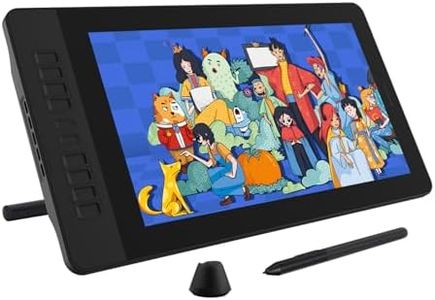
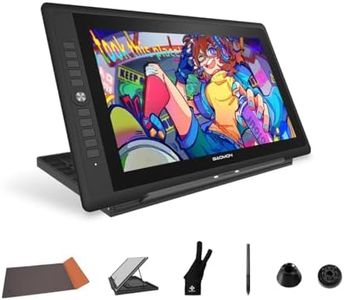
GAOMON PD156Pro Drawing Tablet with Screen, Dial+10Keys, Full-Laminated
Most important from
2033 reviews
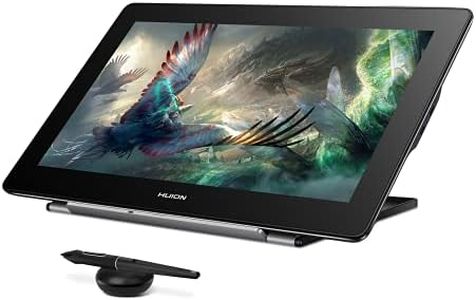
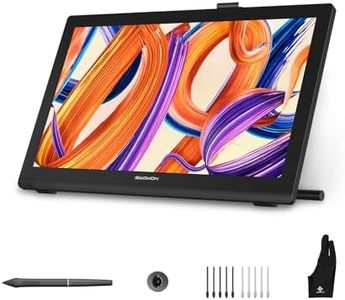
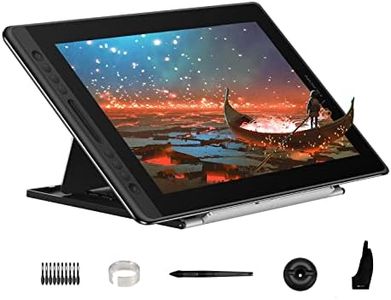
The GAOMON PD156Pro is a solid choice for artists looking for a mid-sized drawing tablet with a 15.6-inch screen offering full HD resolution (1920x1080 pixels). Its display covers 120% of the sRGB color range, which means you get bright and accurate colors, important for digital art. Thanks to full lamination and an anti-glare matte screen protector, the display minimizes parallax (the slight gap between pen tip and cursor) and reduces glare, making the drawing experience feel more natural, like drawing on paper. The stylus is battery-free, supports 8192 levels of pressure sensitivity, and recognizes tilt up to 60°, providing good precision and control for detailed work. It also has two customizable buttons on the pen to speed up your workflow.
On the tablet itself, you get 10 customizable shortcut keys plus a dial key that works with Windows for easy access to tools or functions, which is handy for efficiency. Connectivity is straightforward with a single USB-A and HDMI connection from your computer to the tablet’s USB-C port, though you will need compatible ports on your PC or laptop. It supports Windows 7 and up, as well as macOS 10.12 and later, and works with most popular drawing software like Photoshop, Illustrator, Krita, and others. The tablet is fairly lightweight and portable at just under 3 pounds with a slim profile, and it comes with a foldable stand and protective leather case, making it easy to carry and use in different settings.
Some users might find it less suitable if they want a higher resolution display or wireless connectivity, and the 1080p resolution, while good, is not as sharp as some higher-end models. Also, the single-cable setup requires both USB-A and HDMI ports on your computer, which might not be ideal for all newer laptops. Considering the price and features, the PD156Pro delivers a strong balance of quality and functionality for digital artists, illustrators, and animators seeking a dependable pen display that feels close to traditional drawing.
Most important from
2033 reviews
XPPen Magic Drawing Pad 12.2 Inch Standalone Drawing Tablet No Computer Needed with 16384 Pressure Levels X3 Pro Slim Stylus Tilt Support Paper-Like Screen 8GB + 256GB for Digital Drawing Artists
Most important from
711 reviews
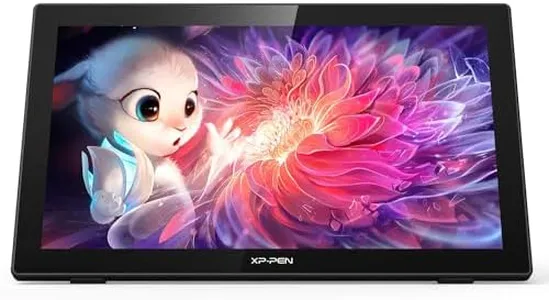
The XPPen Magic Drawing Pad is a 12.2-inch standalone drawing tablet that doesn't require a computer to operate, making it a great option for digital artists who need portability. Its screen resolution is 2160 x 1440 pixels, providing clear and detailed visuals, and it supports a wide color gamut of 109% sRGB, which means it can display vibrant and accurate colors.
The X3 Pro battery-free stylus offers an industry-first 16,384 levels of pressure sensitivity, allowing for highly precise and nuanced drawing, which is ideal for professionals who focus on fine details in their artwork. The AG-etched glass screen mimics the feel of drawing on paper, enhancing the drawing experience and reducing glare, which is easier on the eyes during long drawing sessions.
The tablet runs on Android 12 and comes with 8GB of RAM and 256GB of storage, expandable up to 512GB with a micro SD card, so it can handle large files and multitasking efficiently. The 8000 mAh battery supports up to 13 hours of continuous use, making it reliable for long work sessions away from a power source. Connectivity options include Bluetooth, various Wi-Fi standards, and multiple USB ports, ensuring it can connect to other devices and the internet easily. Weighing just 1.32 pounds and being slim at 6.9 mm, it is highly portable, fitting easily into a bag.
Most important from
711 reviews
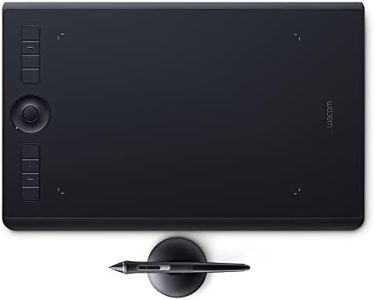
Wacom Intuos Pro Medium Bluetooth Graphics Drawing Tablet, 8 Customizable ExpressKeys, 8192 Pressure Sensitive Pro Pen 2 Included, Compatible with Mac OS and Windows
Most important from
4039 reviews
The Wacom Intuos Pro Medium is a solid choice for artists looking for a responsive and versatile drawing tablet. It offers a 13.3-inch working area with a Full HD resolution (1920x1080), which is sharp enough for detailed artwork. The standout feature is its Pro Pen 2, which supports 8192 levels of pressure sensitivity and is battery-free, providing a natural and precise drawing experience that closely mimics traditional pen and paper.
Connectivity options include Bluetooth and USB, allowing wireless or wired use, which adds flexibility depending on your workspace. It’s compatible with both Mac and Windows, covering most users' needs. Customizable controls are a big plus here: 8 ExpressKeys and a Touch Ring let you set shortcuts for faster workflow, and multi-touch gestures help you navigate your canvas smoothly. The tablet’s compact design makes it portable yet spacious enough for comfortable drawing sessions.
The tablet doesn’t have a built-in display, so you need to connect it to a computer monitor. While it’s designed for professionals, beginners might find it has a bit of a learning curve, and the price is higher than entry-level models. However, it includes useful creative software trials, which add value for new users exploring digital art. If you want a well-built, precise tool that boosts productivity and supports detailed digital artwork, the Wacom Intuos Pro Medium is a worthy consideration.
Most important from
4039 reviews
Buying Guide for the Best Drawing Tablets For Artists
Choosing the right drawing tablet for artists can significantly enhance your creative process. The right tablet will depend on your specific needs, such as the type of art you create, your preferred drawing style, and your level of experience. Here are some key specifications to consider when selecting a drawing tablet, along with explanations to help you make an informed decision.FAQ
Most Popular Categories Right Now


