10 Best Curved Monitor For Mac 2026 in the United States
Related Products
Up to 33% off






Recommended lists
Curved Monitors
Our technology thoroughly searches through the online shopping world, reviewing hundreds of sites. We then process and analyze this information, updating in real-time to bring you the latest top-rated products. This way, you always get the best and most current options available.

Our Top Picks
Winner
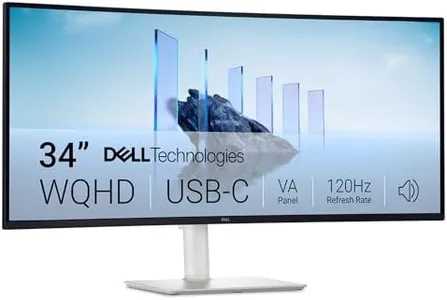
Dell 34 Plus USB-C Curved Monitor - S3425DW - 34-inch (3440 x 1440) up to 120 Hz 21:9 Display, VA Panel, AMD FreeSync Premium, 99% sRGB, 95% DCI-P3, Integrated Speakers, 3000:1 Contrast Ratio
Most important from
459 reviews
The Dell 34 Plus USB-C Curved Monitor is a great choice if you want a wide, immersive screen for your Mac. Its 34-inch size with a 3440 x 1440 resolution offers plenty of workspace without feeling cramped. The 21:9 curved VA panel helps reduce eye strain by wrapping the screen slightly around your view, making it comfortable for long hours. One of its strong points is color accuracy, covering 99% of sRGB and 95% of DCI-P3 color spaces, which means it can show vibrant and true-to-life colors—important if you work with photos, videos, or design on your Mac. The screen also boasts a high contrast ratio (3000:1), making dark areas look deeper and details clearer.
The refresh rate goes up to 120Hz with AMD FreeSync Premium, ensuring smooth motion and less screen tearing, which can benefit both casual gaming and video playback, though Macs typically don’t use AMD FreeSync much. Connectivity is simple and neat thanks to a USB-C port that can carry video, audio, and power (up to 65W) through one cable—perfect for MacBooks that support USB-C. It even includes built-in speakers with better sound than previous models, so you can skip extra desktop speakers for basic audio needs. The monitor’s matte finish reduces reflections, and its ergonomics are decent, though it doesn’t offer advanced height or swivel adjustments, which might be a downside if you want a perfectly customized setup.
This monitor effectively balances a large, sharp, and colorful display with comfort features like reduced blue light, making it a solid all-around screen for Mac users who want extra workspace and good color without moving into higher-end, more expensive options. If you need professional-grade color precision or advanced ergonomic controls, you might want to explore specialized monitors.
Most important from
459 reviews
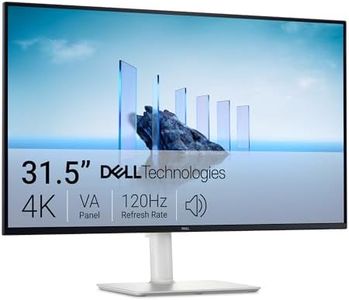
Dell 32 Plus 4K Monitor - S3225QS - 31.5-inch 4K (3840 x 2160) up to 120Hz 16:9 Display, VA Panel, AMD FreeSync Premium, 99% sRGB, 95% DCI-P3, 1500:1 Contrast Ratio, Comfortview - Ash White
Most important from
464 reviews
The Dell 32 Plus 4K Monitor (S3225QS) is a 31.5-inch curved display that offers sharp 4K resolution (3840 x 2160), which is excellent for Mac users needing high detail and crisp visuals. Its VA panel provides deep contrast (1500:1) and vibrant colors with 99% sRGB and 95% DCI-P3 coverage, making it a good choice for photo editing, video work, or any color-sensitive tasks. The curvature adds an immersive feel, enhancing focus and comfort during long sessions.
With a refresh rate up to 120Hz and AMD FreeSync Premium, the screen stays smooth and tear-free, which is a nice bonus if you occasionally use the monitor for gaming or fast-moving content. ComfortView Plus reduces blue light, helping to reduce eye strain, which is useful for extended use. The monitor has a sleek, minimalist design with ultra-thin bezels and an attractive ash white finish. The built-in improved speakers offer better sound than typical monitors, but external speakers may still be preferable for professional audio needs.
This monitor is well suited for Mac users who want a balance of stunning visuals, smooth performance, and eye comfort, especially for creative work and general use. Users requiring extensive ergonomic adjustments or very specific connectivity options should carefully verify compatibility.
Most important from
464 reviews
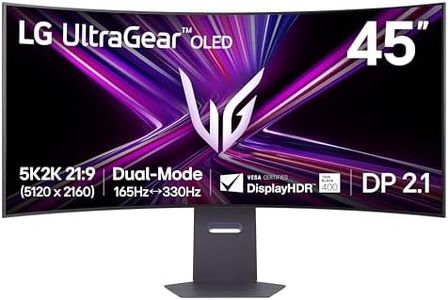
LG 45GX950A-B 45-inch Ultragear 5K2K WUHD (5120 x 2160) OLED Curved Gaming Monitor, Dual-Mode, 165Hz, 0.03ms, NVIDIA G-Sync, AMD FreeSync Premium Pro, HDR True Black 400, USB Type-C 90W, DP2.1
Most important from
584 reviews
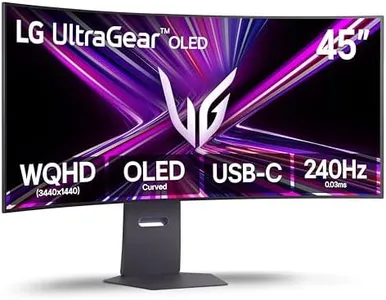
The LG 45GX950A-B is a large 45-inch curved OLED monitor with an ultra-wide 5K2K resolution (5120 x 2160), offering sharp and vibrant visuals perfect for Mac users who want a spacious and immersive workspace. Its 800R curvature helps wrap your view around the screen, making it easier to focus on wide content like video editing, design, or multitasking with multiple windows. The bright OLED panel reaches up to 1300 nits, delivers deep blacks, and covers 98.5% of the DCI-P3 color range, which means colors will look rich and accurate—a big plus for creative work on Macs. The matte screen reduces glare, helping to keep reflections at bay in different lighting conditions.
The refresh rate can go up to 165Hz at 5K resolution, which is more than enough for smooth general use and creative work, although the extremely high 330Hz option is mainly for gamers. Connectivity is excellent with DisplayPort 2.1, two HDMI 2.1 ports, and a USB-C port that delivers 90W power—ideal for MacBooks that use USB-C for video and charging in one cable. The monitor is also certified to reduce blue light and flicker, aiding eye comfort during long sessions.
On the downside, this monitor is quite large and heavy, which might require a sturdy desk and careful setup. Its steep curve and wide aspect ratio may feel unusual for users not used to ultra-wide screens, and while it's geared toward gaming with features like G-Sync and FreeSync, these won't benefit typical Mac workflows much. Additionally, the price point reflects its premium features, which might be higher than simpler curved monitors. This LG monitor is an excellent option for Mac users seeking a large, color-accurate, and immersive curved display, especially for creative work and multitasking, but it may be excessive if you mainly do casual browsing or office tasks.
Most important from
584 reviews
Buying Guide for the Best Curved Monitor For Mac
Choosing the right curved monitor for your Mac can significantly enhance your computing experience, whether you're using it for work, gaming, or general use. A curved monitor can provide a more immersive viewing experience, reduce eye strain, and offer a wider field of view. To make the best choice, it's important to understand the key specifications and how they align with your needs. Here are the key specs to consider when selecting a curved monitor for your Mac.FAQ
Most Popular Categories Right Now


