We Use CookiesWe use cookies to enhance the security, performance, functionality and for analytical and promotional activities. By continuing to browse this site you are agreeing to our privacy policy

10 Best Cheap Document Scanner 2026 in the United States
How do we rank products for you?

Our technology thoroughly searches through the online shopping world, reviewing hundreds of sites. We then process and analyze this information, updating in real-time to bring you the latest top-rated products. This way, you always get the best and most current options available.

headphones-stars

Our Top Picks

#1

Winner

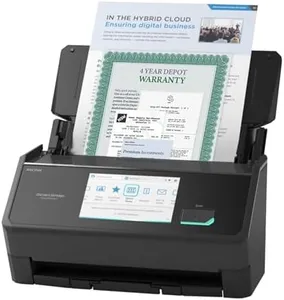
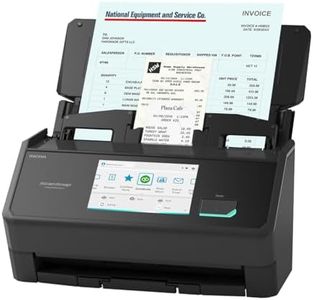
ScanSnap iX2500 Premium Wireless or USB High-Speed Cloud Enabled Document, Photo & Receipt Scanner with Large 5" Touchscreen for Mac or PC, Includes 4-Year Protection Plan

Rating
10.0
Chosen by1,202
Resolution
Scanning Speed
Connectivity

Most important from
72 reviews

Resolution
The scanner handles document and photo scans with excellent clarity, delivering consistently sharp results.
Scanning Speed
Scanning speed is impressively fast, significantly outpacing older models without sacrificing image quality.
Connectivity
Wireless and USB connectivity options offer versatile setup choices, with smooth integration for smartphones and PCs.
Software Compatibility
Compatibility with popular software is strong, though specialized drivers may be needed for seamless integration with some legacy applications.
Size and Portability
Compact design takes up less space on the desk compared to previous scanners, fitting well in home or office environments.

The ScanSnap iX2500 Premium is a solid choice for those looking for an efficient and reliable document scanner without breaking the bank. It offers a high scanning resolution of 600 dpi, which ensures clear and detailed scans for documents, photos, and receipts. Its standout feature is the fast scanning speed of 45 pages per minute, and with a 100-sheet automatic document feeder (ADF), it handles large batches smoothly. Duplex scanning means it can scan both sides of a page in one go, saving time.

The scanner connects easily via USB or Wi-Fi 6, allowing wireless scanning directly to PCs, Macs, mobile devices, or cloud services. The large 5-inch touchscreen makes it user-friendly by letting you customize scan profiles and quickly send scans where you want. Software compatibility is broad, supporting Windows, macOS, iOS, Android, and even ChromeOS, which adds flexibility for different users. In terms of portability, it’s moderately sized and weighs about 7.7 pounds, so it’s not the lightest for frequent travel but fine for office or home use. A major plus is the included 4-year protection plan, offering long-term peace of mind.

A downside is that it’s not the cheapest scanner available and might be more than what some users need just for occasional scanning. While the scanner is fast and versatile, it uses CIS sensor technology, which is generally good for documents but less ideal for color photo scanning compared to CCD sensors. For those seeking a dependable, speedy scanner with strong wireless features and ease of use, the iX2500 Premium fits well within the budget-friendly range for serious document scanning needs.

Rating
10.0
Chosen by1,202
Resolution
Scanning Speed
Connectivity

Most important from
72 reviews

Resolution
The scanner handles document and photo scans with excellent clarity, delivering consistently sharp results.
Scanning Speed
Scanning speed is impressively fast, significantly outpacing older models without sacrificing image quality.
Connectivity
Wireless and USB connectivity options offer versatile setup choices, with smooth integration for smartphones and PCs.
Software Compatibility
Compatibility with popular software is strong, though specialized drivers may be needed for seamless integration with some legacy applications.
Size and Portability
Compact design takes up less space on the desk compared to previous scanners, fitting well in home or office environments.
#2

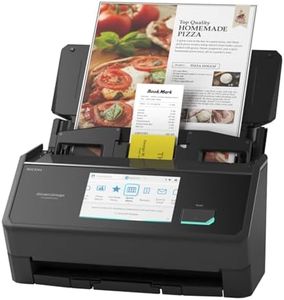
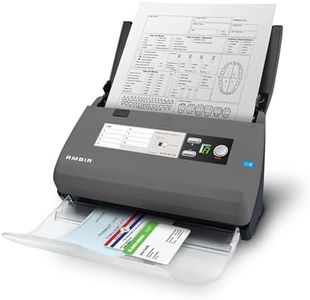
ScanSnap iX2500 Wireless or USB High-Speed Cloud Enabled Document, Photo & Receipt Scanner with Large 5" Touchscreen and 100 Page Auto Document Feeder for Mac or PC, Black

Rating
9.7
Scanning Speed
Duplex Scanning
Connectivity

Most important from
319 reviews

Scanning Speed
The scanner delivers impressive speed and accuracy, effortlessly handling large stacks of documents in seconds with minimal jams or errors.
Duplex Scanning
Its duplex scanning and automatic page rotation streamline workflow, making it ideal for busy users who need fast, hassle-free document processing.
Connectivity
Wireless setup can be a bit tricky without a static IP, and USB connections offer faster, more stable performance when speed is critical.
Automatic Document Feeder (ADF)
The automatic document feeder handles mixed document sizes well, including small items like IDs and business cards, enhancing versatility.
Size and Portability
Despite its compact design, the scanner is sturdy and reliable, though the plastic casing and trays feel lighter compared to older models.
Software Compatibility
The software is mostly stable and consistent across platforms, though occasional reinstalls may be needed to fix glitches.
Resolution
While not a dedicated photo scanner, it produces good color scans at standard resolutions, balancing quality and speed well.

The ScanSnap iX2500 is a strong choice for anyone needing a reliable and fast document scanner without spending too much. It offers a sharp 600 dpi resolution, which means scanned documents and photos come out clear and detailed. Its speed is impressive at 45 pages per minute with duplex scanning, so it scans both sides of the paper quickly. The 100-sheet automatic document feeder (ADF) lets you scan large batches of documents without constant attention, saving time. Connectivity options include both USB and Wi-Fi 6, allowing easy connection to computers, mobile devices, or cloud services, even without a PC. This flexibility is great if you want to scan directly to the cloud or your smartphone.

The scanner’s large 5-inch touchscreen provides an easy way to customize profiles and quickly send scans to your favorite apps, which is convenient if you handle different types of documents regularly. It also has smart features like preventing paper jams and detecting multiple pages stuck together, which helps avoid frustrating interruptions. On the downside, while the scanner is fairly compact, it weighs 7.7 pounds, so it’s not the most portable device if you plan to carry it often. Also, while it supports multiple platforms including Windows, macOS, iOS, Android, and ChromeOS, some users might find initial setup or software integration a bit challenging if they are completely new to scanning technology.

For those focused on scanning just a few pages occasionally, this model might be more than needed. If you want speed, quality, and ease of use in a budget-friendly package, the iX2500 is well suited. It’s especially suitable for small offices or home users who need to scan documents, receipts, and photos regularly and want hassle-free organization and cloud connectivity.

Rating
9.7
Scanning Speed
Duplex Scanning
Connectivity

Most important from
319 reviews

Scanning Speed
The scanner delivers impressive speed and accuracy, effortlessly handling large stacks of documents in seconds with minimal jams or errors.
Duplex Scanning
Its duplex scanning and automatic page rotation streamline workflow, making it ideal for busy users who need fast, hassle-free document processing.
Connectivity
Wireless setup can be a bit tricky without a static IP, and USB connections offer faster, more stable performance when speed is critical.
Automatic Document Feeder (ADF)
The automatic document feeder handles mixed document sizes well, including small items like IDs and business cards, enhancing versatility.
Size and Portability
Despite its compact design, the scanner is sturdy and reliable, though the plastic casing and trays feel lighter compared to older models.
Software Compatibility
The software is mostly stable and consistent across platforms, though occasional reinstalls may be needed to fix glitches.
Resolution
While not a dedicated photo scanner, it produces good color scans at standard resolutions, balancing quality and speed well.
#3

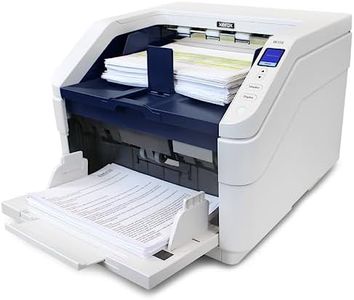
Visioneer Xerox W110 Duplex Production Scanner with Document Feeder

Rating
9.4
Scanning Speed

Most important from
2 reviews

Scanning Speed
Works fast and well.

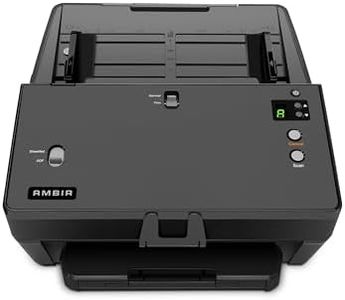
The Visioneer Xerox W110 stands out in the cheap document scanner category with its impressive scanning speed and high capacity. Boasting a fast throughput of up to 120 pages per minute and a reliable automatic document feeder capable of holding 500 sheets, it is well-suited for users with heavy scanning needs. The ability to handle a variety of media types including photos, receipts, and standard documents adds to its versatility. Duplex scanning capability means it can scan both sides of a document simultaneously, which is a significant time-saver for large jobs.

Its resolution of 600 dpi is adequate for most document scanning tasks, allowing for clear and readable scanned documents. However, for those needing exceptionally high-resolution outputs for detailed images, this may be a limitation. The inclusion of Visioneer Acuity technology helps enhance the scanned images, ensuring that even imperfect originals are improved in clarity.

Connectivity options, such as USB and Ethernet, provide flexibility for different setups, although the lack of wireless connectivity might be seen as a downside in an increasingly wireless world. The one-touch scanning feature simplifies the process, making it easy even for beginners to scan to various destinations without fuss.

One notable drawback is its size and weight; at 50 pounds, it's quite bulky and might not be the best choice for those needing a portable solution or with limited desk space. Its high power consumption at 800 watts could also be a concern for those mindful of energy use.

In summary, the Visioneer Xerox W110 is best suited for users who require fast, high-volume scanning and can accommodate its larger size. It offers robust functionality and ease of use, making it a practical choice for office environments dealing with substantial paper workloads.

Rating
9.4
Scanning Speed

Most important from
2 reviews

Scanning Speed
Works fast and well.

Buying Guide for the Best Cheap Document Scanner

Choosing the right document scanner can make a big difference in how efficiently you can digitize and manage your paperwork. Whether you need a scanner for home use, a small office, or a larger business, understanding the key specifications will help you make an informed decision. Here are the main factors to consider when selecting a document scanner.
ResolutionResolution refers to the level of detail a scanner can capture, measured in dots per inch (DPI). Higher resolution means clearer and more detailed scans. For general document scanning, 300 DPI is usually sufficient. If you need to scan detailed images or graphics, look for a scanner with 600 DPI or higher. Consider your primary use: for text documents, a lower DPI is fine, but for images, higher DPI is better.
Scanning SpeedScanning speed is how quickly a scanner can process documents, typically measured in pages per minute (PPM). Faster speeds are important if you have a large volume of documents to scan regularly. Scanners with speeds of 20-30 PPM are good for moderate use, while higher speeds (40+ PPM) are better for heavy use. Think about how often and how much you need to scan to determine the right speed for you.
Automatic Document Feeder (ADF)An Automatic Document Feeder (ADF) allows you to load multiple pages into the scanner at once, which the scanner will then process automatically. This feature is crucial for scanning large batches of documents efficiently. ADF capacities can range from 20 to over 100 sheets. If you frequently scan multi-page documents, an ADF with a higher capacity will save you time and effort.
Duplex ScanningDuplex scanning means the scanner can scan both sides of a document simultaneously. This feature is essential if you often deal with double-sided documents, as it significantly speeds up the scanning process. If you mostly scan single-sided documents, this feature may not be as critical, but it's a great time-saver for double-sided scanning.
ConnectivityConnectivity options determine how you can connect the scanner to your computer or network. Common options include USB, Wi-Fi, and Ethernet. USB is straightforward and reliable for direct connections, while Wi-Fi and Ethernet are useful for networked environments where multiple users need access to the scanner. Choose the connectivity option that best fits your setup and workflow.
Software CompatibilitySoftware compatibility refers to the scanner's ability to work with various operating systems and document management software. Ensure the scanner is compatible with your computer's operating system (Windows, macOS, etc.) and any specific software you plan to use for managing scanned documents. Compatibility ensures smooth integration into your existing workflow.
Size and PortabilityThe size and portability of a scanner can be important depending on your workspace and mobility needs. Compact and portable scanners are great for small desks or if you need to scan documents on the go. Larger scanners may offer more features but require more space. Consider where and how you will use the scanner to choose the right size for your needs.

FAQ

Most Popular Categories Right Now