10 Best Backup Drives 2026 in the United States
Related Products
Up to 10% off


Our technology thoroughly searches through the online shopping world, reviewing hundreds of sites. We then process and analyze this information, updating in real-time to bring you the latest top-rated products. This way, you always get the best and most current options available.

Our Top Picks
Winner
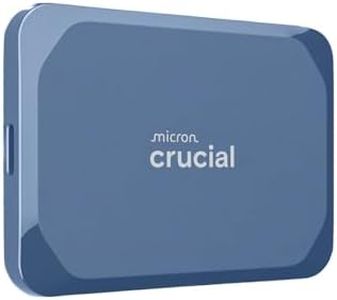
Crucial X10 8TB Portable SSD, Up to 2,100MB/s, USB 3.2 USB-C, External Solid State Drive, Compatible with Windows, Mac & Android, Durable Storage for Games, Photos & Files, Blue - CT8000X10SSD9-02
Most important from
2305 reviews
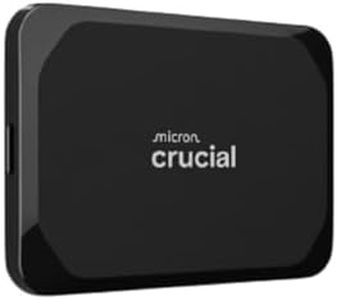
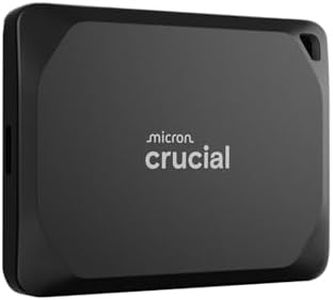
The Crucial X10 8TB Portable SSD is a strong choice if you need a large, fast, and reliable backup drive. With 8TB of storage, it offers plenty of space for photos, videos, games, and important files, making it ideal for students, gamers, and creative professionals. Its solid-state technology means it’s much faster than traditional hard drives, reaching read speeds up to 2,100MB/s, so transferring large files won’t take long.
The drive is highly durable, featuring IP65 dust and water resistance plus drop protection up to 9.8 feet, which is great if you plan to carry it around frequently or use it outdoors. It’s also very portable, weighing only 32 grams and measuring just under 2 inches wide. The Crucial X10 works smoothly with a wide range of devices including Windows, Mac, Android, and even gaming consoles like PS4, PS5, and Xbox, thanks to its USB-C connectivity and included cables.
As a bonus, it comes with three months of helpful backup and photo management software, which can make organizing and securing your files easier. While the speed is excellent for an external SSD, actual transfer rates may vary depending on your device and cable quality. The premium build and large capacity come at a higher price compared to smaller or less rugged drives. If affordability is a key concern, you might find other options with less capacity or fewer features. For those wanting a robust, high-capacity drive that balances speed, durability, and wide compatibility, the Crucial X10 is a reliable pick for backup needs.
Most important from
2305 reviews
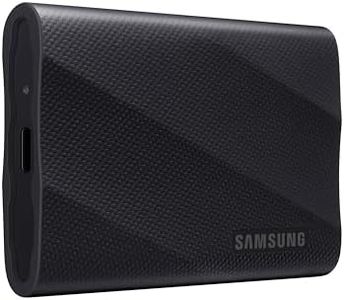
SAMSUNG T9 Portable SSD 4TB, USB 3.2 Gen 2x2 External Solid State Drive, Seq. Read Speeds Up to 2,000MB/s for Gaming, Students and Professionals,MU-PG4T0B/AM, Black (pack of 1)
Most important from
2885 reviews
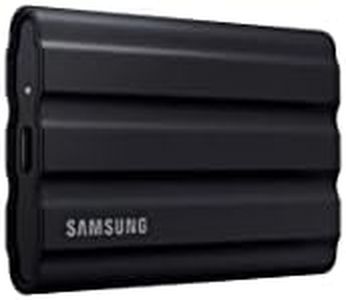
The Samsung T9 Portable SSD with 4TB capacity offers a large amount of storage, which is great if you need to back up many files, including videos, photos, and documents. It uses solid-state drive (SSD) technology, meaning it’s faster and more reliable than traditional hard drives. With USB 3.2 Gen 2x2 connectivity, you can expect very fast data transfer speeds—up to 2,000MB/s—which helps when moving large files or working directly from the drive.
Its compact size and lightweight design (just 4.3 ounces) make it easy to carry around, perfect for students, professionals, or gamers on the go. The drive also has a rugged build and can handle drops from nearly 10 feet, adding a layer of durability you want for a portable backup device. One standout feature is the Dynamic Thermal Guard, which prevents the drive from overheating during heavy use, helping maintain performance and longevity.
Samsung’s Magician software offers handy tools like firmware updates, encryption for data security, and health monitoring, which makes managing your backups safer and simpler. Its USB 3.0 interface (mentioned in specs) might limit speeds if your device doesn’t support the newer USB 3.2 Gen 2x2 standard, so to get the best speeds, your computer needs to have compatible ports. Though the price for a 4TB SSD may be higher than traditional drives, the speed and durability can justify the cost for those who need fast, reliable backups. For users seeking a backup drive that is fast, portable, and built to last with solid software support, the Samsung T9 is an excellent option.
Most important from
2885 reviews
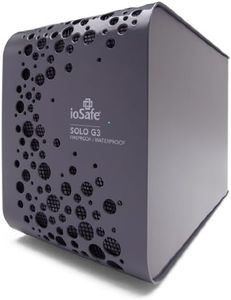
ioSafe Solo G3 4TB Fireproof & Waterproof External Hard Drive, Pewter Gray (SK4TB)
The ioSafe Solo G3 4TB is a specialized external hard drive designed for users who need robust protection for their backups. Its standout features are its fireproof and waterproof construction, capable of surviving extreme heat up to 1550°F for 30 minutes and full submersion in water up to 10 feet deep for 72 hours. This makes it an excellent choice if you want to safeguard important data against disasters like fires or floods. The metal enclosure adds to its durability, and the ability to bolt it down helps prevent theft, which is rare for backup drives.
It connects via USB 3.0, offering good compatibility with both PCs and Macs and providing fast data transfer speeds (up to 625 MB/s) thanks to its 7200 RPM hard drive. With 4TB of storage, it offers plenty of space for personal, gaming, or business backups. However, at 15 pounds and a 3.5-inch form factor, it is less portable than typical portable drives, so it's better suited for stationary use rather than carrying around. The included data recovery service is a helpful bonus, giving extra peace of mind if data loss occurs for any reason.
The warranty is limited to one year, which might feel short given the price and heavy-duty build. Also, while USB 3.0 is common, it’s not the latest standard, so slightly faster connections like USB-C or Thunderbolt are not supported. For those who prioritize extreme durability and disaster protection for their backups over lightweight portability, the ioSafe Solo G3 presents a strong option.
Buying Guide for the Best Backup Drives
Choosing the right backup drive is essential to ensure your data is safe and easily accessible. Backup drives come in various types and sizes, and selecting the right one depends on your specific needs, such as the amount of data you need to store, how often you need to access it, and where you plan to use the drive. Understanding the key specifications will help you make an informed decision.FAQ
Most Popular Categories Right Now


