10 Best Amazon Label Printers 2026 in the United States

Related Products
Up to 35% off
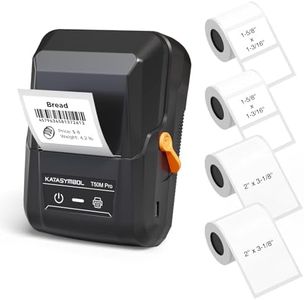
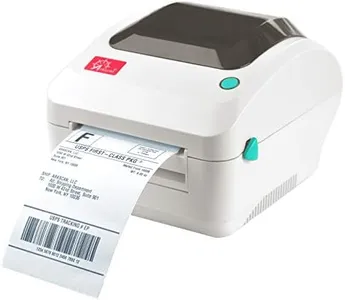
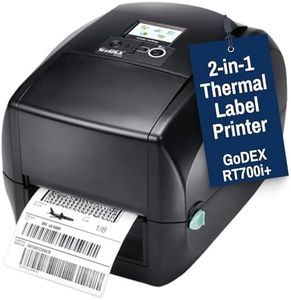
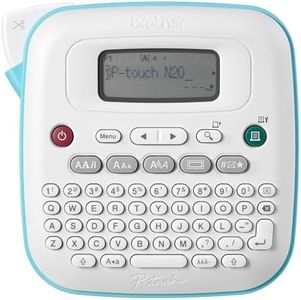
Our technology thoroughly searches through the online shopping world, reviewing hundreds of sites. We then process and analyze this information, updating in real-time to bring you the latest top-rated products. This way, you always get the best and most current options available.

Our Top Picks
Winner
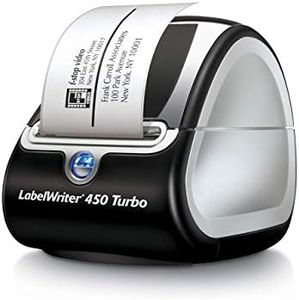
DYMO Label Printer | LabelWriter 450 Turbo Direct Thermal Label Printer, Fast Printing, Great for Labeling, Filing, Shipping, Mailing, Barcodes and More, Home & Office Organization (Renewed)
Most important from
64 reviews
The DYMO LabelWriter 450 Turbo is a solid choice if you need a fast and reliable label printer mainly for home or office use. It uses direct thermal printing, so you won’t need to buy ink or toner, which saves money and hassle. It prints up to 71 labels per minute at a resolution of 203 dpi, which is sufficient for clear address, shipping, barcode, and file folder labels. Connectivity is straightforward with a USB connection, making setup easy but limiting wireless or mobile printing options. It works best with authentic DYMO labels in sizes up to about 2.3 inches wide, so if you need larger labels, this might not fit your needs.
The build is compact and practical, designed for desktop use, though it may feel lightweight compared to more industrial printers. Software compatibility is a strong point: you can create and print labels directly from common programs like Microsoft Word, Excel, Outlook, and Google Contacts, which makes it user-friendly even if you're not tech-savvy. However, it lacks duplex (double-sided) printing and has limited connectivity options beyond USB. The 90-day warranty is standard but somewhat short, so consider that if you want longer coverage.
If your labeling tasks are typical office or shipping jobs and you want a fast, no-fuss printer with low running costs, the DYMO LabelWriter 450 Turbo fits well. For more advanced or heavy-duty labeling needs, or if you want wireless printing, you might want to explore other options.
Most important from
64 reviews
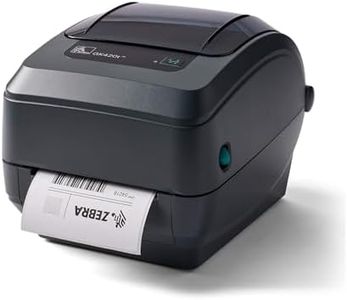
Zebra GK420T 4 Inch Thermal Label Printer USB and Ethernet, Renewed
Most important from
54 reviews
The Zebra GK420t is a solid choice if you need a reliable thermal transfer printer for a variety of labels, including shipping, barcodes, and wristbands. It prints at 203 dpi resolution, which is clear enough for most label needs but not the sharpest if you need very fine details. The print speed is up to 5 inches per second, offering decent speed for small to medium label batches, though not the fastest on the market. Its connectivity options include USB and Ethernet ports, making it flexible to connect directly to your computer or a network, which is handy if multiple people need access.
It supports label widths up to around 4.25 inches, covering standard shipping and address label sizes. The build is sturdy and designed for desktop use, so it should hold up well in office or warehouse settings, but it lacks dual-sided printing or color output, which limits its use to black and white printing only. The printer works with most major label and shipping software, making setup and use relatively straightforward even for those new to label printing. However, the 90-day limited warranty is on the short side compared to some newer models.
If you need a dependable, no-frills printer that handles common label types with decent speed and network options, the GK420t is a practical pick. For those seeking higher print resolution, color, or more modern features, newer or more advanced models may be worth exploring.
Most important from
54 reviews
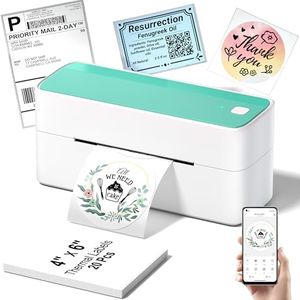
Phomemo Bluetooth Thermal Shipping Label Printer, 241BT Wireless Thermal Label Printer for Shipping Packages, Inkless Thermal Shipping Label Printer, Compatible with iPhone, Android, Green
The Phomemo 241BT is a compact thermal label printer designed primarily for shipping labels, supporting label sizes from 1 to 4.6 inches wide, covering common label sizes used by major carriers like USPS, FedEx, and UPS. It prints at a resolution of 203 x 203 dpi, providing clear black-and-white labels but does not support color printing. The print speed is approximately 66 pages (4x6 labels) per minute, which helps speed up busy shipping tasks. Connectivity is flexible with Bluetooth for wireless printing from iPhone or Android devices through the dedicated Labelife app, and USB connection for laptops or PCs, though Bluetooth printing requires using the app rather than direct phone device pairing. The printer uses thermal technology, eliminating the need for ink or toner and reducing running costs and maintenance. It is recommended to use genuine Phomemo thermal labels to ensure durability and prevent smudging or fading of printed labels.
Users find the printer easy to operate due to the simple app interface and clear instructions, although initial app setup and driver installation on computers may require some patience. The build is lightweight and portable, weighing about 1.3 kg, and is best suited for moderate rather than heavy industrial use as durability details are not heavily emphasized. This printer is well suited for home or small business shipping label printing with solid speed and convenience, though it is not ideal for color label printing or heavy-duty industrial applications.
Buying Guide for the Best Amazon Label Printers
When choosing an Amazon label printer, it's important to consider several key specifications to ensure you get the best fit for your needs. Label printers can be used for various purposes, such as shipping labels, product labels, or organizational labels. Understanding the different features and how they align with your specific requirements will help you make an informed decision.FAQ
Most Popular Categories Right Now


