10 Best USB Computer Monitors 2026 in the United States



Related Products
Up to 14% off




Our technology thoroughly searches through the online shopping world, reviewing hundreds of sites. We then process and analyze this information, updating in real-time to bring you the latest top-rated products. This way, you always get the best and most current options available.

Our Top Picks
Winner
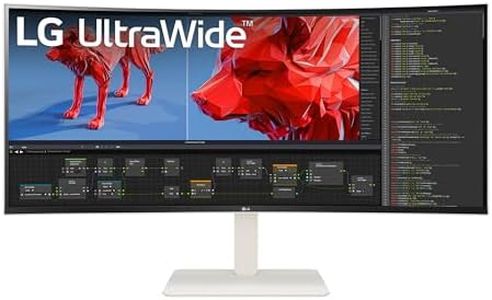
LG UltraWide QHD 34-Inch Curved Computer Monitor 34WQ73A-B, IPS with HDR 10 Compatibility, Built-In-KVM, and USB Type-C, Black
Most important from
617 reviews
The LG UltraWide QHD 34-Inch Curved Computer Monitor (34WQ73A-B) offers a spacious 34-inch IPS display with a 21:9 aspect ratio and QHD resolution (3440 x 1440), making it ideal for multitasking in business settings. The curved design enhances the immersive experience, while HDR 10 support and 99% sRGB coverage provide accurate color reproduction, beneficial for photographers and graphic designers. Eye comfort features like Reader Mode and Flicker Safe reduce eye strain during long work sessions.
The built-in KVM and Dual Controller feature allow you to control two computers with one monitor, increasing efficiency. USB-C connectivity simplifies cable management and supports device charging up to 90W. Dynamic Action Sync reduces input lag for smooth performance in fast-paced tasks, and Black Stabilizer improves visibility in dark scenes.
Despite these minor drawbacks, the monitor's extensive features and excellent color accuracy make it a solid choice for business professionals and creatives.
Most important from
617 reviews
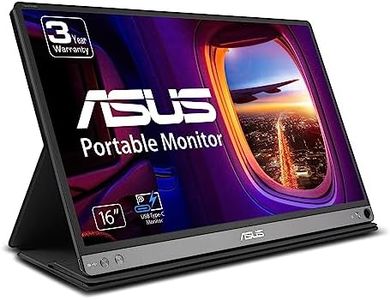
ASUS ZenScreen MB16AC 15.6" Full HD IPS USB Type-C Portable Eye Care Monitor
Most important from
2791 reviews
The ASUS ZenScreen MB16AC is a 15.6-inch portable USB monitor featuring a Full HD (1920x1080) IPS display, delivering good image quality and wide viewing angles typical of IPS panels. It is designed for users who need an extra screen on the go, such as remote workers or students. Weighing just 1.7 pounds and measuring 0.3 inches thick, this monitor is very lightweight and slim, making it easy to carry around.
The monitor connects primarily via USB Type-C but can also work with USB Type-A ports using a DisplayLink driver, adding versatility. Its glossy screen may produce some reflections but generally helps colors look vibrant. The refresh rate is standard, suitable for everyday tasks but not optimized for fast-paced gaming. The built-in ASUS Eye Care features, including flicker-free backlighting and blue light filtering, help reduce eye strain during extended use.
The included smart cover doubles as a stand and supports both landscape and portrait orientations with automatic rotation, enhancing ergonomic flexibility. While it lacks extensive adjustable stands or height controls, this monitor is well suited for professionals or casual users seeking a portable secondary display for daily work, presentations, or entertainment, though it may not meet the needs of gamers or those requiring very bright screens.
Most important from
2791 reviews
LG 38WR85QC-W 38 inch Curved UltraWide WQHD Nano IPS VESADisplayHDR 600 144Hz 1ms USB Type-C 90W Computer Monitor NVIDIA G-SYNC AMD FreeSync Premium Pro HDMI DisplayPort Tilt/Height/Swivel Stand White
Most important from
111 reviews
The LG 38WR85QC-W 38 inch Curved UltraWide computer monitor is a robust choice for both productivity and gaming. Its large 38-inch curved screen with a WQHD+ resolution (3840x1600) provides an expansive and immersive viewing experience, making it ideal for multitasking with multiple windows open simultaneously. The Nano IPS panel ensures vibrant and accurate colors with 98% coverage of the DCI-P3 color gamut, which is great for color-critical work like photo and video editing.
With a high brightness level supported by VESA DisplayHDR 600, the monitor delivers dynamic contrasts and a bright display, suitable for both professional and entertainment uses. Gamers will appreciate the 144Hz refresh rate and 1ms response time, which contribute to smooth and responsive gameplay. The inclusion of NVIDIA G-SYNC and AMD FreeSync Premium Pro further enhances the gaming experience by reducing screen tearing and stuttering. Additionally, the ergonomic design of the stand, which allows for height, tilt, and swivel adjustments, ensures comfort during long usage sessions.
The USB Type-C port with 90W power delivery and additional USB 3.0 ports offer versatile connectivity options, making it easy to connect peripherals and charge devices. However, at 23.1 pounds, it is relatively heavy, and its large dimensions may require a substantial amount of desk space. For users who need a high-performance monitor for both productivity and gaming, this model offers a wealth of features and strong performance. The built-in stereo speakers with Waves MaxxAudio add to the multimedia experience, though audiophiles might prefer external speakers for better sound quality. This monitor ticks many boxes for those seeking a feature-rich and versatile display.
Most important from
111 reviews
Buying Guide for the Best USB Computer Monitors
Choosing the right USB computer monitor can significantly enhance your computing experience, whether for work, gaming, or general use. The key is to understand the various specifications and how they align with your specific needs. By focusing on the right specs, you can ensure that you get a monitor that offers the best performance and features for your requirements.FAQ
Most Popular Categories Right Now


