10 Best USB-C To HDMI Adapters 2026 in the United States


Related Products
Up to 24% off



Our technology thoroughly searches through the online shopping world, reviewing hundreds of sites. We then process and analyze this information, updating in real-time to bring you the latest top-rated products. This way, you always get the best and most current options available.

Our Top Picks
Winner
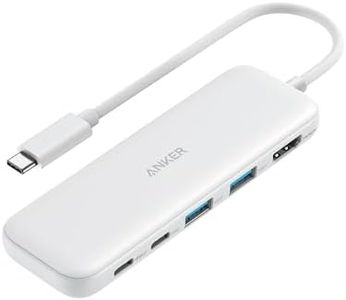
Anker USB C Hub, 5-in-1 USBC to HDMI Splitter with 4K Display, 1 x Powered USB-C 5Gbps & 2×Powered USB-A 3.0 5Gbps Data Ports for MacBook Pro, MacBook Air, Dell and More (White)
Most important from
18168 reviews
The Anker USB C Hub 5-in-1 is a versatile adapter that expands a USB-C port into multiple useful connections, including a 4K HDMI port, which supports video output at up to 4K resolution with a 30Hz refresh rate. This is suitable for streaming or general use on external displays, though it may not be ideal for smoother motion required in high-refresh gaming or fast video editing.
It features two USB-A and one USB-C data ports, all supporting fast 5Gbps transfer speeds for quick file transfers, while only the HDMI port handles video output. The hub supports up to 85W pass-through charging to keep your laptop powered during use, but the USB-C charging port does not allow data transfer. Compatibility covers most MacBooks, Windows 10/11 laptops, and Chromebooks, but it is not compatible with Linux systems.
Constructed with sturdy ABS plastic, the hub is lightweight and portable, weighing just 0.09 pounds, making it convenient to carry. This makes it a solid choice for users needing an all-in-one USB-C hub with HDMI output for presentations, office work, or casual media viewing, though users requiring higher HDMI refresh rates or Linux support might want to consider other options.
Most important from
18168 reviews
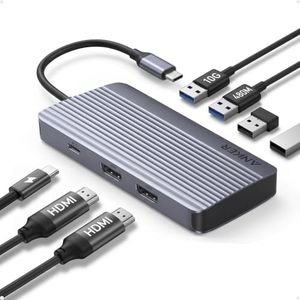
Anker 7-in-1 USB-C Hub, Dual Monitor USB C Docking Station, Dual HDMI Display, 85W Max Output, 10Gbps Data Transfers for Dell XPS, ThinkPad T14 Gen2 and More
Most important from
706 reviews
The Anker 7-in-1 USB-C Hub doubles as a dual HDMI adapter and docking station, making it a solid choice for users who want to connect two external monitors, especially for boosting productivity. It supports a decent Full HD resolution at 1080p with a smooth 60Hz refresh rate, which is suitable for everyday office work, presentations, and video streaming. While it doesn’t support 4K displays, the dual monitor feature at 1080p is still valuable for multitasking.
In terms of compatibility, it works well with popular laptops like Dell XPS, ThinkPad, MacBooks (running macOS 12 and newer), Windows 10/11, and ChromeOS devices that support DisplayPort Alt Mode and Power Delivery. However, it doesn't work with Linux, which might be a downside for some users. The hub offers fast data transfer speeds up to 10Gbps and supports up to 100W charging input and 85W output, which helps keep your laptop powered without needing multiple adapters.
Build quality is strong thanks to its aluminum body, making it lightweight (only 96 grams) and compact enough to carry around easily. This portability adds to its appeal for professionals on the go. The main drawback is that for Mac users, both connected external monitors will show the same display rather than extending the screen independently, which limits flexibility. Also, the lack of 4K support might not meet the needs of users wanting higher resolution displays. This hub serves as a great all-in-one adapter for those who want to connect multiple peripherals and dual Full HD monitors with reliable speed and charging in a compact package.
Most important from
706 reviews
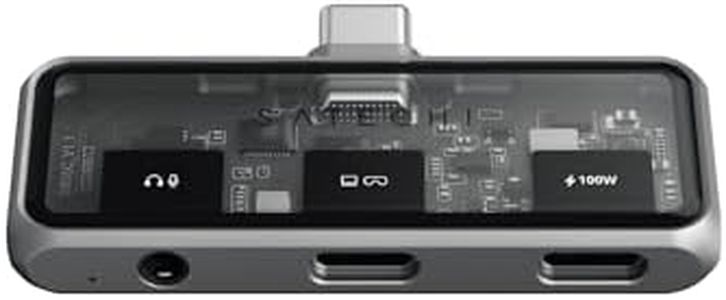
Satechi USB C Mobile Hub, 4-in-1 USB C Multiport Adapter, 4K HDMI, 100W Pass-Through Charging, 10Gbps Data, 3.5mm Audio Jack, for iPhone, iPad, MacBook, Switch, & More
Most important from
106 reviews
The Satechi USB C Mobile Hub is a versatile 4-in-1 adapter designed to deliver sharp 4K HDMI output at a smooth 60Hz refresh rate, making it a solid choice for users who want high-quality video on external monitors or TVs. It supports a broad range of popular devices including iPhones, iPads, MacBooks, Nintendo Switch, and Steam Deck, though it does have some compatibility exceptions, such as not supporting the newer iPhone 17e and certain Pixel models for display output.
The adapter also offers fast 10Gbps data transfer and a 3.5mm audio jack, which is handy for connecting headphones or microphones without extra dongles. Its build quality stands out with a lightweight, durable aluminum and tempered glass frame, making it easy to carry around without adding bulk. Power delivery is impressive as well, with up to 100W pass-through charging that can keep laptops and smaller devices powered simultaneously while using other functions.
On the downside, some specialized devices like the XREAL One VR glasses aren’t supported due to their higher power requirements. Additionally, while it works with many devices, users with certain phone models might experience limited or no display output. For those seeking a portable, well-built hub that combines video, charging, and data transfer effectively for a range of USB-C devices, this Satechi adapter is likely to meet needs, especially if 4K video quality and convenient charging during use are priorities.
Most important from
106 reviews
Buying Guide for the Best USB-C To HDMI Adapters
When choosing a USB-C to HDMI adapter, it's important to consider a few key specifications to ensure you get the best performance and compatibility for your needs. These adapters are used to connect devices with USB-C ports, such as laptops or smartphones, to HDMI displays like monitors or TVs. Understanding the key specs will help you make an informed decision and avoid any potential issues with connectivity or display quality.FAQ
Most Popular Categories Right Now


