10 Best USB-C Dual Display Docking Stations 2026 in the United States
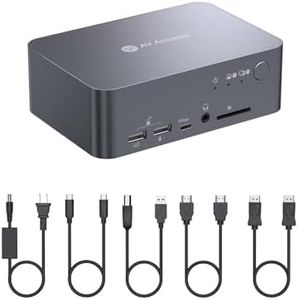

Related Products
Up to 24% off




Our technology thoroughly searches through the online shopping world, reviewing hundreds of sites. We then process and analyze this information, updating in real-time to bring you the latest top-rated products. This way, you always get the best and most current options available.

Our Top Picks
Winner
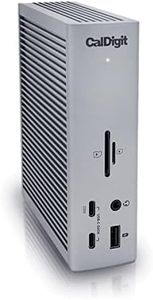
CalDigit TS4 18 Port Thunderbolt 4 Dock, 98W Charging, 3X TBT4 (40Gb/s), 3X USB-C + 5X USB-A (10Gb/s), 2.5GbE LAN, 8K@30Hz or 2X 6K@60Hz Displays, Mac/Windows/Chrome, Space Gray, 0.8m Certified Cable
Most important from
1740 reviews
The CalDigit TS4 Thunderbolt 4 Dock is a powerful docking station designed for users who need extensive connectivity and high performance. It boasts 18 ports, including three Thunderbolt 4 ports, eight USB ports, a DisplayPort 1.4 connector, SD and microSD card readers, three audio ports, and a 2.5GbE Ethernet port. This makes it suitable for demanding workflows that require multiple device connections.
The TS4 supports single 8K or dual 6K 60Hz displays for macOS users, and up to dual 4K 60Hz displays for Windows users, ensuring high-quality visuals. It offers an impressive 98W power delivery, making it capable of charging larger laptops while connecting multiple devices simultaneously. Compatibility is broad, covering Thunderbolt 4, Thunderbolt 3, USB4, and USB-C computers, including various Mac, Windows, and Chrome OS devices.
The build quality is robust, and the design is compact, fitting well on a desk without taking up much space. However, users of original M1 Macs are limited to a single display, and a firmware update is required for optimal compatibility. The setup is straightforward, but ensuring you have the latest firmware is essential for avoiding any issues. The TS4's combination of high power delivery, extensive ports, and display support makes it a versatile choice for both professional and personal use.
Most important from
1740 reviews
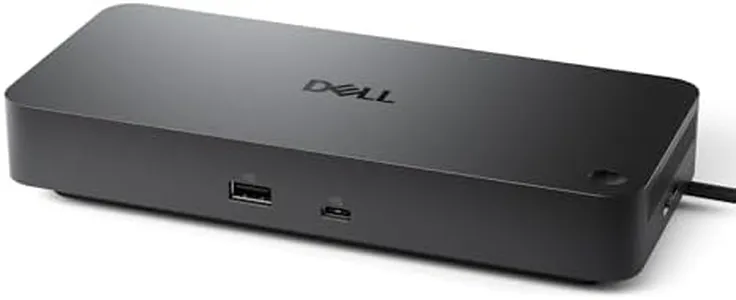
Dell Pro Dock WD25 - USB Type-C with DP Alt Mode Connector, DisplayPort/HDMI/USB 3.2 Gen2 Connectivity, Up to 100-Watt Power delivery - Black
Most important from
247 reviews
The Dell Pro Dock WD25 is a well-rounded USB-C docking station designed to support dual and even up to four displays, making it a strong option for professionals who need multiple monitors. It offers flexible video output options including DisplayPort and HDMI, accommodating different setups with ease. Its power delivery can provide up to 100 watts, which is enough to keep most laptops charged while you're working, helping reduce cable clutter. With six USB ports and an Ethernet connection, it covers a wide range of peripherals and network needs, which adds convenience for office or home workspaces.
The design is practical with an ambidextrous USB-C cable, allowing you to route it either left or right, and the connector is built to be durable for long-term use. Additionally, it supports current operating systems including Windows, Linux, and ChromeOS, making it versatile across many devices. One downside is that it requires Windows 10 or newer as a minimum, so very old laptops might not be compatible. Also, while it can support multiple high-resolution monitors, the total number and refresh rates depend on your laptop’s capabilities. The dock is a bit heavier and larger than some simpler models, which is a trade-off for the extra ports and power it offers.
Its energy-saving features and use of recycled materials also make it an environmentally friendly choice. This dock is best suited for users who need reliable multi-display support, solid power delivery, and a variety of connection options in a professional setup.
Most important from
247 reviews
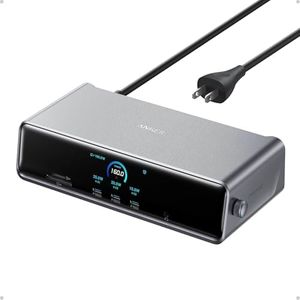
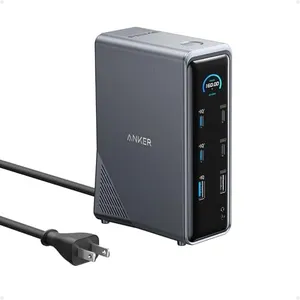
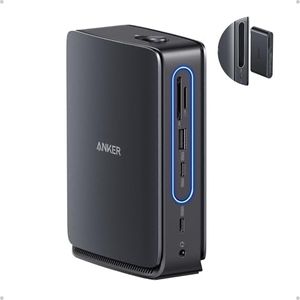
Anker Prime Docking Station (DL7400), 14-Port Triple Display with DisplayLink, 140W Max, Smart Display, Triple 4K 60Hz, Cooling Fan, for Windows Laptops (The Latest DisplayLink Driver Must Installed)
Most important from
760 reviews
The Anker Prime Docking Station (DL7400) is a versatile hub designed for users needing to connect multiple displays and peripherals through USB-C. It supports up to three external monitors, including one with ultra-high 8K resolution, making it great for multitasking and detailed work on both Mac and Windows laptops. The docking station includes 14 ports, such as USB-C (with high-speed data and charging up to 140W), HDMI, DisplayPort, Ethernet, audio jack, and card readers, covering nearly all types of connections you might need at a desk. Its built-in cooling fan and smart display help monitor performance and keep the unit stable during heavy use.
Setup requires installing the latest DisplayLink driver, which might be a small hurdle for some users. While the front USB-C ports offer charging, they don’t support video output, so you’ll need to plan your monitor connections accordingly. The device is solidly built and compact enough to fit comfortably on a desk. However, despite its power, the dock is a bit heavier than simpler models and may be more than some users require if they don’t need triple display support.
This docking station is well suited for professionals or power users who want a single solution for multiple monitors and a wide range of peripherals, offering strong performance and flexibility with only minor setup considerations.
Most important from
760 reviews
Buying Guide for the Best USB-C Dual Display Docking Stations
When choosing a USB-C dual display docking station, it's important to consider your specific needs and how you plan to use the docking station. A docking station can greatly enhance your productivity by allowing you to connect multiple peripherals and displays to your laptop or computer through a single USB-C port. To make the best choice, you should understand the key specifications and how they align with your requirements.FAQ
Most Popular Categories Right Now


