10 Best USB-C Docking Stations 2026 in the United States
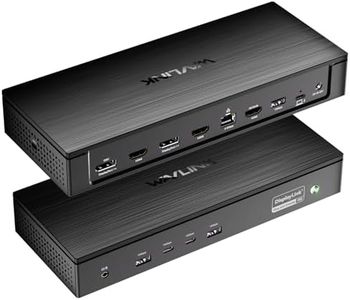

Related Products
Up to 24% off
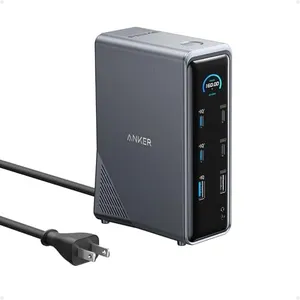
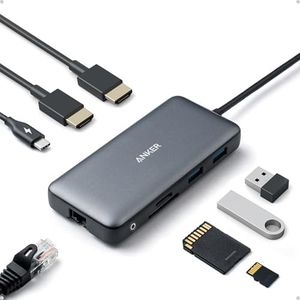
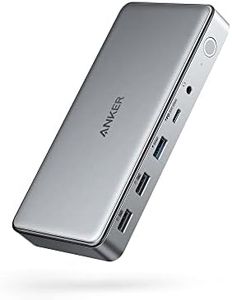
Our technology thoroughly searches through the online shopping world, reviewing hundreds of sites. We then process and analyze this information, updating in real-time to bring you the latest top-rated products. This way, you always get the best and most current options available.

Our Top Picks
Winner
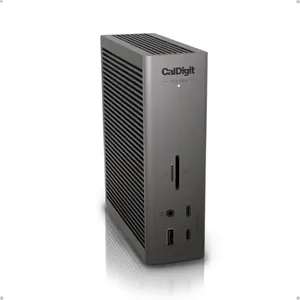
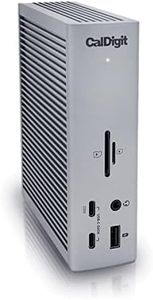
CalDigit TS5 PLUS - Thunderbolt 5 Dock - 20 Port, 10Gb Ethernet, 140W dedicated host Charging, TBT-5 x 3, USB 10Gb/s x10, Dual USB Controllers, Up to Two 8K 60Hz Displays, 1.0m Braided Cable, 330W PSU
Most important from
282 reviews
The CalDigit TS5 PLUS is a powerhouse dock designed for users needing extensive connectivity and high performance, especially suitable for professionals with demanding setups. It offers an impressive 20 ports, including three ultra-fast Thunderbolt 5 ports and ten USB ports with dual controllers, which helps prevent slowdowns when multiple devices run simultaneously. This dock supports up to two 8K displays or multiple high-refresh-rate 4K monitors, making it ideal for creative work or multitasking on large screens.
It delivers strong power, with 140W dedicated charging for laptops—enough for power-hungry MacBook Pros—and additional ports that can charge accessories efficiently. The inclusion of 10 Gigabit Ethernet allows much faster wired internet or file transfers compared to typical docks, provided the host supports Thunderbolt or USB4 standards. Its solid aluminum design not only looks sleek but also helps dissipate heat safely, which is important given the dock’s high power output.
Users with older Thunderbolt 3 or non-Thunderbolt devices may experience reduced performance or limited compatibility, and Windows users need to manually install drivers for the Ethernet port. The dock’s size and requirement for good ventilation might require some desk space consideration. The TS5 PLUS excels at combining robust power, extensive ports, and advanced display support, making it a great choice for Mac and Windows users who want future-proof connectivity and speed.
Most important from
282 reviews
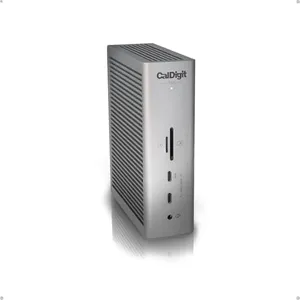
CalDigit TS5 Thunderbolt 5 Dock - 15 Port, 140W Charging, 80Gb/s TBT 5 x 4, USB-C 10Gb x 3, USB-A x2, 2.5Gb Ethernet, Dual 8K@60Hz Displays, SD & microSD UHS-II, 1m Braided Cable, Space Gray 240W PSU
Most important from
282 reviews
The CalDigit TS5 Thunderbolt 5 Dock is a powerful and versatile docking station suited for users needing extensive connectivity and high performance, especially those with newer Mac or Windows laptops supporting Thunderbolt 5 or USB4 v2. It offers an impressive 15 ports, including multiple Thunderbolt 5/USB4 ports with ultra-fast 80Gb/s speeds, USB-A and USB-C ports, a 2.5Gb Ethernet port, and SD/microSD card readers. The dock’s 140W power delivery is generous enough to charge demanding laptops like the 16" MacBook Pro while also powering accessories.
Display support is a strong point, with the ability to run dual 8K 60Hz or triple 4K 144Hz monitors on compatible hosts, making it excellent for users who want great multi-monitor setups. The Bandwidth Boost feature ensures displays get ample data flow for smooth visuals. Built with a sturdy aluminum case that acts as a heat sink, it handles heat efficiently to maintain performance. However, to unlock its full potential, you need a Thunderbolt 5 or USB4 v2 host; older or lower-speed USB-C connections will limit capabilities. Also, while Ethernet is fast at 2.5GbE, it only works with Thunderbolt or PCIe-capable USB4 hosts.
The dock’s size is compact but not ultra-small, so it fits well on a desk without being intrusive. This dock is best suited for professionals or power users seeking top-tier connectivity and charging for high-end laptops, but it might be more than needed for casual users or those with older devices.
Most important from
282 reviews
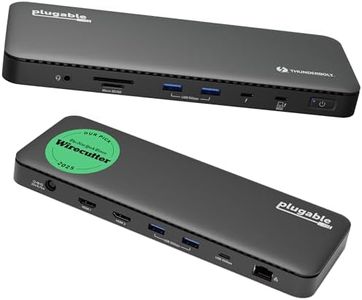
Plugable Thunderbolt 4 Dock, 100W Charging (96W Certified), Dual HDMI Docking Station for Windows and Mac, Single 8K or Dual 4K 60Hz, 40Gbps, 13 Ports with Ethernet, SD/microSD (TBT4-UD5)
Most important from
497 reviews
The Plugable TBT4-UD5 is a solid choice for anyone needing a USB-C docking station with Thunderbolt 4 support. It offers a generous selection of ports—13 in total—including 6 USB ports and 2 HDMI outputs, which is great for connecting multiple devices and dual displays. This dock supports up to 96W power delivery, meaning it can charge most laptops efficiently while keeping all your peripherals connected. It’s compatible with a wide range of Windows and Mac laptops, including the latest MacBook Pro and Air models, as well as popular business laptops from Dell, HP, Lenovo, and others. This makes it quite flexible for various users.
The dock is well-built and compact, measuring under an inch thick and weighing around 2.4 pounds, so it won’t take up too much desk space. Users appreciate that it supports fast data transfer speeds thanks to Thunderbolt 4, which is ideal if you frequently move large files or use high-speed external drives.
Some Mac users might find that enabling dual monitor setups requires using clamshell mode, which could be inconvenient for some. Also, the dock is not compatible with smart home devices, but that’s typical for this kind of product. The price and size might be a bit much for casual users who don’t need many ports or high power delivery. For professionals or anyone with multiple devices and high performance demands, this dock is a dependable, future-proof option backed by a 2-year warranty. The Plugable TBT4-UD5 docking station is well-suited for users with Thunderbolt 4 laptops who want extensive port options, reliable power delivery, and solid display support in a neat package.
Most important from
497 reviews
Buying Guide for the Best USB-C Docking Stations
When choosing a USB-C docking station, it's important to consider your specific needs and how you plan to use the device. A docking station can greatly enhance your productivity by expanding the connectivity options of your laptop or other USB-C enabled devices. To make the best choice, you should understand the key specifications and how they align with your requirements.FAQ
Most Popular Categories Right Now


