We Use CookiesWe use cookies to enhance the security, performance, functionality and for analytical and promotional activities. By continuing to browse this site you are agreeing to our privacy policy

10 Best Thermal Label Makers 2026 in the United States
How do we rank products for you?

Our technology thoroughly searches through the online shopping world, reviewing hundreds of sites. We then process and analyze this information, updating in real-time to bring you the latest top-rated products. This way, you always get the best and most current options available.

headphones-stars

Our Top Picks

#1

Winner

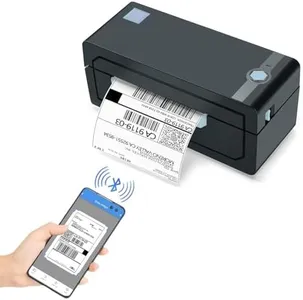
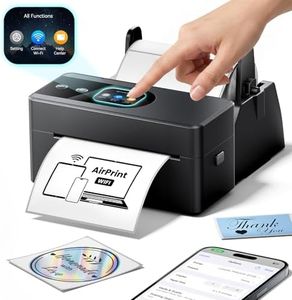
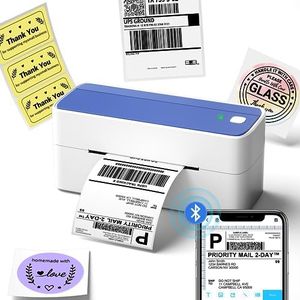
JADENS Bluetooth Thermal Shipping Label Printer – Wireless 4x6 Shipping Label Printer, Compatible with Android, iPhone, Windows & Mac, Widely Used for, Amazon, Shopify, Etsy, USPS(Blue)

Rating
10.0
Chosen by1,314
Print Resolution
Print Speed
Connectivity Options

Most important from
9114 reviews

Print Resolution
Print quality is consistently sharp and clear, producing crisp barcodes and dark, legible text on standard 4x6 labels.
Print Speed
The printer handles labels quickly, speeding up busy shipping workflows with minimal lag or delay.
Connectivity Options
Bluetooth connectivity works seamlessly with both iPhone and Windows devices, enabling hassle-free wireless printing.
Compatibility
Compatibility with popular selling platforms like eBay, Shopify, and Etsy, as well as major carriers such as USPS, UPS, and FedEx, makes it highly versatile for online sellers.
Ease of Use
Setup is straightforward and intuitive, allowing users to print their first label within minutes without needing extra drivers.

The JADENS Bluetooth Thermal Shipping Label Printer is a solid choice for small business owners or online sellers who need reliable shipping labels. It offers a good print resolution of 203 DPI, which means labels will be clear enough for typical shipping and barcode needs. The printing speed of up to 72 labels per minute is quite decent, helping to speed up packing tasks. You can print labels ranging from about 1.57" to 4.1" wide, covering most standard shipping label sizes.

One of its strengths is the flexibility in connectivity: it supports wireless Bluetooth printing for Android, iPhone, and Windows 8 or later, plus USB connections for Windows, Mac, and Chrome OS. This makes it adaptable to many devices, though Mac users can only use USB, which is a limitation if you prefer wireless printing. The printer works with popular online selling platforms like eBay, Amazon, Etsy, and Shopify, which is convenient for sellers who use these sites regularly.

Since this is a thermal printer, it requires no ink or toner, making it clean and economical to operate. However, the printer weighs around 2 kilograms and measures about 9 inches wide, so it is not the smallest or most portable option. Setup is straightforward, with helpful instructions and videos included, plus a one-year warranty for peace of mind. This label printer balances ease of use and compatibility with high-quality thermal printing. It is best suited for small to medium-volume shipping needs where wireless printing is desired but USB backup is also appreciated. The main compromises are the heavier size and limited Bluetooth support for Mac users.

Rating
10.0
Chosen by1,314
Print Resolution
Print Speed
Connectivity Options

Most important from
9114 reviews

Print Resolution
Print quality is consistently sharp and clear, producing crisp barcodes and dark, legible text on standard 4x6 labels.
Print Speed
The printer handles labels quickly, speeding up busy shipping workflows with minimal lag or delay.
Connectivity Options
Bluetooth connectivity works seamlessly with both iPhone and Windows devices, enabling hassle-free wireless printing.
Compatibility
Compatibility with popular selling platforms like eBay, Shopify, and Etsy, as well as major carriers such as USPS, UPS, and FedEx, makes it highly versatile for online sellers.
Ease of Use
Setup is straightforward and intuitive, allowing users to print their first label within minutes without needing extra drivers.
#2

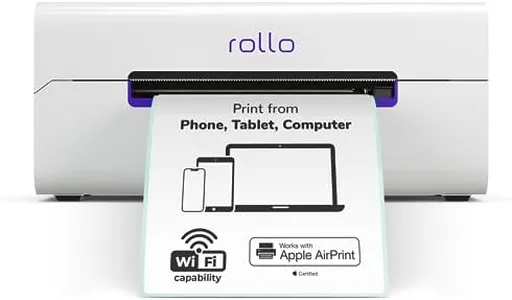
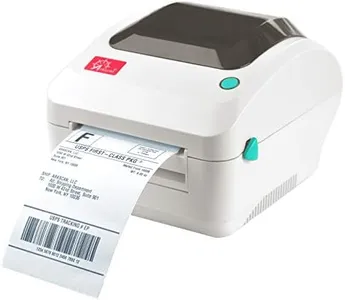
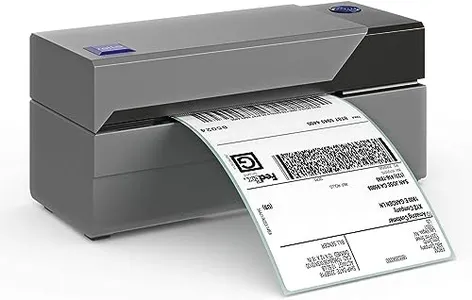
Rollo Wireless Shipping Label Printer - Wi-Fi Thermal Label Printer 4x6 for Shipping Packages - AirPrint from iPhone, iPad, Mac - Supports Windows, Chromebook, Android, Linux

Rating
9.1
Print Resolution
Label Width
Connectivity Options

Most important from
2265 reviews

Print Resolution
The print quality is consistently high, producing clear and readable labels every time.
Label Width
The printer's versatility in handling different label sizes makes it ideal for various labeling needs.
Connectivity Options
The wireless capability is priceless, allowing me to print from anywhere within Wi-Fi range, even from my bed!
Durability
Durability is impressive, with the printer rated for up to 650,000 shipping labels.
Ease of Use
Initial setup might be challenging, but once configured, it performs flawlessly.

The Rollo Wireless Shipping Label Printer offers a blend of strong features ideal for shipping needs. Its print resolution of 203 DPI ensures that labels are clear and readable, which is essential for scanning and handling packages. With a high print speed of 150mm/s, it can produce one 4x6 label per second, making it efficient for high-volume tasks.

The printer supports a range of label widths from 1.57 to 4.1 inches, adding versatility for various labeling needs beyond shipping, such as barcodes and product labels. Connectivity options are robust, including Wi-Fi and USB, and it supports a wide array of devices (iPhone, iPad, Mac, Windows, Chromebook, Android, Linux), allowing flexibility in how and where the printer is used.

The Rollo Ship Manager app is a notable feature, integrating with multiple ecommerce platforms and offering exclusive shipping rates, which can be cost-effective for small businesses. Durability is also a strong point, with the printer rated for up to 650,000 shipping labels, significantly more than many competitors. At 3.48 pounds, it is relatively portable but may feel a bit bulky for some users. Initial setup might be slightly challenging for those less tech-savvy, though the included setup instructions help mitigate this. This printer is an excellent choice for businesses or individuals needing a reliable, versatile, and high-speed label printer for shipping and other labeling tasks.

Rating
9.1
Print Resolution
Label Width
Connectivity Options

Most important from
2265 reviews

Print Resolution
The print quality is consistently high, producing clear and readable labels every time.
Label Width
The printer's versatility in handling different label sizes makes it ideal for various labeling needs.
Connectivity Options
The wireless capability is priceless, allowing me to print from anywhere within Wi-Fi range, even from my bed!
Durability
Durability is impressive, with the printer rated for up to 650,000 shipping labels.
Ease of Use
Initial setup might be challenging, but once configured, it performs flawlessly.
#3

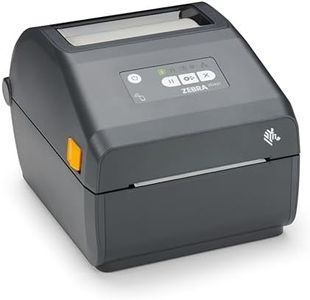
ZEBRA ZD421 Direct Thermal Desktop Printer 203 dpi Print Width 4-inch Wired USB and Ethernet Connectivity ZD4A042-D01E00EZ, No Thermal Ribbon Required

Rating
9.1
Durability
Ease of Use
Print Speed

Most important from
55 reviews

Durability
This printer is highly durable and straightforward to set up, making it ideal for daily retail inventory tasks.
Ease of Use
This printer is highly durable and straightforward to set up, making it ideal for daily retail inventory tasks.
Print Speed
Despite moderate print speed, the printer’s reliability and network connectivity make it a dependable choice for office environments.
Connectivity Options
Despite moderate print speed, the printer’s reliability and network connectivity make it a dependable choice for office environments.

The Zebra ZD421 is a solid choice for anyone needing a reliable desktop thermal label printer, especially in office settings. It uses direct thermal printing, so you won’t need to buy ribbons or ink, which makes running costs lower and maintenance simpler. With a print resolution of 203 dpi, it produces clear and professional-looking labels and barcodes, suitable for most standard labeling needs. The printer supports up to a 4-inch label width, giving you flexibility for various label sizes.

Connectivity options include USB and Ethernet, allowing easy integration with different computers and networks, which is great for small offices or workplaces where multiple users need access. It’s a compact and lightweight printer, which makes it easy to fit on a desk without taking up much space. The print speed is moderate compared to some competitors, so it may not be ideal for very high-volume printing. The printer focuses on black-and-white printing only, which is typical for label makers but does not support color printing.

Durability-wise, the Zebra brand is known for robust build quality, and the advanced security features help protect your network, which is a plus if you handle sensitive information. The printer is straightforward to use with minimal setup, making it suitable even if you’re not very tech-savvy. It supports only thermal labels and compatible media sizes, so ensure your label type fits within its 4-inch width limit. The Zebra ZD421 is a dependable and easy-to-use label printer that works well for office or small business use where quality and network connectivity are priorities.

Rating
9.1
Durability
Ease of Use
Print Speed

Most important from
55 reviews

Durability
This printer is highly durable and straightforward to set up, making it ideal for daily retail inventory tasks.
Ease of Use
This printer is highly durable and straightforward to set up, making it ideal for daily retail inventory tasks.
Print Speed
Despite moderate print speed, the printer’s reliability and network connectivity make it a dependable choice for office environments.
Connectivity Options
Despite moderate print speed, the printer’s reliability and network connectivity make it a dependable choice for office environments.

Buying Guide for the Best Thermal Label Makers

Choosing the right thermal label maker can significantly impact your labeling tasks, whether for personal use, small business, or large-scale operations. Thermal label makers use heat to print labels, which means you don't need ink or toner. When selecting a thermal label maker, consider the key specifications that will determine its suitability for your needs. Understanding these specs will help you make an informed decision and ensure you get a product that meets your requirements efficiently.
Print ResolutionPrint resolution refers to the clarity and detail of the labels produced by the thermal label maker, measured in dots per inch (DPI). Higher DPI values mean sharper and more detailed prints. For basic labeling tasks, a resolution of 203 DPI is usually sufficient. If you need to print barcodes, logos, or small text, consider a higher resolution like 300 DPI or more. Your choice should depend on the level of detail required for your labels.
Print SpeedPrint speed indicates how quickly the label maker can produce labels, usually measured in millimeters per second (mm/s). Faster print speeds are beneficial for high-volume labeling tasks, reducing the time spent on printing. For occasional or low-volume use, a lower print speed may be adequate. Assess your labeling needs to determine if a higher print speed will improve your efficiency.
Label WidthLabel width refers to the maximum width of labels that the thermal label maker can handle. Common widths range from 2 inches to 4 inches. If you need to print larger labels for shipping or product identification, opt for a model that supports wider labels. For smaller labels, such as address labels or price tags, a narrower width will suffice. Consider the types of labels you need to print to choose the appropriate label width.
Connectivity OptionsConnectivity options determine how the thermal label maker connects to your computer or other devices. Common options include USB, Bluetooth, and Wi-Fi. USB connections are reliable for stationary setups, while Bluetooth and Wi-Fi offer more flexibility and convenience for mobile or shared use. Choose a connectivity option that matches your workflow and the devices you plan to use with the label maker.
CompatibilityCompatibility refers to the software and operating systems that the thermal label maker can work with. Ensure that the label maker is compatible with your computer's operating system (Windows, Mac, etc.) and any labeling software you plan to use. Compatibility is crucial for seamless integration into your existing setup and avoiding any technical issues.
DurabilityDurability is about how well the thermal label maker can withstand regular use and potential wear and tear. Look for models with robust construction and good reviews regarding longevity. If you need a label maker for heavy-duty or industrial use, prioritize durability to ensure it can handle frequent and demanding tasks. For occasional use, a less durable model may be sufficient.
Ease of UseEase of use encompasses the user interface, setup process, and overall user experience of the thermal label maker. A user-friendly model will have intuitive controls, straightforward setup, and clear instructions. If you're new to label makers or prefer simplicity, look for models that are praised for their ease of use. This will help you get started quickly and avoid frustration.

FAQ

Most Popular Categories Right Now