10 Best Printer For Home 2026 in the United States






Related Products
Up to 33% off






Our technology thoroughly searches through the online shopping world, reviewing hundreds of sites. We then process and analyze this information, updating in real-time to bring you the latest top-rated products. This way, you always get the best and most current options available.

Our Top Picks
Winner
Brother DCP-L2640DW Wireless Compact Monochrome Multi-Function Laser Printer with Copy and Scan, Duplex, Mobile, Black & White | Includes Refresh Subscription Trial(1), Works with Alexa
Most important from
3546 reviews
The Brother DCP-L2640DW is a versatile monochrome laser printer designed for home use. It combines printing, scanning, and copying functions in a compact size, making it a practical space-saving option. One of its standout features is its fast print speed of up to 36 pages per minute, which is impressive for a home printer and suits users who need to print frequently. The print quality is good, with a maximum resolution of 1200 x 1200 dpi, ensuring crisp and clear text documents. Additionally, it supports duplex (double-sided) printing, which can save paper and reduce printing costs over time.
Connectivity options are robust, with Wi-Fi, USB, and Ethernet, allowing for flexible device connections. The Brother Mobile Connect App further enhances its convenience, enabling users to print and scan directly from their mobile devices. This printer also includes a 50-page auto document feeder, which is useful for scanning and copying multiple pages efficiently.
However, there are some drawbacks to consider. The printer only supports black and white printing, which might be a limitation for users who need color prints. Ink/toner costs can add up, though the available Refresh EZ Print Subscription Service can help manage expenses by offering savings on toner. Additionally, while the printer is suitable for high-volume printing, the 250-sheet input capacity may require frequent paper refills for heavy users. The maximum scanning resolution is relatively low at 300 x 300 dpi, which may not be sufficient for users needing high-quality scans. Despite these limitations, the Brother DCP-L2640DW is a solid choice for home users who primarily need fast, high-quality black and white printing with the added functionality of scanning and copying.
Most important from
3546 reviews
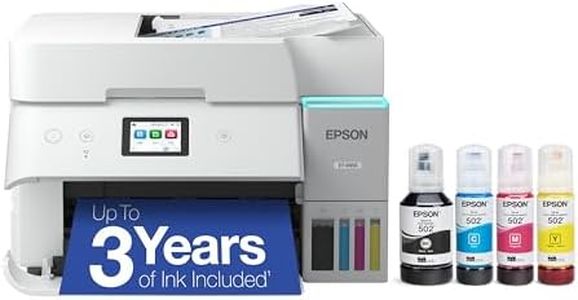
Epson EcoTank ET-2803 Wireless Color All-in-One Cartridge-Free Supertank Printer with Scan, Copy and AirPrint Support
Most important from
3669 reviews
The Epson EcoTank ET-2803 is a versatile all-in-one printer designed for home use, with several notable strengths. Its cartridge-free design with high-capacity ink tanks significantly reduces ink costs and waste, with enough ink in the box to last up to two years. This makes it an economical choice for households with regular printing needs. The print quality is impressive, thanks to Epson’s Micro Piezo Heat Free technology, producing sharp text and vibrant color photos at a resolution of up to 5760 x 1440 dpi. Additionally, it includes a built-in scanner and copier, adding to its functionality.
Connectivity is modern and convenient, offering Wi-Fi and USB options, along with support for hands-free voice-activated printing and easy printing from smart devices through AirPrint and the Epson Smart Panel app. However, there are a few drawbacks to consider. The print speed is relatively slow, with a maximum of 10 pages per minute for monochrome and 5 pages per minute for color prints, which might be frustrating for users with high-volume printing demands. Duplex printing is not available, which could be a downside for those needing double-sided prints regularly.
The initial setup can be a bit complex due to the need to fill the ink tanks properly, but once done, maintenance is straightforward. Its paper handling capacity is adequate for home use, with a 100-sheet input tray and support for various paper sizes. In summary, the Epson EcoTank ET-2803 is a cost-effective, environmentally friendly, and feature-rich printer suitable for typical home printing, scanning, and copying tasks, as long as the slower print speeds and lack of duplex printing are not deal-breakers for you.
Most important from
3669 reviews
Brother MFC-L3780CDW Wireless Digital Color All-in-One Printer with Laser Quality Output, Single Pass Duplex Copy & Scan | Includes 2 Month Refresh Subscription Trial, Works with Alexa
Most important from
819 reviews
The Brother MFC-L3780CDW is a color laser all-in-one printer well suited for home users who need more than just basic printing. It delivers sharp, laser-quality prints with a good resolution of 2400 x 600 dpi, making documents look professional. Print speed is quite fast at 31 pages per minute for both black and color, which is great if you often print larger jobs. This printer also handles scanning, copying, and faxing, with the helpful feature of single-pass duplex scanning and copying, saving time when doing double-sided documents.
Connectivity options are strong and flexible: it supports dual-band Wi-Fi, Ethernet, USB, and even Wi-Fi Direct, so you can connect it easily from laptops, smartphones, or tablets. Paper handling is decent for a home setup, with two trays holding up to 250 sheets total, and it supports various paper sizes including letter and legal. One thing to keep in mind is that this is a laser printer using toner cartridges, which generally cost more upfront compared to inkjets, but toner lasts longer and can be more economical if you print frequently. Brother’s Refresh subscription service helps manage toner supply, which adds convenience but may add to ongoing costs.
The printer is on the larger and heavier side for home use, so it needs a dedicated space. If you want a reliable, fast, and versatile color laser printer that can keep up with busy home or small office tasks, this model is a solid choice. However, casual users who print only occasionally might find the toner costs and size less ideal.
Most important from
819 reviews
Buying Guide for the Best Printer For Home
Choosing the right printer for your home can be a bit overwhelming with the variety of options available. However, by understanding your needs and the key specifications of printers, you can make an informed decision. Consider what you'll be using the printer for most often, such as printing documents, photos, or both. Also, think about how often you'll be printing and whether you need additional features like scanning and copying. Here are some key specifications to help you navigate your options and find the best fit for your home use.FAQ
Most Popular Categories Right Now


