We Use CookiesWe use cookies to enhance the security, performance, functionality and for analytical and promotional activities. By continuing to browse this site you are agreeing to our privacy policy

10 Best Portable Engraving Lasers 2026 in the United States
How do we rank products for you?

Our technology thoroughly searches through the online shopping world, reviewing hundreds of sites. We then process and analyze this information, updating in real-time to bring you the latest top-rated products. This way, you always get the best and most current options available.

headphones-stars

Our Top Picks

#1

Winner

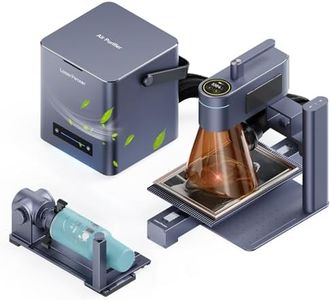
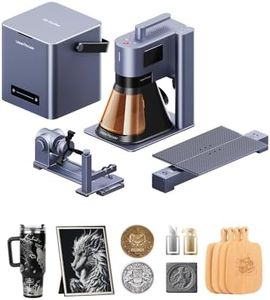
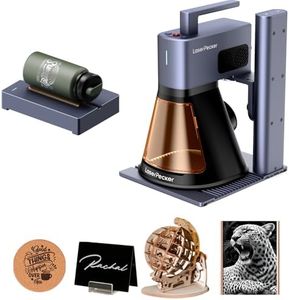
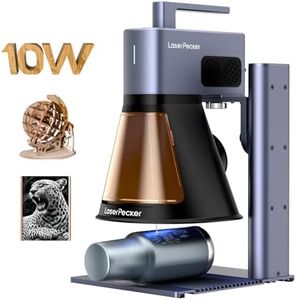
LaserPecker LP5 20W Fiber & Diode Dual Laser Engraver, 10X Faster 0.0027mm Precision for Metal Wood Jewelry, 3D Grayscale & Color Engraving, Portable 6kg Laser Cutter for Instant Store Customization

Rating
10.0
Chosen by1,242
Laser Power
Portability
Software Compatibility

Most important from
11 reviews

Laser Power
The combined fiber and diode laser system delivers powerful engraving and cutting on both metals and non-metals without any pre-treatment.
Portability
Its compact and portable design, weighing just over 6kg, combines power and convenience for on-the-go customization or small workshops.
Software Compatibility
The dual laser modes switch seamlessly via software, allowing smooth transitions between metal engraving and organic material work.
Safety Features
Included accessories like safety glasses, exhaust hose, and starter materials help users begin projects immediately while ensuring safety.

The LaserPecker LP5 is a portable engraving laser featuring an impressive 20W dual-laser system combining fiber and diode lasers. This configuration enables it to cut and engrave both metals such as gold and steel, and non-metals like wood and leather, with a high precision of 0.0027mm, making it suitable for detailed work including jewelry and custom crafts. Its engraving speed is notably fast, approximately 10 times quicker than many similar machines, making it ideal for businesses offering instant customizations, such as mall kiosks or craft fairs.

Portability is another key attribute, with the device weighing just over 6kg—about half the weight of comparable units—and designed for quick setup, which makes it convenient for mobile use or small workshops. It supports 3D grayscale engraving, adding depth and detail to items and helping to reduce material waste by minimizing test runs. The 1-year manufacturer warranty provides some peace of mind, and the unit runs on direct power without included batteries.

This laser engraver is powerful, fast, and precise, making it well-suited for small businesses and craftspeople who need to work on both metals and non-metals with high detail. Its portability and speed make it especially attractive for on-the-go or quick customization jobs, though buyers should verify cooling and software details before purchase.

Rating
10.0
Chosen by1,242
Laser Power
Portability
Software Compatibility

Most important from
11 reviews

Laser Power
The combined fiber and diode laser system delivers powerful engraving and cutting on both metals and non-metals without any pre-treatment.
Portability
Its compact and portable design, weighing just over 6kg, combines power and convenience for on-the-go customization or small workshops.
Software Compatibility
The dual laser modes switch seamlessly via software, allowing smooth transitions between metal engraving and organic material work.
Safety Features
Included accessories like safety glasses, exhaust hose, and starter materials help users begin projects immediately while ensuring safety.
#2

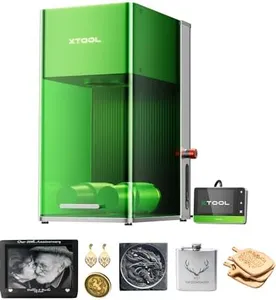
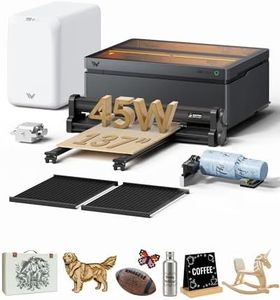
xTool M1 Ultra Laser Engraving Machine, Desktop 4-in-1 Craft Machine with 20W Laser Engraver, Inkjet Printing, Blade Cutting, Pen Drawing, Support Rotary Engraving on Tumblers - Premium Bundle

Rating
9.1
Laser Power
Portability
Software Compatibility

Most important from
20 reviews

Laser Power
Frequent maintenance is essential, including daily cleaning and occasional disassembly to access internal parts.
Portability
The machine is ready to use straight out of the box, allowing you to start projects immediately.
Software Compatibility
The printing function works but falls short in quality compared to other features.
Cooling System
The included fan struggles with ventilation, often causing filter errors and increased fumes, which may affect sensitive environments.

The xTool M1 Ultra is a versatile 4-in-1 portable crafting machine that combines laser engraving, blade cutting, inkjet printing, and pen drawing, making it a great all-in-one solution for creative projects. Its 20W laser power (20,000mW) is strong enough to handle a wide range of materials, including curved surfaces and thicker items, thanks to its adjustable riser base and rotary engraving support. The engraving area is reasonably sized at 140mm, suitable for many craft projects but might feel limited if you plan to work on larger pieces. Portability is decent given its compact design, although it weighs 74 pounds, which means it's better suited for a dedicated workspace rather than frequent transport.

Software compatibility is a strong point; the included XCS software with Artimind AI simplifies design and automatically sets optimal engraving parameters, which is especially helpful for beginners. Safety-wise, the device is a Class I laser, meaning it has built-in safeguards for safe operation, so users don’t need to worry about exposure risks. The machine is beginner-friendly, pre-assembled, and quick to switch between modes in just a few seconds, making it efficient for multitasking.

While it offers excellent multi-functionality, the complexity of having four tools in one might be more than casual users need. Additionally, the relatively high weight impacts true portability. This machine is ideal for hobbyists and small business crafters looking for a flexible, precise, and beginner-accessible device that can handle a variety of materials and creative techniques all in one compact package.

Rating
9.1
Laser Power
Portability
Software Compatibility

Most important from
20 reviews

Laser Power
Frequent maintenance is essential, including daily cleaning and occasional disassembly to access internal parts.
Portability
The machine is ready to use straight out of the box, allowing you to start projects immediately.
Software Compatibility
The printing function works but falls short in quality compared to other features.
Cooling System
The included fan struggles with ventilation, often causing filter errors and increased fumes, which may affect sensitive environments.
#3

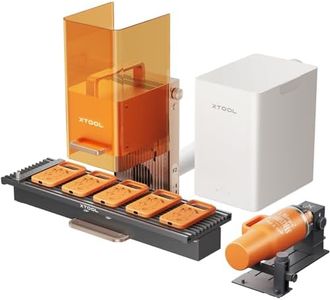
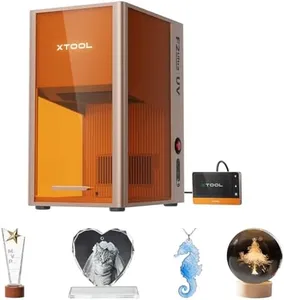
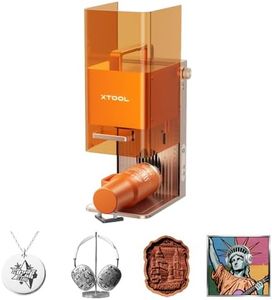
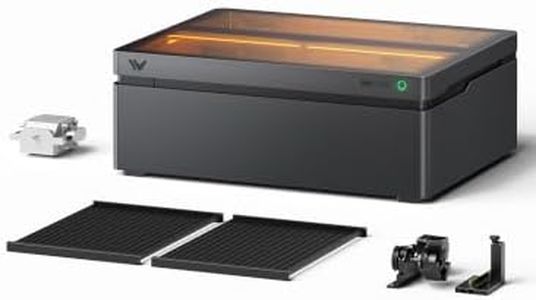
xTool F1 2-in-1 Dual Laser and Infrared Engraver with Slide Extension, Rotary Extension and Smoke Purifier, Lightning Speed Portable Fiber Laser Engraver for Metal Wood

Rating
8.8
Laser Power
Portability
Software Compatibility

Most important from
147 reviews

Laser Power
The laser delivers incredibly crisp and detailed engravings with sharp lines and smooth greyscale, significantly outperforming other models in both quality and speed.
Portability
Portability combined with easy focus and setup makes it perfect for craft shows and on-the-go personalization without sacrificing durability.
Software Compatibility
User-friendly software enhances the overall experience, making it accessible for both beginners and experienced laser users.
Safety Features
The built-in smoke purifier and enclosed cover effectively minimize smoke and odors, allowing safe and clean operation even in studio environments.

The xTool F1 2-in-1 Dual Laser and Infrared Engraver is a versatile and powerful portable laser machine designed for both metal and non-metal materials. It features dual lasers: a 2W infrared laser for metals and a 10W diode laser for wood, acrylic, and more, making it suitable for a wide range of engraving and cutting projects. With an impressive engraving speed of up to 4000mm/s and high precision, it’s excellent for batch processing business cards, jewelry, and customized items. The included slide and rotary extensions increase the working area and allow engraving on cylindrical objects like mugs or rings.

A standout feature is its built-in smoke purifier and fully enclosed cover, which greatly reduces smoke and odors during operation, providing a cleaner and safer experience. However, the machine weighs 48 pounds, which makes it less easy to carry compared to smaller portable engravers. Also, as a Class 4 laser device, it requires careful handling and safety precautions. The xTool F1 supports multiple materials and offers software compatibility that suits craft makers and small business users looking for speed, accuracy, and flexibility. If you want a powerful, all-in-one laser engraver that handles metals and wood efficiently while keeping your workspace cleaner, this machine is a strong candidate, though it's better suited for dedicated workspaces than frequent travel.

Rating
8.8
Laser Power
Portability
Software Compatibility

Most important from
147 reviews

Laser Power
The laser delivers incredibly crisp and detailed engravings with sharp lines and smooth greyscale, significantly outperforming other models in both quality and speed.
Portability
Portability combined with easy focus and setup makes it perfect for craft shows and on-the-go personalization without sacrificing durability.
Software Compatibility
User-friendly software enhances the overall experience, making it accessible for both beginners and experienced laser users.
Safety Features
The built-in smoke purifier and enclosed cover effectively minimize smoke and odors, allowing safe and clean operation even in studio environments.

Buying Guide for the Best Portable Engraving Lasers

When choosing a portable engraving laser, it's important to consider several key specifications to ensure you get a device that meets your needs. Portable engraving lasers are versatile tools used for engraving on various materials such as wood, metal, plastic, and more. Understanding the key specs will help you make an informed decision and select the best fit for your projects.
Laser PowerLaser power, measured in watts (W), determines the strength and capability of the laser. Higher power lasers can engrave deeper and faster, making them suitable for tougher materials like metal. Lower power lasers are better for delicate materials like wood or plastic. If you plan to work on a variety of materials, a mid-range power laser (around 20-30W) might be a good choice. For heavy-duty tasks, consider higher power (40W and above), while for light, detailed work, lower power (10-20W) should suffice.
WavelengthThe wavelength of a laser, measured in nanometers (nm), affects its ability to engrave different materials. Common wavelengths for engraving lasers are 1064nm (fiber lasers) and 450nm (blue lasers). Fiber lasers (1064nm) are excellent for metals and hard plastics, while blue lasers (450nm) are better for organic materials like wood and leather. Choose the wavelength based on the primary materials you will be engraving.
Engraving AreaThe engraving area is the maximum size of the surface that the laser can engrave at one time. This is usually measured in millimeters (mm) or inches. A larger engraving area allows for bigger projects and more flexibility. If you plan to work on small items like jewelry, a smaller engraving area (100x100mm) might be sufficient. For larger projects, look for an engraving area of 200x200mm or more.
PortabilityPortability refers to the ease with which you can move and transport the laser. This includes the weight and size of the device. Lightweight and compact models are easier to carry and set up, making them ideal for on-site jobs or workshops with limited space. Consider how often you will need to move the laser and choose a model that balances portability with the necessary power and features.
Software CompatibilitySoftware compatibility is crucial for designing and controlling your engravings. Most engraving lasers come with their own software, but it's important to check if it is user-friendly and compatible with your computer's operating system. Some lasers also support third-party software, which can offer more advanced features. Ensure the software meets your design needs and is easy to use.
Cooling SystemThe cooling system prevents the laser from overheating during prolonged use. There are air-cooled and water-cooled systems. Air-cooled systems are simpler and require less maintenance, making them suitable for light to moderate use. Water-cooled systems are more efficient at dissipating heat and are better for heavy-duty or continuous use. Choose the cooling system based on the intensity and duration of your engraving tasks.
Safety FeaturesSafety features are essential to protect you from laser exposure and other hazards. Look for features like protective covers, emergency stop buttons, and safety goggles. Some models also have built-in sensors to detect obstructions or overheating. Prioritize safety features to ensure a safe working environment, especially if you are new to using engraving lasers.

FAQ

Most Popular Categories Right Now