10 Best Plotter Machines 2026 in the United States

Related Products
Up to 12% off
Our technology thoroughly searches through the online shopping world, reviewing hundreds of sites. We then process and analyze this information, updating in real-time to bring you the latest top-rated products. This way, you always get the best and most current options available.

Our Top Picks
Winner
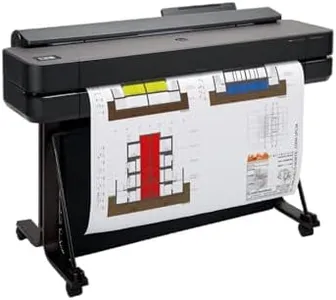
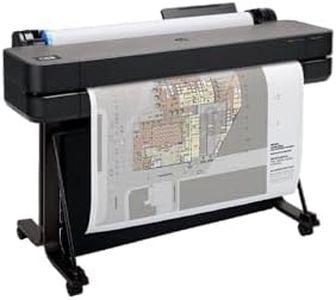
HP DesignJet T650 Large Format 36-inch Plotter Printer, Includes 2-Year Onsite Warranty Support (5HB10T) - New Model
Most important from
27 reviews
The HP DesignJet T650 is a solid choice for professionals like architects, engineers, and designers who need large-format prints up to 36 inches wide with precise line quality and crisp text. It offers a high print resolution of 2400 x 1200 dpi, ensuring detailed and sharp output suitable for technical drawings, posters, and maps. While its print speed—about 25 seconds per A1-sized page or roughly 82 prints per hour—isn't the fastest on the market, it balances quality and efficiency well for typical office or studio use. Media handling is versatile with support for roll and sheet feeding, an automatic cutter, and a media bin, making it easy to switch between different project sizes without manual adjustments.
Connectivity options are extensive, including Ethernet, USB 2.0, and Wi-Fi, allowing flexible printing from various devices and locations. The included HP Click software further simplifies printing by supporting many common file types and enabling one-click printing, which is helpful for users who may not be tech-savvy. Ink-wise, it uses HP 712 and 713 cartridges designed to maintain print quality and reduce maintenance costs by using less ink for routine upkeep compared to some competitors. The printer comes with a valuable 2-year onsite warranty, offering peace of mind and professional support for business environments.
A minor drawback is the relatively modest print speed of 2.4 pages per minute for both color and black-and-white, which might be limiting for very high-volume needs. Also, it only supports single-sided printing. The HP DesignJet T650 is well-suited for professionals needing reliable, high-quality large-format prints with easy media handling and good connectivity, especially when print volume is moderate rather than extremely high.
Most important from
27 reviews
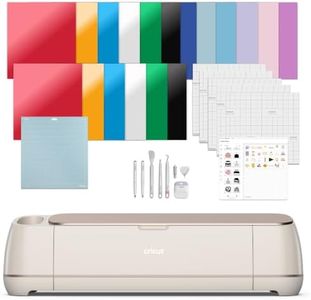
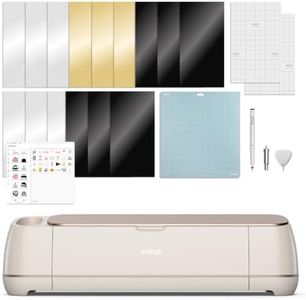
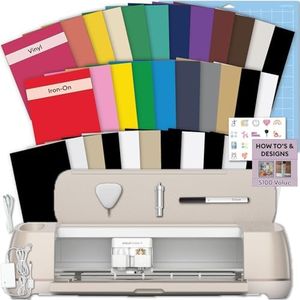
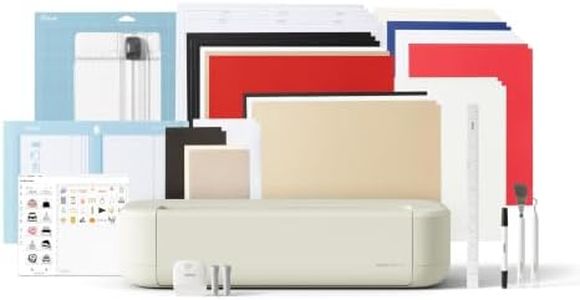
Cricut Maker 4 - Smart Cutting Machine (Seashell) | Engagement Bundle - Includes Smart Vinyl, Cardstock, Transfer Tape, Iron On HTV, Mat, Pens, Tool Kit, & 30 Images in Design Space App
Most important from
273 reviews
The Cricut Maker 4 is a versatile smart cutting machine ideal for craft enthusiasts who want to work with a wide variety of materials like vinyl, cardstock, leather, and even wood. It supports over 300 materials, making it suitable for projects ranging from custom cards and T-shirts to banners and engraved items. While it doesn’t print in the traditional sense, it excels at precise cutting, drawing, scoring, and engraving, giving you many creative options. The machine features an active cutting area of 144 square inches, which is ample for most personal and small business projects.
In terms of speed and precision, the Cricut Maker 4 is designed for automatic operation with fine-point blades and scoring tools that handle detailed designs smoothly. Its compatibility with inkjet printers through the Print-Then-Cut feature lets you print full-color designs first and then cut them with accuracy, adding versatility to your crafting. Connectivity is straightforward via desktop or mobile devices using the free Design Space software. This software is user-friendly and packed with templates, guided flows, and a large library of images and fonts, making it accessible even if you’re new to design. The included Engagement Bundle offers helpful extras like mats, pens, and practice materials, plus 30 premium digital images to get started right away.
One downside is that this machine doesn’t work with traditional ink cartridges since it’s a cutter, not a printer. Maintenance is relatively simple but requires occasional blade and mat replacements depending on use. This machine is best suited for those focused on crafting and DIY projects rather than commercial-scale printing or cutting. If you want a smart, all-in-one cutting device that supports diverse materials and creative techniques and you’re comfortable working through an app, the Cricut Maker 4 offers great flexibility and ease of use for hobbyists and small-scale creators.
Most important from
273 reviews
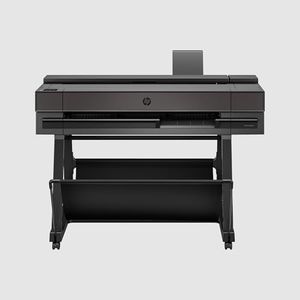
HP DesignJet T650 Large Format 24-inch Plotter Printer, Includes 2-Year Onsite Warranty Support (5HB08T) - New Model
The HP DesignJet T650 is a reliable 24-inch plotter designed especially for professionals like architects, engineers, and designers who need precise line drawings, posters, and maps. It delivers sharp print quality with a resolution up to 2400 x 1200 dpi, ensuring clear and accurate detail. The print speed is decent for its class, producing an A1-sized page in about 26 seconds, which translates to roughly 82 prints per hour—good for moderate workloads.
This machine handles media flexibly, supporting both large rolls up to 24 inches wide and sheets up to 13x19 inches, with an automatic sheet feeder and cutter that switch smoothly between roll and sheet printing. This saves time and reduces manual handling. Connectivity options include Ethernet, USB 2.0, and Wi-Fi, making it easy to print from various devices including smartphones and tablets via the HP Smart app. The printer uses HP’s original pigment and dye-based inks, which balance vibrant colors with durability. The included HP Click software simplifies printing by checking PDFs for errors and optimizing layouts to save ink and paper. Maintenance is also streamlined with a 2-year onsite warranty and remote support, plus HP’s claim of using significantly less ink for maintenance than competitors.
While the print speed is suitable for typical office or small business use, it may not meet the demands of very high-volume production environments. It supports only USB 2.0, which is slower compared to newer USB versions. The printer is print-only and does not scan or copy, which might be limiting if multifunction features are needed. The HP DesignJet T650 represents a cost-effective, user-friendly plotter that fits well for technical professionals or small to medium offices requiring high-quality, large-format prints without a huge volume demand. Its media versatility, good image quality, and solid support make it a practical choice, though very heavy users might seek faster models.
Buying Guide for the Best Plotter Machines
Choosing the right plotter machine can be a daunting task, but with the right knowledge, you can find the perfect fit for your needs. Plotter machines are used for printing vector graphics, and they are essential for industries like architecture, engineering, and graphic design. When selecting a plotter machine, it's important to consider several key specifications to ensure that the machine meets your requirements. Here are the key specs you should focus on and how to navigate them.FAQ
Most Popular Categories Right Now


