10 Best Multifunction 11 X 17 Printers 2026 in the United States


Related Products
Up to 39% off


Our technology thoroughly searches through the online shopping world, reviewing hundreds of sites. We then process and analyze this information, updating in real-time to bring you the latest top-rated products. This way, you always get the best and most current options available.

Our Top Picks
Winner
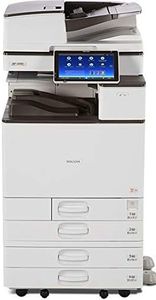
Ricoh Aficio MP C4504 A3 Color Laser Multifunction Copier - 45ppm, Copy, Fax, Print, Scan, Auto Duplex, Network, WIFI, 4 Trays and Comes with Pre-Installed Postscript 3 Supplement (Renewed)
Most important from
10 reviews
The Ricoh Aficio MP C4504 is a solid choice for offices needing a multifunction printer that handles 11x17 (A3) paper. It prints both color and black & white documents at a fast speed of 45 pages per minute, which is great for busy work environments. The print and copy quality are sharp, thanks to its high 1200 x 1200 dpi resolution, making text and images clear and professional. It also supports automatic duplex (double-sided) printing, which saves paper and is convenient for large print jobs.
With four paper trays and a total sheet capacity of up to 4,700 sheets, it can manage a big workload without constant refilling. Connectivity is flexible with built-in Wi-Fi and USB ports, plus a user-friendly 10.1-inch touch screen that makes operation straightforward. The multifunction features (copy, fax, scan, print) cover most office needs, and it supports remote control, which adds convenience.
Since this is a renewed model, it comes with only a 90-day limited warranty, which might be a concern for some. Also, like many color laser printers, the cost of consumables such as toner cartridges can add up over time, so budgeting for supplies is important. This Ricoh model is well-suited for medium to large offices that require reliable, fast, and versatile printing with good paper handling and network options.
Most important from
10 reviews
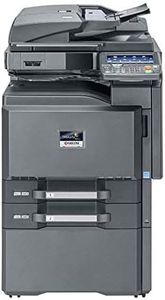
Kyocera TaskAlfa 3551ci Tabloid-Size Color Laser Multi-Function Copier - 35ppm, Copy, Print, Scan, Auto Duplex, Network, 11x17, 2 Trays, Stand (Renewed)
The Kyocera TaskAlfa 3551ci is a solid choice for offices needing a multifunction printer that handles tabloid-size (11x17 inch) documents. It prints and copies both color and black-and-white pages at a consistent speed of up to 35 pages per minute, which is quite efficient for busy workgroups. The print quality is decent for everyday office needs with a resolution of 600 x 600 dpi, suitable for clear text and basic color graphics but not for high-end photo printing. Paper handling is a strong point here, with a standard capacity of 1,150 sheets and the ability to expand up to 7,150 sheets with optional trays, making it reliable for large print jobs without frequent refills. The automatic duplex feature for double-sided printing helps save paper and time.
Network connectivity via Ethernet allows easy sharing across multiple users, though it lacks wireless options which might limit flexibility for some setups. Being a renewed and refurbished model, it offers a cost-effective entry into color tabloid multifunction devices; however, it only comes with a 90-day limited warranty and consumables are included at an as-is level, so ongoing costs and maintenance should be carefully considered. This printer is well suited for offices that prioritize speed, volume, and basic network functionality over the latest wireless features or ultra-high print resolution.
Ricoh Aficio MP C3004 Color Laser Multifunction Copier - A3/A4, 30ppm, Copy, Fax, Print, Scan, Auto Duplex, Network, WIFI, 4 Trays, Stand, Comes with Pre-installed PostScript 3 Supplement (Renewed)
The Ricoh Aficio MP C3004 is a multifunction color laser printer designed for office environments that require fast and versatile printing up to A3 (11" x 17") size. It prints both black-and-white and color pages at a steady speed of 30 pages per minute, suitable for medium-sized workloads. Its print quality is solid with a high resolution of 1200 x 1200 dpi, ensuring clear and sharp text and images.
Paper handling is a strong point, featuring four trays that can hold a large number of sheets (up to 4700 total), plus automatic duplex printing to save paper. Connectivity options include built-in Wi-Fi and Ethernet, giving flexibility for network setups and wireless use, along with a user-friendly 10.1" smart panel. As a multifunction device, it covers copying, scanning, and faxing needs, making it a practical all-in-one solution.
The device has a relatively low duty cycle typical for its class and comes with only a 90-day limited warranty, which might be a concern for very heavy or long-term use. This Ricoh model suits offices needing reliable color printing and multifunction tasks on larger paper sizes, offering good speed and connectivity, while potential buyers should be mindful of warranty limits and product condition.
Buying Guide for the Best Multifunction 11 X 17 Printers
Choosing the right multifunction 11 x 17 printer can be a daunting task, but with the right approach, you can find a model that perfectly suits your needs. These printers are versatile and can handle a variety of tasks such as printing, scanning, copying, and sometimes faxing. They are particularly useful for businesses or individuals who need to print large-format documents. To make an informed decision, you should consider several key specifications that will impact the performance and suitability of the printer for your specific requirements.FAQ
Most Popular Categories Right Now


