We Use CookiesWe use cookies to enhance the security, performance, functionality and for analytical and promotional activities. By continuing to browse this site you are agreeing to our privacy policy

10 Best Logitech Wireless Gaming Mice 2026 in the United States
How do we rank products for you?

Our technology thoroughly searches through the online shopping world, reviewing hundreds of sites. We then process and analyze this information, updating in real-time to bring you the latest top-rated products. This way, you always get the best and most current options available.

headphones-stars

Our Top Picks

#1

Winner

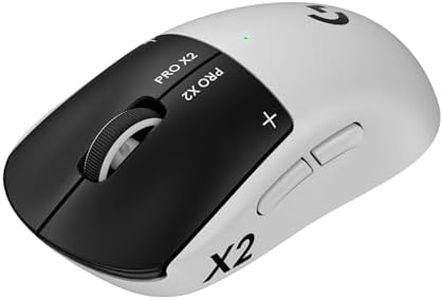
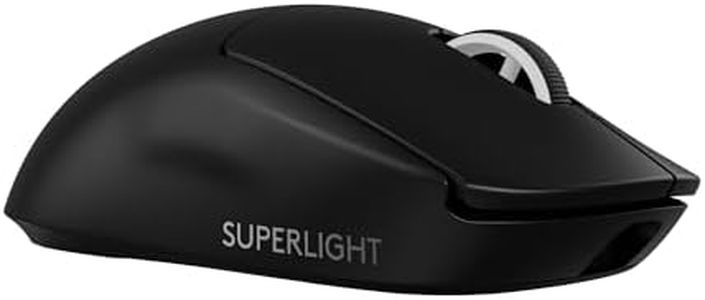
Logitech G PRO X2 SUPERSTRIKE Wireless Gaming Mouse: Customizable Rapid Trigger Magnetic Analog Switches, Adjustable Click Haptics, 61g Ultra Lightweight, USB-C, <8K Polling, for PC/Mac - Black/White

Rating
10.0
Chosen by1,304
Weight
Connectivity
Battery Life

Most important from
377 reviews

Weight
The mouse feels incredibly lightweight and glides effortlessly, making aiming faster and more precise in FPS games.
Connectivity
Wireless connection is flawless with zero lag, delivering performance comparable to wired mice.
Battery Life
Battery life is impressive, and USB-C charging adds great convenience for extended use.
Polling Rate
Supports an 8 kHz polling rate and extremely high DPI up to 44,000, ensuring exceptional tracking precision.
DPI (Dots Per Inch)
Supports an 8 kHz polling rate and extremely high DPI up to 44,000, ensuring exceptional tracking precision.

The Logitech G PRO X2 SUPERSTRIKE wireless gaming mouse is designed with esports professionals in mind, making it a strong choice for serious gamers. It features the HERO 2 sensor, which offers very high precision with up to 44,000 DPI and excellent tracking speed, ensuring accurate and responsive movements. The mouse is incredibly lightweight at 61 grams, helping reduce fatigue during extended gaming sessions. One standout feature is its rapid trigger system with customizable magnetic analog switches and adjustable click haptics, providing fast and tactile feedback that enhances gameplay immersion.

It also boasts an impressive battery life of 60 to 90 hours on a single charge, with reliable LIGHTSPEED wireless connectivity delivering minimal lag thanks to its high polling rate of up to 8 kHz. The build is durable yet slim, with large, smooth feet for effortless gliding. However, the mouse has a modest number of buttons (5), which may limit customization for gamers who prefer many programmable options. Its design is right-handed only, and advanced features require Logitech's G HUB software, which might add a learning curve for some users. While the POWERPLAY wireless charging feature is supported, it requires a separate purchase.

This mouse excels in speed, precision, and comfort, making it ideal for competitive players who prioritize performance and responsiveness over extra buttons or ambidextrous design.

Rating
10.0
Chosen by1,304
Weight
Connectivity
Battery Life

Most important from
377 reviews

Weight
The mouse feels incredibly lightweight and glides effortlessly, making aiming faster and more precise in FPS games.
Connectivity
Wireless connection is flawless with zero lag, delivering performance comparable to wired mice.
Battery Life
Battery life is impressive, and USB-C charging adds great convenience for extended use.
Polling Rate
Supports an 8 kHz polling rate and extremely high DPI up to 44,000, ensuring exceptional tracking precision.
DPI (Dots Per Inch)
Supports an 8 kHz polling rate and extremely high DPI up to 44,000, ensuring exceptional tracking precision.
#2

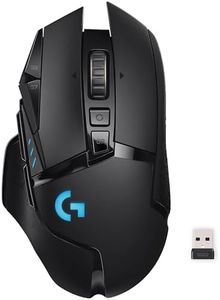
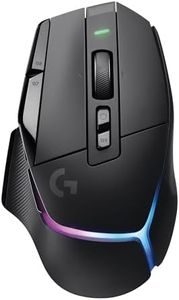
Logitech G502 Lightspeed Wireless Gaming Mouse with Hero 25K Sensor, PowerPlay Compatible, Tunable Weights and Lightsync RGB - Black

Rating
8.8
Battery Life
Ergonomics
Programmable Buttons

Most important from
13524 reviews

Battery Life
This mouse has worked flawlessly every day for the last 3.5 years, with battery life still amazing, needing a charge only once every two weeks.
Ergonomics
The mouse tracks perfectly and feels comfortable in hand, making it well worth the price.
Programmable Buttons
For architecture, the extra buttons improve workflow significantly by assigning shortcuts for different software commands.

The Logitech G502 Lightspeed Wireless Gaming Mouse is designed with gamers in mind, offering features that enhance performance and convenience. It uses the advanced Hero 25K sensor, which provides precise tracking with a wide DPI range from 100 to 25,600, making it suitable for both casual and competitive gaming. The ultra-fast LIGHTSPEED wireless technology ensures a reliable and responsive connection, essential for gaming scenarios where lag can be a dealbreaker.

One of the standout features is the PowerPlay wireless charging compatibility, which can keep the mouse charged during use, though this system is sold separately. This can be a significant plus for gamers who dislike interruptions due to battery changes or recharging sessions. The battery life, without the PowerPlay system, is solid but benefits immensely from this add-on. The mouse is lightweight and comes with tunable weights, allowing users to customize the weight to their preference for better control and comfort. Ergonomics are well-considered, making it comfortable for long gaming sessions.

It also boasts 11 programmable buttons, which can be customized for different games via the Logitech G Hub software, adding a layer of versatility. However, the additional programmable buttons and hyper-fast scroll wheel may take some time to get used to for users who are new to gaming mice or those accustomed to simpler designs. The mouse is designed in a sleek black color, appealing to most gamers. In essence, the Logitech G502 Lightspeed Wireless Gaming Mouse excels in providing high performance and customization options, making it an excellent choice for serious gamers who want a responsive and adaptable device. The main drawback is the extra cost for the PowerPlay system, which may be seen as essential for maximizing the mouse’s features.

Rating
8.8
Battery Life
Ergonomics
Programmable Buttons

Most important from
13524 reviews

Battery Life
This mouse has worked flawlessly every day for the last 3.5 years, with battery life still amazing, needing a charge only once every two weeks.
Ergonomics
The mouse tracks perfectly and feels comfortable in hand, making it well worth the price.
Programmable Buttons
For architecture, the extra buttons improve workflow significantly by assigning shortcuts for different software commands.
#3

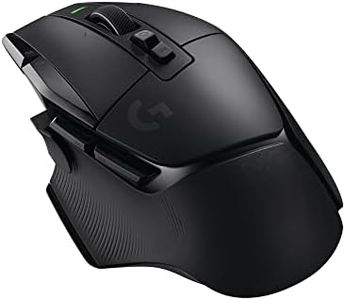
Logitech G502 X Lightspeed Wireless Gaming Mouse: Optical Switches, 13 Buttons, Up to 140 hrs Battery Life & USB-C, Infinite Scroll Toggle, PowerPlay Wireless Charging Capable, for PC/MacOS - Black

Rating
8.2
Ergonomics
Weight
Battery Life

Most important from
1549 reviews

Ergonomics
The mouse’s ergonomic design fits large hands comfortably and significantly reduces wrist fatigue during extended use.
Weight
Its lightweight build strikes a great balance, making it easy to handle without feeling too light for precise control.
Battery Life
Battery life is outstanding, easily lasting around three weeks on a single charge even with high polling rates.
Connectivity
Logitech’s LIGHTSPEED wireless technology provides near-zero latency and rock-solid connection reliability.
Programmable Buttons
Highly customizable with 13 programmable buttons and versatile profiles, enabling tailored setups for different games and tasks.

The Logitech G502 X Lightspeed is a strong contender in wireless gaming mice, especially for gamers who value precision and fast response. It uses Logitech's HERO 25K sensor, offering very high accuracy with a DPI range up to 25,600, which is excellent for both fast-paced and precise gaming styles. The LIGHTFORCE optical-mechanical switches provide quick and reliable clicks, making it feel responsive in intense gaming sessions. One of its standout features is the battery life—up to 140 hours on a single charge, which is impressive for a wireless mouse. You also get the convenience of Logitech's LIGHTSPEED wireless technology, ensuring a near-wired connection experience with low latency and high reliability.

The mouse is lightweight at about 0.23 pounds, which helps reduce hand fatigue during longer play, and its ergonomic design supports comfortable use. With 13 programmable buttons and a versatile scroll wheel that can switch between free spin and ratcheted modes, it offers plenty of customization for different game types and personal preferences. The inclusion of a reversible DPI-shift button is a nice touch for on-the-fly sensitivity adjustments. The mouse also supports PowerPlay wireless charging (sold separately), which means you can keep it charged without plugging it in.

On the downside, while the 13 buttons offer flexibility, they may be more than casual gamers need, and the mouse’s size and shape, though ergonomic, may not suit every grip style, especially for those who prefer smaller mice. Also, the mouse is designed primarily for right-handed use despite being labeled ambidextrous. The Logitech G502 X Lightspeed is a solid choice for serious gamers looking for a feature-rich, high-performance wireless gaming mouse with excellent battery life and customization options.

Rating
8.2
Ergonomics
Weight
Battery Life

Most important from
1549 reviews

Ergonomics
The mouse’s ergonomic design fits large hands comfortably and significantly reduces wrist fatigue during extended use.
Weight
Its lightweight build strikes a great balance, making it easy to handle without feeling too light for precise control.
Battery Life
Battery life is outstanding, easily lasting around three weeks on a single charge even with high polling rates.
Connectivity
Logitech’s LIGHTSPEED wireless technology provides near-zero latency and rock-solid connection reliability.
Programmable Buttons
Highly customizable with 13 programmable buttons and versatile profiles, enabling tailored setups for different games and tasks.

Buying Guide for the Best Logitech Wireless Gaming Mice

Choosing the right wireless gaming mouse can significantly enhance your gaming experience. It's important to consider various specifications to ensure the mouse meets your needs and preferences. Here are some key specs to look out for and how to navigate them.
Sensor TypeThe sensor type in a gaming mouse determines its accuracy and responsiveness. Optical sensors are generally preferred for gaming due to their precision and reliability. Laser sensors can work on more surfaces but may not be as accurate. If you play fast-paced games, an optical sensor is likely the best choice.
DPI (Dots Per Inch)DPI measures the sensitivity of the mouse. Higher DPI means the cursor moves faster with less physical movement of the mouse. Gamers who play first-person shooters often prefer high DPI settings for quick movements, while those who play strategy games might opt for lower DPI for better control. Look for a mouse with adjustable DPI settings to customize it to your gaming style.
Polling RatePolling rate refers to how often the mouse reports its position to the computer, measured in Hertz (Hz). A higher polling rate means more frequent updates, resulting in smoother and more responsive cursor movements. For gaming, a polling rate of at least 500Hz is recommended, with 1000Hz being ideal for competitive play.
Battery LifeBattery life is crucial for wireless gaming mice to ensure uninterrupted gameplay. Some mice offer rechargeable batteries, while others use replaceable ones. Consider how often you play and whether you prefer the convenience of recharging or the simplicity of swapping batteries. Look for a mouse with a battery life that suits your gaming habits.
WeightThe weight of a gaming mouse can affect your comfort and performance. Lighter mice are easier to move quickly, which can be beneficial for fast-paced games. Heavier mice can provide more control and stability, which might be preferred for precision tasks. Some mice offer adjustable weights, allowing you to customize the feel to your liking.
ErgonomicsErgonomics refers to how comfortable the mouse is to use over extended periods. Look for a mouse that fits your hand size and grip style (palm, claw, or fingertip). Ergonomic designs can help prevent strain and fatigue during long gaming sessions. Test different shapes and sizes to find the one that feels most comfortable for you.
Programmable ButtonsProgrammable buttons allow you to customize the mouse for specific actions or macros, enhancing your gaming efficiency. Consider how many extra buttons you need based on the complexity of your games. More buttons can be useful for MMO or MOBA games, while fewer buttons might suffice for simpler games.
ConnectivityWireless gaming mice can connect via Bluetooth or a dedicated USB receiver. Bluetooth offers convenience and compatibility with multiple devices, while USB receivers typically provide a more stable and faster connection. Choose the connectivity option that best fits your setup and gaming environment.

FAQ

Most Popular Categories Right Now