We Use CookiesWe use cookies to enhance the security, performance, functionality and for analytical and promotional activities. By continuing to browse this site you are agreeing to our privacy policy

10 Best Logitech Keyboards For Ipad 2026 in the United States

How do we rank products for you?

Our technology thoroughly searches through the online shopping world, reviewing hundreds of sites. We then process and analyze this information, updating in real-time to bring you the latest top-rated products. This way, you always get the best and most current options available.

headphones-stars

Our Top Picks

#1

Winner

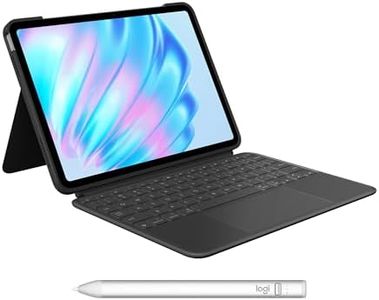
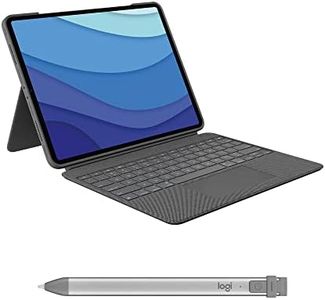
Logitech Combo Touch iPad Pro 12.9-inch (5th, 6th gen - 2021, 2022) Keyboard Case - Detachable Backlit Keyboard with Kickstand, Click-Anywhere Trackpad, Smart Connector - Oxford Gray; USA Layout

Rating
10.0
Chosen by1,438
Build Quality and Design
Key Travel and Feedback
Connectivity

Most important from
3017 reviews

Build Quality and Design
The case is precisely engineered with smooth edges, perfect cutouts, and a snug fit, giving it a professional laptop-like appearance.
Key Travel and Feedback
The keyboard offers a comfortable typing experience that surpasses Apple’s and Microsoft’s alternatives, making it great for long sessions.
Connectivity
Using the Smart Connector to power the keyboard eliminates the need for separate charging, simplifying the overall setup.

The Logitech Combo Touch keyboard case is a great option for owners of the iPad Pro 12.9-inch (5th and 6th generation). It connects easily through the Smart Connector, meaning no separate charging or Bluetooth pairing is needed—power and data come directly from your iPad, which is very convenient. The keyboard is detachable, allowing you to switch between typing and using your iPad as a tablet without extra bulk. The case also offers a wide range of viewing angles (up to 50 degrees) with an adjustable kickstand, making it versatile for typing, sketching, or watching.

The keyboard itself feels similar to a laptop keyboard, with backlit keys that adjust through 16 brightness levels, making it usable in different lighting conditions. The inclusion of a full row of iPadOS shortcut keys speeds up common tasks like adjusting volume or brightness. What's notable is the large, click-anywhere trackpad, which is responsive and supports multi-touch gestures, making navigation smooth and efficient without needing to touch the screen.

In terms of build, the Combo Touch offers front, back, and corner protection with its sturdy, form-fitted design, helping keep your iPad safe during everyday use. The Oxford Gray color gives it a professional look without being too flashy. It even has a smart design feature that lets you charge your Apple Pencil without removing the case. On the downside, the keyboard adds some weight (around 1.7 pounds), which might make the iPad a bit heavier to carry. Also, while the backlighting is a single color, the brightness levels are adjustable but don’t offer color customization. This keyboard case is best suited for those who want a laptop-like typing experience, protection, and extra functionality with their iPad Pro and don’t mind the added weight. If you value seamless integration and versatility, this keyboard case is a solid choice.

Rating
10.0
Chosen by1,438
Build Quality and Design
Key Travel and Feedback
Connectivity

Most important from
3017 reviews

Build Quality and Design
The case is precisely engineered with smooth edges, perfect cutouts, and a snug fit, giving it a professional laptop-like appearance.
Key Travel and Feedback
The keyboard offers a comfortable typing experience that surpasses Apple’s and Microsoft’s alternatives, making it great for long sessions.
Connectivity
Using the Smart Connector to power the keyboard eliminates the need for separate charging, simplifying the overall setup.
#2

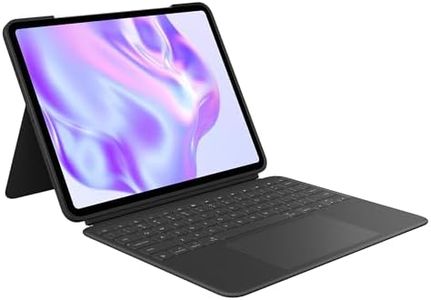
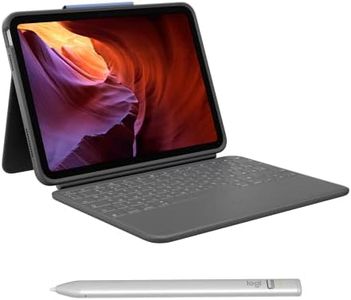
Logitech Combo Touch iPad Pro 11-inch (1st, 2nd, 3rd, 4th gen - 2018, 2020, 2021, 2022) Keyboard Case - Detachable Backlit Keyboard, Click-Anywhere Trackpad - Oxford Gray; USA Layout

Rating
9.4
Compatibility
Key Travel and Feedback
Build Quality and Design

Most important from
2542 reviews

Compatibility
Compared to other options like the Apple Magic Keyboard, this case offers better versatility for switching between tablet and laptop modes without added bulk.
Key Travel and Feedback
The keyboard delivers a smooth, typo-free typing experience with key feedback reminiscent of a MacBook, making it comfortable even for extended use.
Build Quality and Design
Durability stands out with no scratches or damage after multiple drops, thanks to the sturdy case design that protects the iPad’s corners and edges effectively.

The Logitech Combo Touch is a well-designed keyboard case made especially for the iPad Pro 11-inch models from 2018 through 2022, ensuring strong compatibility with multiple generations. It connects seamlessly via the iPad’s Smart Connector, so you don’t need to worry about charging the keyboard separately or dealing with Bluetooth pairing. The detachable keyboard is backlit with adjustable brightness, which helps when typing in different lighting conditions. Key travel and feedback mimic a laptop-style typing experience, making it comfortable for long use. A standout feature is its large trackpad that supports multi-touch gestures, bringing a laptop-like feel to the iPad.

The case also doubles as a sturdy stand with adjustable angles up to 50 degrees, allowing you to find the best viewing position whether you’re typing, sketching, or watching videos. It protects the iPad's front, back, and corners well, and has a built-in spot for the Apple Pencil to charge without removing the case. On the downside, it adds some weight (about 1.27 pounds), which might make the iPad a bit bulkier to carry around. Also, the keyboard backlight supports only a single color, and while the keys are responsive, some users might prefer a bit more key travel if they type heavily.

This keyboard case is a great choice for iPad Pro users seeking a versatile, all-in-one solution that enhances productivity and protection without the fuss of charging or complicated connections.

Rating
9.4
Compatibility
Key Travel and Feedback
Build Quality and Design

Most important from
2542 reviews

Compatibility
Compared to other options like the Apple Magic Keyboard, this case offers better versatility for switching between tablet and laptop modes without added bulk.
Key Travel and Feedback
The keyboard delivers a smooth, typo-free typing experience with key feedback reminiscent of a MacBook, making it comfortable even for extended use.
Build Quality and Design
Durability stands out with no scratches or damage after multiple drops, thanks to the sturdy case design that protects the iPad’s corners and edges effectively.
#3

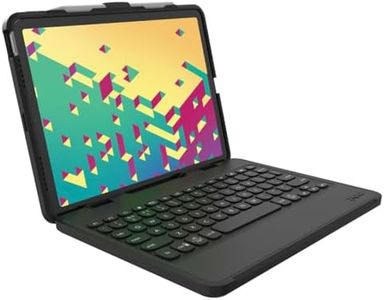
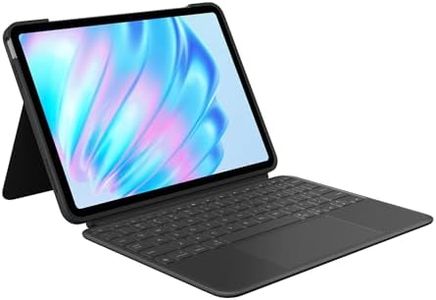
Logitech Flip Folio, Keyboard Case for iPad Pro 11-inch (M4 & M5) & iPad Air 11-inch (M2 & M3)(5th Gen - 2024) - Protective & Stowable Bluetooth Keyboard Case, Multi-Device - Midnight Black

Rating
9.1
Connectivity
Build Quality and Design
Key Travel and Feedback

Most important from
124 reviews

Connectivity
The keyboard connects effortlessly via Bluetooth and types very smoothly, making it ideal for work or travel.
Build Quality and Design
The magnetic, removable keyboard offers great flexibility to position or stow it as needed.
Key Travel and Feedback
Typing feels comfortable with well-spaced keys and satisfying feedback, tailored for iPad-specific functions.
Battery Life
Battery life impresses with up to two years on replaceable coin-cell batteries, minimizing charging hassle.

The Logitech Flip Folio is a versatile keyboard case specifically made for the latest 11-inch iPad Pro (M4 & M5) and iPad Air (M2 & M3) models, ensuring a perfect fit. Its standout feature is a detachable, wireless Bluetooth keyboard that snaps magnetically onto the case for easy storage and flexibility, allowing you to use the keyboard separately or attached as you prefer. The keyboard supports multitasking by enabling pairing and switching between up to three devices, such as your iPad and iPhone, with just a button press.

Typing is comfortable thanks to low-profile membrane keys, and the stand can be adjusted to multiple viewing angles, including landscape and portrait modes, which is ideal for reading, typing, or video calls. The battery life is impressive, lasting up to two years on replaceable coin cell batteries, minimizing the need for frequent charging. The case offers solid protection for your iPad by covering both front and back to guard against daily bumps and scratches, while remaining lightweight and portable for business, education, or everyday use. Additionally, parts of the case are made from recycled plastic, adding an eco-friendly aspect.

One trade-off to consider is that the membrane keyboard may not deliver the tactile feedback mechanical keyboards provide, so if you prefer a clicky or highly responsive feel, this might seem somewhat soft. Also, since the keyboard uses coin batteries, they will need occasional replacement instead of USB charging. The plastic build keeps the weight low but might not feel as premium as metal cases. The Flip Folio is a practical and flexible choice for those seeking a lightweight, protective keyboard case that pairs easily with multiple Apple devices and offers long battery life, especially suited for users who prioritize portability and multi-device use.

Rating
9.1
Connectivity
Build Quality and Design
Key Travel and Feedback

Most important from
124 reviews

Connectivity
The keyboard connects effortlessly via Bluetooth and types very smoothly, making it ideal for work or travel.
Build Quality and Design
The magnetic, removable keyboard offers great flexibility to position or stow it as needed.
Key Travel and Feedback
Typing feels comfortable with well-spaced keys and satisfying feedback, tailored for iPad-specific functions.
Battery Life
Battery life impresses with up to two years on replaceable coin-cell batteries, minimizing charging hassle.

Buying Guide for the Best Logitech Keyboards For Ipad

Choosing the right keyboard for your iPad can significantly enhance your productivity and overall user experience. When selecting a Logitech keyboard, it's important to consider several key specifications to ensure it meets your needs. Here are the main factors to consider and how to navigate them to find the best fit for you.
CompatibilityCompatibility refers to whether the keyboard is designed to work with your specific iPad model. This is crucial because not all keyboards fit all iPads, and some features may not work if the keyboard is not compatible. To navigate this, check the product description for a list of compatible iPad models. If you have a newer iPad, ensure the keyboard supports it. If you have an older model, make sure the keyboard is designed to work with it. Your iPad model should guide your choice here.
ConnectivityConnectivity refers to how the keyboard connects to your iPad, either via Bluetooth or a physical connection like the Smart Connector. This is important because it affects ease of use and battery life. Bluetooth keyboards offer more flexibility and can be used with multiple devices, but they require charging. Keyboards with a Smart Connector don't need charging and provide a more seamless experience but are limited to certain iPad models. Choose based on whether you prefer the convenience of wireless or the reliability of a physical connection.
Keyboard LayoutKeyboard layout refers to the arrangement of keys and the presence of additional function keys. This is important for comfort and efficiency, especially if you type a lot. Standard layouts are similar to those on laptops, while compact layouts save space but may require some adjustment. Some keyboards also include iOS-specific function keys for quick access to common tasks. If you type frequently, a standard layout with additional function keys might be best. If portability is a priority, a compact layout could be more suitable.
Key Travel and FeedbackKey travel and feedback refer to the distance keys move when pressed and the tactile response they provide. This is important for typing comfort and speed. Keyboards with longer key travel and more pronounced feedback are generally more comfortable for long typing sessions. Shorter key travel can make the keyboard more compact but might be less comfortable for extended use. If you type a lot, look for a keyboard with good key travel and feedback. If you need a more portable option, you might compromise on this aspect.
Battery LifeBattery life refers to how long the keyboard can operate before needing a recharge. This is important for convenience and uninterrupted use. Longer battery life means less frequent charging, which is ideal for heavy users. Some keyboards can last for months on a single charge, while others may need more frequent recharging. If you use your iPad and keyboard extensively, opt for a model with longer battery life. If you use it occasionally, battery life might be less of a concern.
Build Quality and DesignBuild quality and design refer to the materials used and the overall construction of the keyboard. This is important for durability and aesthetics. Higher quality materials like aluminum or premium plastics can make the keyboard more durable and pleasant to use. Design also includes features like backlit keys, which can be useful in low-light conditions. If you plan to use the keyboard frequently or on the go, invest in a well-built model. If you use it mainly at home, design features like backlighting might be more important.

FAQ

Most Popular Categories Right Now