10 Best Graphic Tablets For Drawing 2026 in the United States

Related Products
Up to 31% off


Our technology thoroughly searches through the online shopping world, reviewing hundreds of sites. We then process and analyze this information, updating in real-time to bring you the latest top-rated products. This way, you always get the best and most current options available.

Our Top Picks
Winner
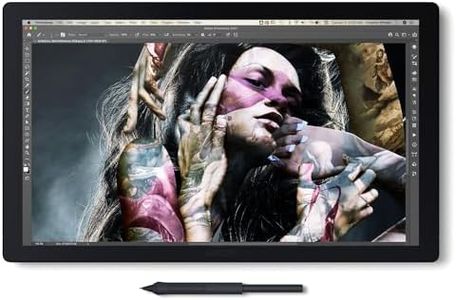
Wacom Cintiq Pro 22 Drawing Tablet with Screen, 21.5" Ultra HD 4K. 10-bit 120Hz Touchscreen Display Graphic Arts Tablet with Pro Pen 3, for Windows PC, Mac, Linux
Most important from
651 reviews
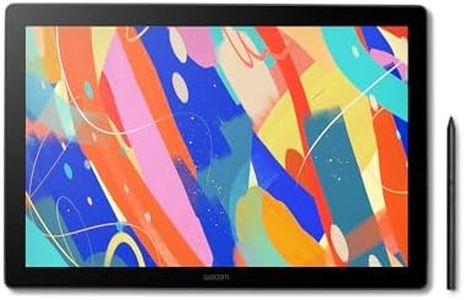
The Wacom Cintiq Pro 22 is a high-end graphic tablet designed for creative professionals like graphic designers, animators, and 3D modelers who need a large, color-accurate drawing surface. It offers a spacious 21.5-inch active drawing area with an Ultra HD 4K display, delivering sharp and vibrant visuals that are great for detailed artwork. The screen supports 10-point multi-touch and runs at a smooth 120Hz refresh rate, which helps reduce lag and makes drawing feel very natural. Its Pro Pen 3 stylus is a standout feature, boasting 8192 levels of pressure sensitivity along with customizable grips and buttons, giving artists excellent control and flexibility.
The tablet includes 8 ExpressKeys and customizable on-screen menus that help speed up workflow by letting users set shortcuts. In terms of connectivity, it offers multiple ports including USB-C, USB-A, HDMI, and Mini DisplayPort, which makes it compatible with Windows, macOS, and Linux systems. However, it weighs about 11 pounds and is relatively large, which means it’s best suited for a dedicated workspace rather than portability. Also, as a premium device, it comes with a higher price tag that might be a consideration for students or hobbyists.
The included adjustable stand and accessories like extra pen grips and nibs add to its professional appeal. If you want a top-tier drawing experience with excellent color accuracy, pressure sensitivity, and customization, the Wacom Cintiq Pro 22 is a solid choice, especially if you mainly work at a fixed setup.
Most important from
651 reviews
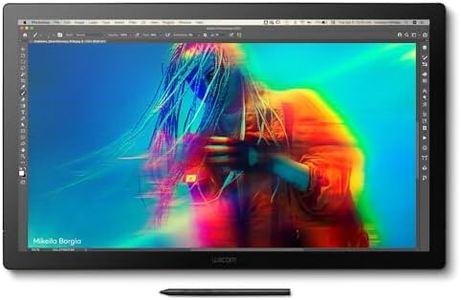
Wacom Cintiq Pro 17 Drawing Tablet with Screen, 17.3" Ultra HD 4K. 10-bit 120Hz Touchscreen Display Graphic Arts Tablet with Pro Pen 3, for Windows PC, Mac, Linux
Most important from
651 reviews
The Wacom Cintiq Pro 17 is a high-quality drawing tablet designed for creative professionals and serious hobbyists who want a responsive, color-accurate digital canvas. It offers a generous 15 x 8.5 inch active drawing area with a sharp 4K Ultra HD display, providing clear and vibrant visuals that make detailed artwork easier to create. The 120Hz refresh rate and 10-point multi-touch support ensure smooth interaction with minimal lag, which is great for fluid drawing and gesture controls. The Pro Pen 3 stylus stands out with its 8192 levels of pressure sensitivity, customizable grips, and side buttons, giving artists excellent control over line thickness and shading. Eight customizable ExpressKeys and adjustable on-screen menus help speed up workflow by allowing quick access to frequently used shortcuts.
Connectivity is straightforward with USB-C, and compatibility spans Windows, macOS, and Linux, fitting well into most setups. The included adjustable stand helps position the tablet comfortably during long sessions. On the downside, the tablet weighs nearly 5 pounds, making it less portable for on-the-go use. Also, USB connectivity means it relies on a wired connection, which might feel limiting compared to wireless options. While priced at a premium level, it delivers solid performance for professional drawing, designing, animation, and 3D modeling.
This tablet is well suited for artists who prioritize screen quality, pen responsiveness, and customizable controls in a stationary workspace.
Most important from
651 reviews
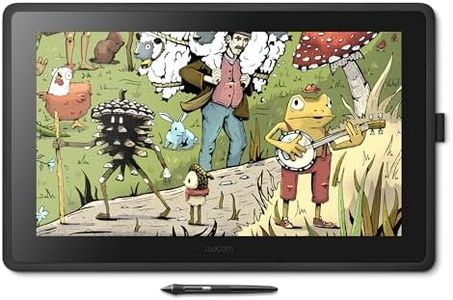
Wacom Cintiq 22 Drawing Tablet with Screen, Black, 21.5" Full HD Graphic Arts Tablet Includes Pro Pen 2 w/Tilt Response, Graphic Design Animation Pad for Mac, PC
Most important from
685 reviews
The Wacom Cintiq 22 is a solid choice for creative hobbyists, students, and professionals who want a large drawing tablet with a bright, full HD screen measuring 21.5 inches. It offers a generous active drawing area, which makes it comfortable for detailed artwork. The included Pro Pen 2 is a highlight, featuring 8192 levels of pressure sensitivity and tilt recognition, allowing for precise, natural strokes that respond well to varying pen pressure and angles. This makes it feel close to drawing on paper.
The tablet’s LCD display offers vibrant colors and good uniform brightness, enhancing the visual experience for graphic design and animation work. Its anti-glare glass is a useful feature that helps reduce reflections during long sessions. Connectivity includes HDMI, USB, and AC adapter support, which covers most modern Windows and macOS computers, making it versatile across platforms.
The tablet lacks dedicated express keys on the device itself, which some users might miss for quick shortcuts and workflow efficiency. Also, the setup requires external cables, which might feel a bit cumbersome compared to more compact or wireless options. While the Cintiq 22 is not the most portable option due to its size and wired connections, it excels as a desktop solution for artists who want an accurate, responsive drawing experience with a large, clear display.
Most important from
685 reviews
Buying Guide for the Best Graphic Tablets For Drawing
Choosing the right graphic tablet for drawing can significantly enhance your digital art experience. The right tablet will depend on your specific needs, such as the type of art you create, your skill level, and how you plan to use the tablet. Here are some key specifications to consider when selecting a graphic tablet for drawing, along with explanations to help you make an informed decision.FAQ
Most Popular Categories Right Now


