We Use CookiesWe use cookies to enhance the security, performance, functionality and for analytical and promotional activities. By continuing to browse this site you are agreeing to our privacy policy

10 Best Ergonomic Gaming Mice 2026 in the United States
How do we rank products for you?

Our technology thoroughly searches through the online shopping world, reviewing hundreds of sites. We then process and analyze this information, updating in real-time to bring you the latest top-rated products. This way, you always get the best and most current options available.

headphones-stars

Our Top Picks

#1

Winner

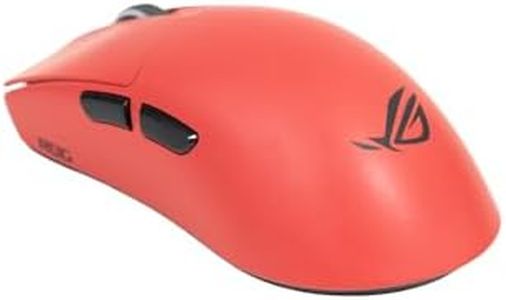
ASUS ROG Harpe II Ace Wireless Esports Gaming Mouse – Pro-Tested, Right-Handed, 48g Lightweight, Tri-Mode Connectivity, 42K DPI, 8K Polling, 101Hr Battery, Web-Based Tool, PC/Mac Support – Lava Red

Rating
10.0
Chosen by1,263
Build Quality and Durability
Buttons and Customization
Polling Rate

Most important from
86 reviews

Build Quality and Durability
The switch from ABS to nylon significantly enhances durability while reducing weight, eliminating creaks and noises common in other plastic mice.
Buttons and Customization
The clicks feel crisp and responsive, offering a satisfying tactile experience without being overly loud.
Polling Rate
The sensor delivers smooth, accurate tracking with an impressive 8,000 Hz polling rate, matching top-tier performance standards.
Ergonomics
The mouse is extremely lightweight and comfortable, making it ideal for long gaming or study sessions without causing fatigue.
Wireless vs. Wired
Wireless connectivity is rock-solid with no noticeable lag, ensuring reliable performance during intense gaming.

The ASUS ROG Harpe II Ace Wireless is a right-handed gaming mouse designed with esports professionals in mind, aiming to deliver precision and comfort for serious gamers. Its standout feature is the extremely lightweight design at just 48 grams, thanks to a special bio-based nylon material that also enhances durability. This helps reduce fatigue during long gaming sessions while maintaining good build quality.

The mouse offers a very high DPI of 42,000, allowing for incredibly fast and accurate movements, which is great for fine control or swift flicks in games. Paired with an 8,000 Hz polling rate, the mouse reports your movements almost instantly, reducing any input delay. It uses ASUS’s ROG AimPoint Pro optical sensor with track-on-glass technology, ensuring smooth tracking even on glass surfaces. The 6 buttons are equipped with ROG optical micro switches that feel crisp and have a long lifespan, giving reliable and quick responses.

For connectivity, it supports three modes: wireless 2.4 GHz, Bluetooth (up to 3 devices), and wired USB, making it versatile for different setups and devices. Battery life is impressive, lasting up to 101 hours on a single charge, which means less interruption during gaming marathons. One downside is that the mouse is designed only for right-handed users, so lefties will need to look elsewhere. Also, with 6 buttons, it might be less customizable compared to mice with more programmable buttons if you want extra macros. The mouse’s shape focuses on esports-style grip and swift movements, so if you prefer a larger or differently contoured mouse, it might take some time to get used to. Gamers seeking lightweight comfort, exceptionally high precision, and flexible wireless options will find this mouse well suited, though its button count and right-hand-only design may limit some users.

Rating
10.0
Chosen by1,263
Build Quality and Durability
Buttons and Customization
Polling Rate

Most important from
86 reviews

Build Quality and Durability
The switch from ABS to nylon significantly enhances durability while reducing weight, eliminating creaks and noises common in other plastic mice.
Buttons and Customization
The clicks feel crisp and responsive, offering a satisfying tactile experience without being overly loud.
Polling Rate
The sensor delivers smooth, accurate tracking with an impressive 8,000 Hz polling rate, matching top-tier performance standards.
Ergonomics
The mouse is extremely lightweight and comfortable, making it ideal for long gaming or study sessions without causing fatigue.
Wireless vs. Wired
Wireless connectivity is rock-solid with no noticeable lag, ensuring reliable performance during intense gaming.
#2

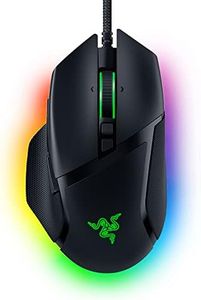
Razer Basilisk V3 Pro 35K Wireless Gaming Mouse: HyperScroll Tilt Wheel - 35K DPI Optical Sensor Gen 2-13 Customizable Controls - Chroma RGB - Optical Switches Gen 3 - Up to 140 Hr Battery - Black

Rating
9.4
Build Quality and Durability
Ergonomics
Sensor Type

Most important from
670 reviews

Build Quality and Durability
The build quality is outstanding, feeling solid and premium, perfect for enduring long gaming sessions.
Ergonomics
Its ergonomic design fits naturally in the hand, providing comfort that lasts through extended use without causing fatigue.
Sensor Type
Tracking is incredibly accurate with zero noticeable lag, delivering reliable performance essential for competitive gaming.
Wireless vs. Wired
The wireless connection is rock solid, making it feel just as responsive as a wired mouse.
Buttons and Customization
Customizable buttons and user-friendly software make tailoring the mouse to personal preferences straightforward and effective.
Weight and Balance
The mouse strikes a perfect balance in weight—sturdy and firm without feeling heavy or cumbersome.

The Razer Basilisk V3 Pro 35K is a strong contender in the ergonomic gaming mouse category, especially for right-handed gamers who prioritize comfort during long sessions. Its design focuses on ergonomics, providing a shape that supports your hand naturally, which helps reduce strain. The standout feature is the Razer Focus Pro 35K optical sensor, offering extremely high sensitivity up to 35,000 DPI with precise tracking on various surfaces, even glass. This, combined with a potential polling rate of up to 8000 Hz (with additional accessories), ensures highly responsive and accurate gameplay.

Customization is another highlight, with 13 programmable buttons including a versatile multi-function trigger, allowing gamers to tailor controls to their needs. The unique HyperScroll tilt wheel can switch between tactile and smooth scrolling, adding convenience in both gaming and everyday use. The mouse’s wireless capability uses Razer's HyperSpeed tech, giving a lag-free experience and impressively long battery life of up to 140 hours, so you won’t be frequently interrupted for charging.

Some drawbacks include the mouse’s weight of about 0.43 kg, which might not suit players who prefer ultra-light mice for quick movements. Its plastic build is standard but may feel less premium compared to metal-bodied mice. While the RGB lighting adds flair, it draws power and might be unnecessary for those focused solely on performance. The price and need for extra accessories to unlock the maximum polling rate could also be a consideration for budget-conscious users. This mouse excels for gamers seeking a comfortable, highly customizable wireless mouse with top-tier sensor performance and long battery life, though its weight and extras may not appeal to everyone.

Rating
9.4
Build Quality and Durability
Ergonomics
Sensor Type

Most important from
670 reviews

Build Quality and Durability
The build quality is outstanding, feeling solid and premium, perfect for enduring long gaming sessions.
Ergonomics
Its ergonomic design fits naturally in the hand, providing comfort that lasts through extended use without causing fatigue.
Sensor Type
Tracking is incredibly accurate with zero noticeable lag, delivering reliable performance essential for competitive gaming.
Wireless vs. Wired
The wireless connection is rock solid, making it feel just as responsive as a wired mouse.
Buttons and Customization
Customizable buttons and user-friendly software make tailoring the mouse to personal preferences straightforward and effective.
Weight and Balance
The mouse strikes a perfect balance in weight—sturdy and firm without feeling heavy or cumbersome.
#3

Razer Naga V2 HyperSpeed Wireless MMO Gaming Mouse: 19 Programmable Buttons - HyperScroll Technology - Focus Pro 30K Optical Sensor - Mechanical Mouse Switches Gen-2 - Up to 400 Hr Battery Life

Rating
9.1
Ergonomics
Buttons and Customization
Build Quality and Durability

Most important from
1285 reviews

Ergonomics
The ergonomic design supports long gaming sessions comfortably, though the size might be a bit large for users with smaller hands.
Buttons and Customization
The extensive customization options and detachable side panels make this mouse adaptable for a wide variety of games, from MOBA to FPS.
Build Quality and Durability
The build quality is premium, featuring a sleek design and customizable RGB lighting that enhances its visual appeal.
Wireless vs. Wired
Wireless responsiveness is nearly instantaneous, with latency so low it goes unnoticed whether using wired or wireless mode.

The Razer Naga V2 HyperSpeed Wireless is designed primarily for MMO gamers who need many customizable buttons—offering 19 programmable ones conveniently placed for quick access during gameplay. Its Focus Pro 30K optical sensor delivers precise tracking on various surfaces, including glass, which is excellent for accuracy. The mouse supports two wireless options: a low-latency 2.4GHz HyperSpeed connection for competitive gaming and Bluetooth for longer battery life, which can last up to 400 hours—a standout feature for wireless endurance. The mechanical mouse switches are durable, rated for up to 60 million clicks, ensuring long-lasting performance.

With HyperScroll technology, it allows smooth scrolling modes which can be useful both in gaming and general use. At 3.35 ounces, it is relatively lightweight, helping with comfort during extended sessions, and its ergonomic shape is tailored to MMO play, supporting your hand well over many hours. On the downside, while the large number of buttons is great for MMO players, it may feel overwhelming or unnecessary for casual gamers or those who prefer simpler setups.

The mouse uses AA batteries, which might be a slight inconvenience compared to rechargeable options found in some competitors. Also, the product dimensions and shape are optimized for right-handed users, which might not suit left-handed players. This mouse is a solid choice for MMO gamers who want extensive button customization, reliable wireless performance, and long battery life, but it might be over-featured for less demanding users or those seeking a rechargeable solution.

Rating
9.1
Ergonomics
Buttons and Customization
Build Quality and Durability

Most important from
1285 reviews

Ergonomics
The ergonomic design supports long gaming sessions comfortably, though the size might be a bit large for users with smaller hands.
Buttons and Customization
The extensive customization options and detachable side panels make this mouse adaptable for a wide variety of games, from MOBA to FPS.
Build Quality and Durability
The build quality is premium, featuring a sleek design and customizable RGB lighting that enhances its visual appeal.
Wireless vs. Wired
Wireless responsiveness is nearly instantaneous, with latency so low it goes unnoticed whether using wired or wireless mode.

Buying Guide for the Best Ergonomic Gaming Mice

Choosing the right ergonomic gaming mouse can significantly enhance your gaming experience by providing comfort, precision, and responsiveness. The key is to find a mouse that fits your hand well, has the right features for your gaming style, and offers the performance you need. Here are some key specifications to consider when selecting an ergonomic gaming mouse.
ErgonomicsErgonomics refers to how well the mouse fits your hand and supports a natural hand position. This is important to prevent strain and discomfort during long gaming sessions. Mice come in various shapes and sizes, so it's crucial to choose one that matches your hand size and grip style (palm, claw, or fingertip). Test different shapes to see which one feels most comfortable for you.
DPI (Dots Per Inch)DPI measures the sensitivity of the mouse. Higher DPI means the cursor moves further on the screen with less physical movement of the mouse. This is important for precision and speed in gaming. Low DPI (400-800) is suitable for precise aiming in FPS games, medium DPI (800-1600) is good for general gaming, and high DPI (1600+) is ideal for fast-paced games where quick movements are essential. Choose a mouse with adjustable DPI settings to customize sensitivity based on your gaming needs.
Polling RatePolling rate is the frequency at which the mouse reports its position to the computer, measured in Hertz (Hz). A higher polling rate means more frequent updates, resulting in smoother and more responsive cursor movements. Common polling rates are 125Hz, 500Hz, and 1000Hz. For gaming, a higher polling rate (500Hz or 1000Hz) is preferable as it reduces input lag and provides a more responsive experience.
Buttons and CustomizationGaming mice often come with additional buttons that can be programmed for specific functions or macros. This is important for quick access to in-game commands and can enhance your gameplay efficiency. Consider how many extra buttons you need based on the games you play. MMO and MOBA players might prefer mice with multiple programmable buttons, while FPS players might need fewer but strategically placed buttons.
Weight and BalanceThe weight and balance of a mouse can affect your control and comfort. Some mice come with adjustable weights, allowing you to customize the feel to your preference. Lighter mice (under 100 grams) are easier to move quickly and are preferred for fast-paced games, while heavier mice (over 100 grams) can provide more control and stability. Choose a weight that feels comfortable and suits your gaming style.
Sensor TypeGaming mice use either optical or laser sensors to track movement. Optical sensors are generally more accurate and perform better on cloth mouse pads, while laser sensors can work on a wider range of surfaces but may have slight acceleration issues. For most gamers, an optical sensor is the preferred choice due to its precision and reliability. Consider the type of surface you will be using the mouse on when making your decision.
Build Quality and DurabilityThe build quality and durability of a mouse are important for long-term use. Look for mice made from high-quality materials with sturdy construction. Features like braided cables, durable switches, and solid build can enhance the lifespan of the mouse. If you are a heavy gamer, investing in a well-built mouse can save you from frequent replacements.
Wireless vs. WiredWireless mice offer more freedom of movement and a cleaner setup, while wired mice provide a consistent connection with no risk of battery issues. Modern wireless gaming mice have improved significantly in terms of latency and battery life, making them a viable option for gaming. If you prefer the convenience of wireless, look for a mouse with low latency and good battery performance. If you prioritize reliability and don't mind the cable, a wired mouse is a solid choice.

FAQ

Most Popular Categories Right Now