10 Best Direct Thermal Label Printers 2026 in the United States

Related Products
Up to 33% off
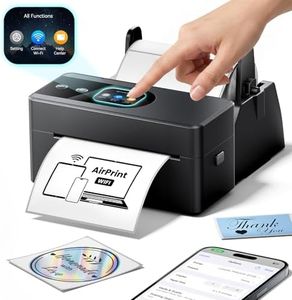
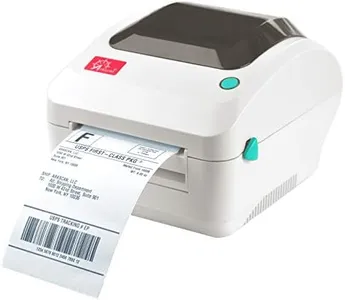
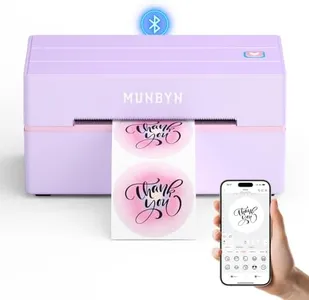


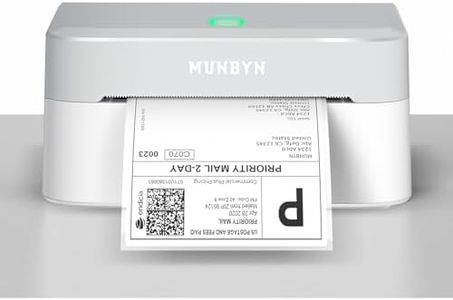
Our technology thoroughly searches through the online shopping world, reviewing hundreds of sites. We then process and analyze this information, updating in real-time to bring you the latest top-rated products. This way, you always get the best and most current options available.

Our Top Picks
Winner
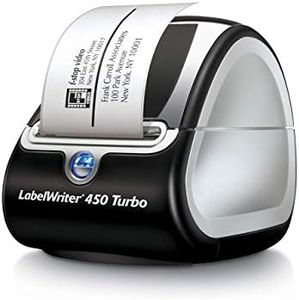
DYMO Label Printer | LabelWriter 450 Turbo Direct Thermal Label Printer, Fast Printing, Great for Labeling, Filing, Shipping, Mailing, Barcodes and More, Home & Office Organization (Renewed)
Most important from
64 reviews
The DYMO LabelWriter 450 Turbo is a solid choice for anyone needing fast, reliable label printing at home or in an office. It uses direct thermal printing technology, which means you don't need to buy ink or toner, saving money and hassle. With a print speed of up to 71 labels per minute, it handles high-volume tasks like shipping, filing, or barcode labeling quickly.
The print resolution of 203 dpi provides clear, readable labels, though it’s not suitable for high-detail graphics. It supports labels up to about 2.3 inches wide, which covers most common label sizes but might be limiting if you need wider labels. Connectivity is straightforward with a USB port, making setup and use simple but lacking wireless options that some newer models offer. The build is compact and lightweight, fitting well on a desk without taking up much space.
Using DYMO’s authentic labels ensures the best results, but this does mean relying on their supplies specifically. Customizing labels is easy through popular software like Microsoft Word and Excel, which helps if you’re not familiar with specialized design programs. The printer doesn’t support double-sided printing or color, which limits some uses but is typical for this category. Its 90-day warranty is relatively short, so consider that if durability or long-term support is a priority. This printer represents a practical, budget-friendly choice for everyday labeling tasks, especially if you value speed and ease over advanced features.
Most important from
64 reviews
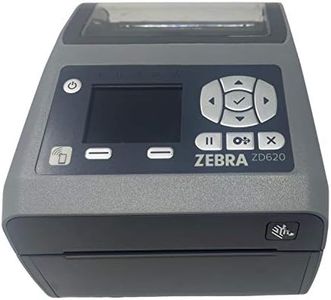
Zebra - ZD620d Direct Thermal Desktop Printer with LCD Screen - Print Width 4 in - 203 dpi - Interface: WiFi, Bluetooth, USB, Serial, Ethernet - ZD62142-D01L01EZ (Renewed)
Most important from
35 reviews
The Zebra ZD620d is a solid choice if you're looking for a direct thermal label printer with good flexibility and reliable performance. It prints labels up to 4 inches wide at a resolution of 203 dpi, which is clear enough for most shipping, barcode, and name tag needs. Its print speed of 6 inches per second helps get jobs done quickly without long waits. One strong point is its versatile connectivity options — WiFi, Bluetooth, USB, Ethernet, and even serial — making it easy to connect to many devices and networks. The built-in LCD screen also makes it straightforward to set up and manage without needing too much technical know-how.
Being a direct thermal printer, it doesn’t require ink or toner, saving money and hassle, though that means labels can fade faster if exposed to heat or sunlight for a long time. The printer supports label rolls with a 1-inch core and up to 4.25 inches wide, fitting most standard label sizes. Its build quality is designed for enterprise use, so it feels durable and suitable for regular, high-volume printing. However, the print resolution is standard rather than high-end, so it might not be the best fit if you need super sharp images or very detailed graphics.
As a renewed model, it comes with only a 90-day limited warranty, which is something to consider if you want longer support. The Zebra ZD620d delivers a good balance of speed, connectivity, and ease of use for businesses needing reliable label printing without extra costs for ink, especially in shipping or inventory environments.
Most important from
35 reviews
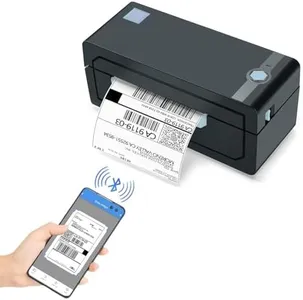
JADENS Bluetooth Thermal Shipping Label Printer – Wireless 4x6 Shipping Label Printer, Compatible with Android, iPhone, Windows & Mac, Widely Used for, Amazon, Shopify, Etsy, USPS(Blue)
Most important from
9114 reviews
The JADENS Bluetooth Thermal Shipping Label Printer offers a convenient solution for small business owners who need to print shipping labels efficiently. Its direct thermal printing technology eliminates the need for ink or toner, making it cost-effective and mess-free. The printer boasts a print resolution of 203 DPI, which is decent for clear text and barcode labels. Its print speed is satisfactory, ensuring that labels can be produced quickly to keep up with business demands.
With a label width capability ranging from 1.57 to 4.1 inches, it is versatile enough to accommodate various label sizes. Connectivity options include Bluetooth for wireless printing and USB for wired connections. The Bluetooth feature allows it to print wirelessly on Windows, Android, and iOS devices, though Mac OS users will need to rely on USB connections as Bluetooth is not supported. This can be considered a limitation for those who prefer wireless operations on Mac devices.
The printer is easy to set up, with guidance provided through instructional videos and a U-Disk, making it accessible for users not familiar with tech setups. The build quality appears robust, and it comes with a one-year warranty and reliable customer support services. Users can benefit from its compatibility with multiple e-commerce platforms like eBay, Amazon, and Shopify, enhancing business productivity. However, while it offers solid functionality, the print resolution might not be sufficient for tasks that require high-definition graphics. Additionally, the printer's reliance on an app for wireless printing on iOS and Android might be cumbersome for some users. Despite these minor drawbacks, the JADENS printer serves as an effective tool for businesses focused on shipping label needs.
Most important from
9114 reviews
Buying Guide for the Best Direct Thermal Label Printers
When choosing a direct thermal label printer, it's important to consider several key specifications to ensure you select the best model for your needs. Direct thermal label printers use heat-sensitive paper to produce labels, making them ideal for short-term labeling applications. Understanding the key specs will help you make an informed decision and find a printer that meets your specific requirements.FAQ
Most Popular Categories Right Now


