We Use CookiesWe use cookies to enhance the security, performance, functionality and for analytical and promotional activities. By continuing to browse this site you are agreeing to our privacy policy

10 Best Comcast Xfinity Recommended Modems 2026 in the United States
How do we rank products for you?

Our technology thoroughly searches through the online shopping world, reviewing hundreds of sites. We then process and analyze this information, updating in real-time to bring you the latest top-rated products. This way, you always get the best and most current options available.

headphones-stars

Our Top Picks

#1

Winner

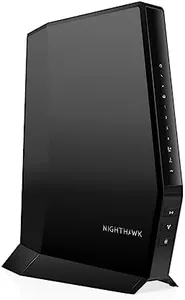
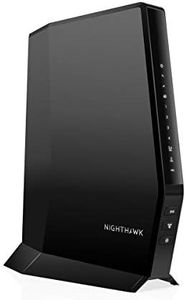
NETGEAR Nighthawk Modem Router Combo (CAX30) DOCSIS 3.1 Cable Modem and WiFi 6 Router - AX2700 2.7 Gbps - Compatible with Xfinity, Spectrum, Cox, and More - Gigabit Wireless Internet

Rating
10.0
Chosen by1,318
DOCSIS Standard
Speed
Compatibility

Most important from
1669 reviews

DOCSIS Standard
Supports DOCSIS 3.1 standard, enabling lightning-fast download speeds ideal for 4K streaming and online gaming.
Speed
The modem delivers significantly faster speeds and reliable performance, eliminating buffering and dropped connections during heavy use.
Compatibility
Compatible with major cable providers like Cox and Comcast, ensuring smooth and hassle-free internet access.
Built-in Router
WiFi coverage reaches distant rooms without the need for extenders, maintaining a stable connection throughout the home.
Ethernet Ports
Multiple Gigabit Ethernet ports provide excellent support for wired devices, enhancing overall connectivity options.

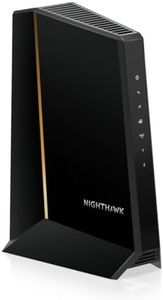
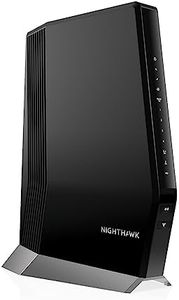
The NETGEAR Nighthawk CAX30 is a solid choice if you're looking for a modem-router combo that works well with Comcast Xfinity and other major cable providers like Spectrum and Cox. It uses the latest DOCSIS 3.1 standard, which means it can handle very fast internet speeds – up to 2.7 Gbps with its WiFi 6 (AX2700) technology. This modem supports 32 downstream and 8 upstream channels, helping maintain a stable and smooth connection even when multiple devices are online. It has a built-in WiFi 6 router, which covers up to about 2,000 square feet and can comfortably support around 25 devices at the same time, making it a good fit for most homes. Four Gigabit Ethernet ports allow you to connect wired devices like gaming consoles or computers, and the USB 3.0 port adds extra flexibility for storage or other peripherals.

One great bonus is the included security features, such as NETGEAR Armor, which offers protection against hackers and malware, helping keep your network safe. Setup and management are user-friendly through the Nighthawk app. This device isn’t compatible with DSL providers or certain bundled services, so it’s best suited for cable internet users. While its coverage is decent, very large homes might need extra WiFi extenders. If you want a reliable, fast modem-router combo with strong security and ease of use for cable internet, the NETGEAR Nighthawk CAX30 is worth considering.

Rating
10.0
Chosen by1,318
DOCSIS Standard
Speed
Compatibility

Most important from
1669 reviews

DOCSIS Standard
Supports DOCSIS 3.1 standard, enabling lightning-fast download speeds ideal for 4K streaming and online gaming.
Speed
The modem delivers significantly faster speeds and reliable performance, eliminating buffering and dropped connections during heavy use.
Compatibility
Compatible with major cable providers like Cox and Comcast, ensuring smooth and hassle-free internet access.
Built-in Router
WiFi coverage reaches distant rooms without the need for extenders, maintaining a stable connection throughout the home.
Ethernet Ports
Multiple Gigabit Ethernet ports provide excellent support for wired devices, enhancing overall connectivity options.
#2

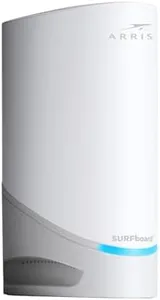
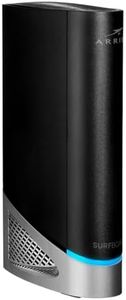
ARRIS (G54) - Cable Modem Router Combo - Fast DOCSIS 3.1 Multi-Gigabit & BE 18000 WiFi 7 Comcast Xfinity, Cox, Spectrum Quad-Band 1, Up to 18 Gbps Max Speed

Rating
9.7
Speed
Channels
Built-in Router

Most important from
265 reviews

Speed
The device supports multi-gigabit speeds that noticeably outperform older equipment, resulting in faster internet experiences.
Channels
Advanced automation within the device actively manages the connection to minimize interference and optimize Wi-Fi channel selection.
Built-in Router
The modem-router combo delivers an impressively solid and reliable connection, maintaining excellent coverage consistently after setup.
Ethernet Ports
Ethernet connections can suffer frequent disconnections, disrupting activities like gaming and video calls.

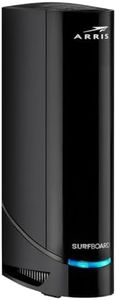
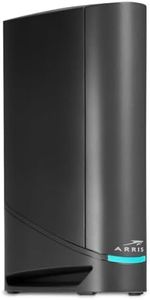
The ARRIS G54 is a powerful cable modem and router combo designed to support very fast internet speeds, making it a good fit for users with high-speed plans from Comcast Xfinity, Spectrum, or Cox. It uses the latest DOCSIS 3.1 standard, which means it can handle multi-gigabit speeds up to 18 Gbps — far beyond what most home internet plans currently offer.

This modem also features Wi-Fi 7, the newest Wi-Fi technology, promising strong wireless coverage up to about 5,000 square feet, which should cover most homes well. You get four regular Gigabit Ethernet ports plus one ultra-fast 10-Gigabit port, handy if you have devices that need a wired connection for the best performance. Since it’s a modem-router combo, you won’t need to buy a separate router, saving space and setup complexity. It’s compatible with major internet providers, so setup is generally straightforward.

The device is fairly large in size and carries a one-year warranty, which is standard but not exceptional. This model is well suited for users who want to future-proof their home network for very fast internet speeds and wide coverage without renting equipment from their ISP.

Rating
9.7
Speed
Channels
Built-in Router

Most important from
265 reviews

Speed
The device supports multi-gigabit speeds that noticeably outperform older equipment, resulting in faster internet experiences.
Channels
Advanced automation within the device actively manages the connection to minimize interference and optimize Wi-Fi channel selection.
Built-in Router
The modem-router combo delivers an impressively solid and reliable connection, maintaining excellent coverage consistently after setup.
Ethernet Ports
Ethernet connections can suffer frequent disconnections, disrupting activities like gaming and video calls.
#3

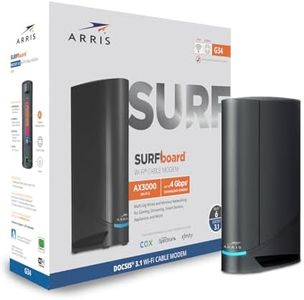
Arris (G20) - Cable Modem Router Combo - Fast DOCSIS 3.1 Multi-Gigabit WiFi 6 (AX3000), Approved for Comcast Xfinity, Cox, Spectrum & More, 1.0 Gbps Max Speeds, Next-Generation Upload Optimized

Rating
8.5
Speed
Compatibility
Built-in Router

Most important from
196 reviews

Speed
The modem delivers robust speeds with Wi-Fi 6 technology, providing strong dual-band coverage at 2.4GHz and 5GHz.
Compatibility
The modem may struggle with Xfinity Voice service accounts, requiring additional troubleshooting to get online.
Built-in Router
Some users experience limited wireless range in larger spaces, which could affect streaming and device connectivity in all rooms.

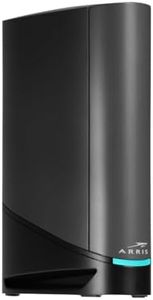
The Arris G20 modem router combo is a solid choice if you want a reliable device for Comcast Xfinity or other major ISPs like Spectrum and Cox. It supports the latest DOCSIS 3.1 technology, which means it can handle faster internet speeds and improved performance compared to older models. With up to 1 Gbps download and 500 Mbps upload speeds, it’s well suited for streaming, gaming, and general home use. The built-in Wi-Fi 6 router offers strong, dual-band wireless coverage, so you can expect better speed and stability across your devices throughout your home.

One thing to note is that it has only 2 Ethernet ports, which might be limiting if you want to connect multiple wired devices. The maximum speed is capped at 1 Gbps, so if you have a very high-speed internet plan (above 1 Gbps), this modem may not fully utilize it.

If you’re looking to avoid monthly rental fees from your internet provider, owning this modem can save you money over time. It’s an easy-to-use option with solid compatibility and modern features like Wi-Fi 6, making it a good fit for most households needing fast, stable internet without complicated setup.

Rating
8.5
Speed
Compatibility
Built-in Router

Most important from
196 reviews

Speed
The modem delivers robust speeds with Wi-Fi 6 technology, providing strong dual-band coverage at 2.4GHz and 5GHz.
Compatibility
The modem may struggle with Xfinity Voice service accounts, requiring additional troubleshooting to get online.
Built-in Router
Some users experience limited wireless range in larger spaces, which could affect streaming and device connectivity in all rooms.

Buying Guide for the Best Comcast Xfinity Recommended Modems

Choosing the right modem for your Comcast Xfinity service is crucial for ensuring you get the best internet experience. The modem is the device that connects your home network to the internet, and having the right one can make a big difference in speed, reliability, and overall performance. When selecting a modem, there are several key specifications to consider. Understanding these specs will help you make an informed decision that best suits your needs.
DOCSIS StandardDOCSIS (Data Over Cable Service Interface Specification) is the technology standard that modems use to provide internet service over cable lines. The most common standards are DOCSIS 3.0 and DOCSIS 3.1. DOCSIS 3.0 is suitable for most users and supports speeds up to 1 Gbps, which is sufficient for streaming, gaming, and general internet use. DOCSIS 3.1 is the latest standard and supports speeds up to 10 Gbps, making it ideal for future-proofing your network and for users with very high-speed internet plans. If you have a high-speed plan or want to ensure your modem will be compatible with future upgrades, opt for a DOCSIS 3.1 modem.
SpeedThe speed rating of a modem indicates the maximum internet speed it can handle. This is usually measured in megabits per second (Mbps) or gigabits per second (Gbps). To choose the right speed, consider your internet plan and usage. For basic browsing and streaming, a modem with speeds up to 300 Mbps is sufficient. For gaming, 4K streaming, or multiple users, look for a modem that supports speeds of 600 Mbps or higher. If you have a gigabit internet plan, you'll need a modem that supports speeds of 1 Gbps or more.
ChannelsModems use channels to send and receive data. The number of channels a modem has can affect its performance, especially during peak usage times. Channels are divided into downstream (download) and upstream (upload) channels. A modem with more channels can handle more data simultaneously, which can result in faster and more reliable internet. For basic use, a modem with 8x4 channels (8 downstream and 4 upstream) is adequate. For higher performance, look for modems with 16x4, 24x8, or even 32x8 channels. If you have a high-speed plan or multiple users, more channels can help maintain consistent speeds.
CompatibilityNot all modems are compatible with all internet service providers (ISPs). It's important to ensure that the modem you choose is approved for use with Comcast Xfinity. This information is usually available on the modem's packaging or the manufacturer's website. Using a compatible modem ensures that you can take full advantage of your internet plan and avoid any potential connectivity issues. Always check the compatibility list provided by Comcast Xfinity before making a purchase.
Built-in RouterSome modems come with a built-in router, which can be convenient if you want an all-in-one device. A modem-router combo can save space and reduce the number of devices you need to manage. However, separate modems and routers can offer better performance and flexibility, especially if you have specific networking needs or want to upgrade one component without replacing the other. If you prefer simplicity and ease of setup, a modem-router combo might be the right choice. If you want more control over your network or plan to use advanced features, consider getting a separate modem and router.
Ethernet PortsEthernet ports on a modem allow you to connect wired devices directly to the internet. The number of ports can vary, with some modems offering just one port and others offering multiple. If you have several devices that require a wired connection, such as gaming consoles, desktop computers, or smart TVs, look for a modem with multiple Ethernet ports. This can provide a more stable and faster connection compared to Wi-Fi. For most users, one or two ports are sufficient, but if you have a lot of wired devices, consider a modem with more ports.

FAQ

Most Popular Categories Right Now