We Use CookiesWe use cookies to enhance the security, performance, functionality and for analytical and promotional activities. By continuing to browse this site you are agreeing to our privacy policy

10 Best Color Sticker Printers 2026 in the United States
How do we rank products for you?

Our technology thoroughly searches through the online shopping world, reviewing hundreds of sites. We then process and analyze this information, updating in real-time to bring you the latest top-rated products. This way, you always get the best and most current options available.

headphones-stars

Our Top Picks

#1

Winner

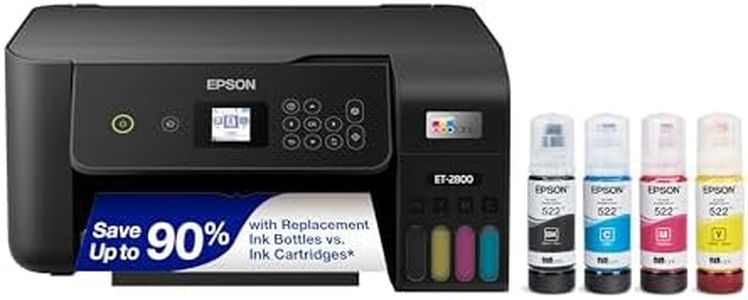
Epson EcoTank ET-2800 Wireless Color All-in-One Cartridge-Free Ink Supertank Printer with Scan and Copy for Home Use, Black

Rating
10.0
Chosen by1,265
Print Resolution
Print Speed
Connectivity Options

Most important from
7845 reviews

Print Resolution
The printer impresses with vivid, bright colors and sharp photo print quality that holds up well over time without smudging.
Print Speed
While not fast, the printer's modest speed is acceptable for home use, especially given the excellent quality and low running costs.
Connectivity Options
Connectivity can be inconsistent, with occasional app connection issues and persistent paper setting error messages requiring manual overrides.
Ink Type
Refillable ink tanks last significantly longer than traditional cartridges, delivering exceptional cost savings and reducing plastic waste.
Software Compatibility
Setup is straightforward and quick, guided by clear instructions and an intuitive app that simplifies initial configuration.
Size and Portability
The compact and lightweight design saves valuable desk space compared to older, bulkier printers.

The Epson EcoTank ET-2800 is a solid choice for home users who want a budget-friendly color printer without the hassle of frequent ink cartridge replacements. Its standout feature is the cartridge-free ink tank system, which uses refillable ink bottles that can print thousands of pages, resulting in significant cost savings and less waste. The print resolution is very good, capable of detailed color and black prints up to 5760 x 1440 dpi, which is suitable for vibrant stickers and sharp documents. However, its color print speed is modest at about 5 pages per minute, so it might feel slow when printing large batches.

It supports common media sizes up to 8.5 x 14 inches and works well with glossy photo paper and envelopes, making it versatile enough for sticker printing on small to medium sheets. Connectivity options include USB and Wi-Fi, allowing easy wireless printing from phones or computers, and the printer is compatible with mobile apps for convenient control. The printer is moderately sized and portable at under 9 pounds but does not support automatic double-sided printing, which can be a drawback if you need duplex prints.

Ink is pigment-based, which helps with longer-lasting prints and less smudging. It has a simple flatbed scanner and copier, adding basic all-in-one functionality without complexity. While it will not meet high-speed or heavy-duty office demands, the Epson ET-2800 is a dependable, eco-friendly option for home users prioritizing cost efficiency, print quality, and ease of use for color sticker and general printing tasks.

Rating
10.0
Chosen by1,265
Print Resolution
Print Speed
Connectivity Options

Most important from
7845 reviews

Print Resolution
The printer impresses with vivid, bright colors and sharp photo print quality that holds up well over time without smudging.
Print Speed
While not fast, the printer's modest speed is acceptable for home use, especially given the excellent quality and low running costs.
Connectivity Options
Connectivity can be inconsistent, with occasional app connection issues and persistent paper setting error messages requiring manual overrides.
Ink Type
Refillable ink tanks last significantly longer than traditional cartridges, delivering exceptional cost savings and reducing plastic waste.
Software Compatibility
Setup is straightforward and quick, guided by clear instructions and an intuitive app that simplifies initial configuration.
Size and Portability
The compact and lightweight design saves valuable desk space compared to older, bulkier printers.
#2

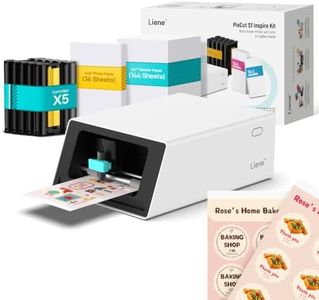
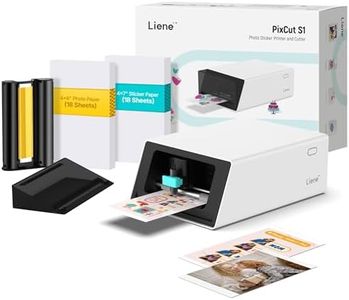
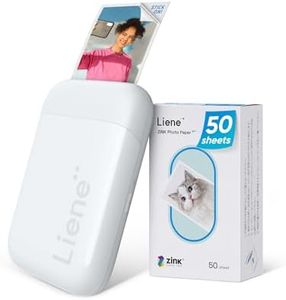
Liene PixCut S1 Inspire Kit - All-in-One Color Sticker Printer & Cutting Machine, Thermal Dye-Sublimation Photo Printer, 300 DPI, Color Label Maker with 180 Sheets (36 Photo + 144 Sticker Paper)

Rating
9.7
Print Resolution
Media Compatibility
Ink Type

Most important from
1067 reviews

Print Resolution
The print quality is amazing, delivering vibrant, crisp colors that rival professional photo prints.
Media Compatibility
Sticker paper quality feels professional with a durable, rubbery texture that adheres well and lasts.
Ink Type
The dye-sublimation process adds a glossy, water- and scratch-resistant finish that stands up to repeated washing.
Software Compatibility
The software keeps improving with new features, and the AI-powered tools add a fun creative dimension.
Size and Portability
Compact size fits nicely on a desk without taking up much space, ideal for small craft areas.

The Liene PixCut S1 Inspire Kit is an easy-to-use color sticker printer and cutter combined into one device, ideal for people who want to create custom stickers, labels, or personalized photo prints without juggling multiple machines. It uses thermal dye-sublimation technology to produce sharp, vibrant prints at 300 dpi with rich, true-to-life colors that resist water and scratches, so your stickers last long. The included 180 sheets (both photo and sticker papers) let you start right away, making it great for hobbyists or small creative projects.

Printing and cutting are done in a single step through a simple app that connects via Bluetooth, compatible with smartphones, tablets, and laptops. This app also offers AI-powered features, like automatic photo background removal and artistic filters, plus thousands of free templates and images with no subscription fees, which adds extra fun and ease even if you have no design experience.

The print speed is quite slow at about one color page per minute, so it’s not suited for high-volume or fast turnaround printing. The printer handles media up to 4x7 inches, which is fine for most sticker sizes but may be limiting if you need larger prints. Also, it only prints on glossy photo papers and compatible sticker sheets, so it’s more specialized than general label printers. Compact and weighing under 3 kg, the PixCut S1 is portable enough to move around but designed mainly for desktop use. If you’re looking for a creative, user-friendly machine to make colorful, durable stickers and photo labels with unique AI effects and don’t mind a slower speed, this model fits well. For heavy-duty labeling tasks or faster printing, you might want to explore other options.

Rating
9.7
Print Resolution
Media Compatibility
Ink Type

Most important from
1067 reviews

Print Resolution
The print quality is amazing, delivering vibrant, crisp colors that rival professional photo prints.
Media Compatibility
Sticker paper quality feels professional with a durable, rubbery texture that adheres well and lasts.
Ink Type
The dye-sublimation process adds a glossy, water- and scratch-resistant finish that stands up to repeated washing.
Software Compatibility
The software keeps improving with new features, and the AI-powered tools add a fun creative dimension.
Size and Portability
Compact size fits nicely on a desk without taking up much space, ideal for small craft areas.
#3

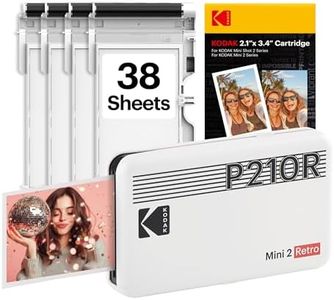
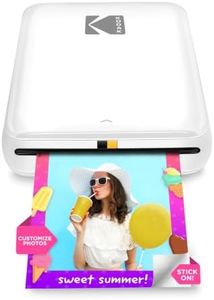
KODAK Mini 2 Retro 2x3 Portable Photo Printer, 4PASS, 38 Sheets, White

Rating
8.5
Print Resolution
Software Compatibility
Size and Portability

Most important from
11840 reviews

Print Resolution
Prints deliver great quality with vibrant colors that truly impress for such a compact device.
Software Compatibility
Setup is straightforward and the printer is very easy to use right from your phone.
Size and Portability
The small, pocket-friendly size makes it perfect for carrying on trips or to events.
Print Speed
It’s an excellent choice for quick, fun photo printing for scrapbooking, journaling, or sharing with friends.

The KODAK Mini 2 Retro is a compact and lightweight portable photo printer that excels at delivering instant 2x3 inch color prints directly from your smartphone via Bluetooth. Its 4PASS dye sublimation technology prints photos in about 55 seconds each, producing smooth images with vibrant colors protected by a waterproof, fingerprint-resistant finish. This makes it great for printing keepsakes like wallet photos, scrapbooks, and on-the-go creative projects. The printer's resolution of 300 DPI ensures decent detail and color depth for casual photo prints, though it is not designed for large or highly detailed prints.

Connectivity is straightforward: the included Kodak Photo Printer app works with both iOS and Android, allowing easy editing before printing. However, the printer handles only one media size and type—glossy 2x3 inch photo paper—which limits versatility for other sticker sizes or paper types. Print speed is relatively slow at about one photo per minute, so it’s best suited for occasional, fun printing rather than high-volume use. Its simple setup, app control, and pocket-friendly size make it ideal for users seeking a hassle-free way to print small color photos instantly, especially at events, trips, or for personal projects. If you want a portable printer primarily for quick, colorful photo stickers directly from your phone, this Kodak Mini 2 Retro fits the bill well. But if you need faster printing, larger formats, or more media options, you might want to consider other models.

Rating
8.5
Print Resolution
Software Compatibility
Size and Portability

Most important from
11840 reviews

Print Resolution
Prints deliver great quality with vibrant colors that truly impress for such a compact device.
Software Compatibility
Setup is straightforward and the printer is very easy to use right from your phone.
Size and Portability
The small, pocket-friendly size makes it perfect for carrying on trips or to events.
Print Speed
It’s an excellent choice for quick, fun photo printing for scrapbooking, journaling, or sharing with friends.

Buying Guide for the Best Color Sticker Printers

Choosing the right color sticker printer can be a bit overwhelming, but with the right approach, you can find the perfect fit for your needs. The key is to understand the specifications that matter most and how they align with what you plan to use the printer for. Whether you're printing stickers for business, personal use, or creative projects, knowing what to look for will help you make an informed decision.
Print ResolutionPrint resolution, measured in dots per inch (DPI), determines the clarity and detail of the printed stickers. Higher DPI values mean better print quality. For simple designs or text, a lower DPI (around 300) might suffice. For detailed images or professional-quality prints, look for a printer with a higher DPI (600 or more). Consider what kind of detail you need in your stickers to choose the right resolution.
Print SpeedPrint speed indicates how quickly a printer can produce stickers, usually measured in pages per minute (PPM) or stickers per minute. If you need to print large quantities quickly, a higher print speed is essential. For occasional or small batch printing, a slower speed might be acceptable. Think about your volume needs and how often you'll be printing to determine the appropriate print speed.
Media CompatibilityMedia compatibility refers to the types and sizes of sticker paper the printer can handle. Some printers are versatile and can print on various materials like vinyl, glossy, or matte paper, while others may be limited. Ensure the printer you choose supports the media you plan to use. If you need flexibility for different projects, look for a printer with broad media compatibility.
Connectivity OptionsConnectivity options include how the printer connects to your devices, such as USB, Wi-Fi, Bluetooth, or Ethernet. Wireless options like Wi-Fi and Bluetooth offer more convenience and flexibility, especially if you plan to print from multiple devices or locations. Consider your workspace setup and how you prefer to connect your devices when choosing the right connectivity options.
Ink TypeInk type can affect the quality and durability of your stickers. Common types include dye-based, pigment-based, and thermal transfer. Dye-based inks are vibrant but may fade over time, while pigment-based inks are more durable and water-resistant. Thermal transfer printers use ribbons and are known for their longevity. Think about the longevity and appearance you need for your stickers to select the appropriate ink type.
Software CompatibilitySoftware compatibility refers to the design software and operating systems that the printer supports. Some printers come with their own design software, while others are compatible with popular programs like Adobe Illustrator or CorelDRAW. Ensure the printer works with the software you are comfortable using. If you have specific design tools you prefer, check for compatibility before making a decision.
Size and PortabilityThe size and portability of the printer can be important depending on your workspace and mobility needs. Compact and portable printers are great for small spaces or if you need to take the printer on the go. Larger printers might offer more features but require more space. Consider where you will be using the printer and how often you might need to move it to choose the right size.

FAQ

Most Popular Categories Right Now