10 Best 1440p Gaming Monitors 2026 in the United States
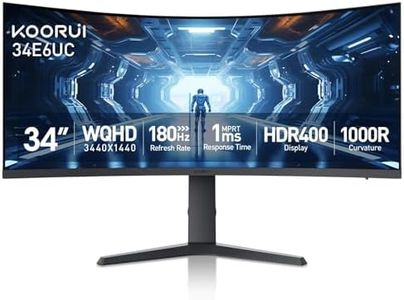


Related Products
Up to 33% off




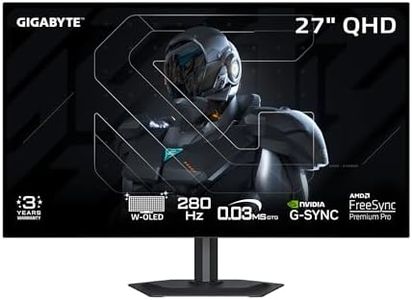
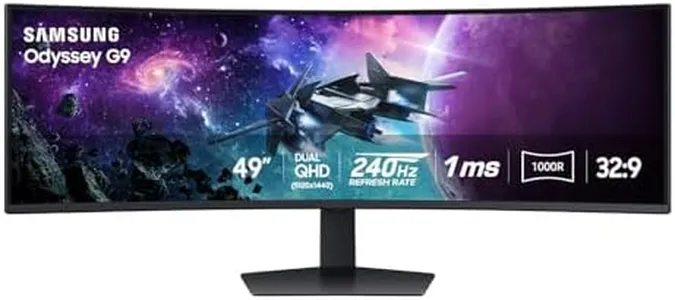
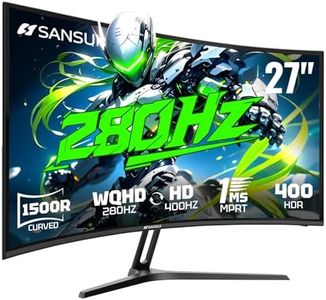
Our technology thoroughly searches through the online shopping world, reviewing hundreds of sites. We then process and analyze this information, updating in real-time to bring you the latest top-rated products. This way, you always get the best and most current options available.

Our Top Picks
Winner
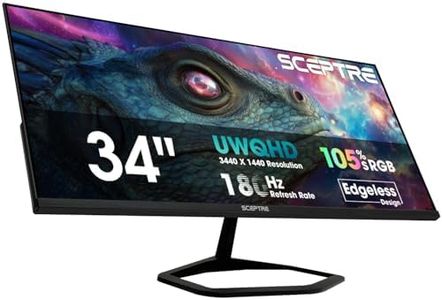
New! Sceptre 34-inch Prime Gaming Monitor 3440 x 1440 up to 180Hz DisplayPort HDMI Build-in Speakers, Machine Black 2027 (E345B-QU180D Series)
Most important from
883 reviews
The Sceptre 34-inch Prime Gaming Monitor is designed with gamers and multitaskers in mind, offering a sharp 3440×1440 ultrawide resolution that provides extra horizontal space, which is great for gaming, video editing, or working with multiple windows side by side. It features a fast 180Hz refresh rate and a quick 1ms response time, helping reduce blur and making fast-paced games feel smooth and responsive. The monitor uses a VA panel, known for better contrast and deeper blacks compared to some other panel types, though viewing angles might not be as wide as IPS panels. Adaptive Sync technology eliminates screen tearing, enhancing the gaming experience, especially when paired with compatible graphics cards. Connectivity is versatile with two HDMI and two DisplayPort inputs, supporting the high refresh rate on both, and built-in speakers add convenience even if they may not replace dedicated audio equipment.
The matte screen finish helps reduce glare, making it easier on your eyes during long sessions, supported by Blue-Light Shift technology to reduce eye strain. The monitor does not offer HDR support, which means it may not deliver the brighter highlights or wider color range found in some premium gaming monitors. The flat 34-inch ultrawide screen provides a solid size for immersive gaming and productivity. This monitor delivers strong performance and good features for its price range, making it a solid choice for gamers seeking an ultrawide 1440p display with high refresh rates, though those wanting HDR or an IPS panel might prefer other options.
Most important from
883 reviews
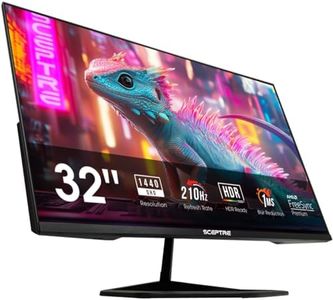
Sceptre New 32-inch 2K QHD 2560 x 1440 Prime Gaming Monitor up to 210Hz USB Type-C DisplayPort HDMI sRGB 115% 1ms Build-in Speakers, Machine Black 2026 ((E325B-QW200D Series)
The Sceptre 32-inch 2K QHD Prime Gaming Monitor is designed to deliver a strong gaming experience with its sharp 2560 x 1440 resolution and fast 210Hz refresh rate, which ensures smooth motion during gameplay. Its 1ms response time helps reduce blurring, making it suitable for fast-paced games. The VA panel offers good contrast, though it may not have the color accuracy or viewing angles of higher-end IPS panels, but with 115% sRGB coverage, colors are vibrant and fairly accurate for general gaming and multimedia use. AMD FreeSync Premium support helps eliminate screen tearing and stuttering, providing a smoother display, which is important for competitive gaming.
Connectivity is versatile with two HDMI ports (supporting up to 144Hz), one DisplayPort, and a USB Type-C port capable of the full 210Hz refresh rate, allowing easy connections to various devices. The monitor's screen is flat and quite large at 32 inches, offering an immersive view, though it does not have curvature, which some gamers prefer for added immersion. Additional thoughtful features include blue-light reduction technology for eye comfort during long sessions, built-in speakers that save desk space, and a minimal bezel design perfect for multi-monitor setups. It also supports VESA mounting and offers tilt adjustment for better ergonomics.
The contrast ratio and color depth may not satisfy serious photo or video editors, and the absence of HDR means visuals lack the enhanced brightness and detail found in higher-end gaming monitors. For gamers looking for a fast, large, and budget-friendly 1440p option with solid connectivity and eye care features, this Sceptre monitor is a compelling choice, while those seeking top-tier color accuracy or HDR might want to consider pricier alternatives.
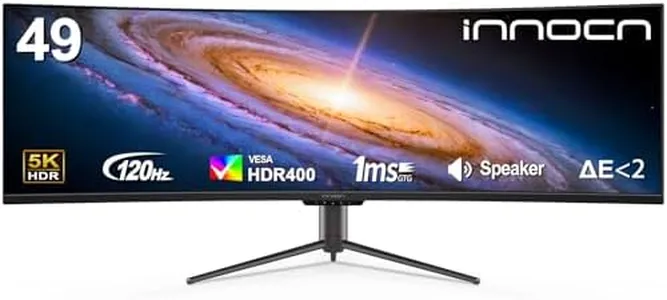
INNOCN 49" Curved Monitor Ultrawide Gaming 5K2K 120Hz 32:9 QHD 5120 x 1440P Computer Monitor, R1800, 99% sRGB, HDR400, USB Type C, DisplayPort, HDMI, Built-in Speakers, Height/Tilt Adjustable - 49C1R
Most important from
222 reviews
The INNOCN 49C1R is a large 49-inch curved ultrawide monitor that offers a sharp 5120 x 1440 resolution, essentially doubling the typical 1440p width for more screen space—great if you multitask or want an immersive gaming view. Its 120Hz refresh rate and 1ms response time help provide smooth and responsive gameplay, which gamers will appreciate. The VA panel offers strong contrast (3000:1) and good color accuracy with 99% sRGB coverage, plus HDR400 support for better brightness and color vibrancy, although it’s not the highest HDR tier available. Its 1800R curvature is designed to reduce eye strain compared to flat screens by matching the natural curve of your vision.
The monitor supports both FreeSync Premium and is G-Sync compatible, helping reduce screen tearing during fast action. Connectivity is solid, including DisplayPort 1.4, HDMI 2.1, USB-C with 65W power delivery, and multiple USB ports, allowing easy connection to PCs, laptops, and gaming consoles like PS5 or Xbox. Features like height, tilt, and swivel adjustments add comfort for long sessions.
While it has only one HDMI port and might be large and pricey for casual gamers or those with limited desk space, the built-in speakers are convenient but likely won’t replace dedicated audio. This monitor suits serious gamers and content creators who want a wide, immersive display with versatile connectivity and solid performance, especially if they value multitasking and smooth visuals.
Most important from
222 reviews
Buying Guide for the Best 1440p Gaming Monitors
Choosing the right 1440p gaming monitor can significantly enhance your gaming experience. A 1440p resolution, also known as QHD (2560x1440), offers a great balance between image quality and performance. When selecting a gaming monitor, it's important to consider several key specifications that will impact your overall experience. Understanding these specs will help you make an informed decision based on your gaming needs and preferences.FAQ
Most Popular Categories Right Now


