We Use CookiesWe use cookies to enhance the security, performance, functionality and for analytical and promotional activities. By continuing to browse this site you are agreeing to our privacy policy

10 Best 14-Inch Laptops 2026 in the United States

How do we rank products for you?

Our technology thoroughly searches through the online shopping world, reviewing hundreds of sites. We then process and analyze this information, updating in real-time to bring you the latest top-rated products. This way, you always get the best and most current options available.

headphones-stars

Our Top Picks

#1

Winner

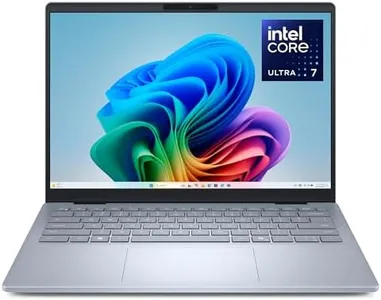
Dell 14 Plus Laptop DB14250-14-inch 16:10 2.5K (2560x1600) Display, Intel Core Ultra 7-258V, 32GB LPDDR5X RAM, 1TB SSD, Intel Arc Graphics, Backlit Copilot Key Keyboard, Windows 11 Home

Rating
10.0
Chosen by1,342
Processor (CPU)
Display
Battery Life

Most important from
84 reviews

Processor (CPU)
The laptop delivers incredibly fast performance, with programs launching almost instantly and multitasking handled effortlessly.
Display
The display is crystal clear and comfortable for extended use, benefiting from a low blue light hardware solution.
Battery Life
Some users experience serious reliability problems, including stuck keys, frozen systems, and rapid battery degradation, which greatly impact usability.
Weight and Portability
Portability is enhanced by a slim, lightweight design, making it suitable for students and professionals on the go.
Connectivity
Port selection is limited, with only one standard USB port available, which can be restrictive for users with multiple peripherals.
Build Quality and Keyboard
The backlit keyboard adds convenience, though the automatic on/off feature can be distracting and may require manual adjustment.

The Dell 14 Plus Laptop is a high-performance 14-inch machine that stands out with a sharp 2.5K (2560x1600) display featuring a 16:10 aspect ratio, which gives you extra vertical space for work or entertainment. It’s powered by the Intel Core Ultra 7 processor paired with a generous 32GB of fast LPDDR5X RAM and a roomy 1TB SSD, ensuring smooth multitasking and quick file access—ideal for creative tasks, coding, or heavy office work. The Intel Arc Graphics deliver improved visuals, suitable for photo editing and casual gaming, although it’s not a dedicated gaming laptop.

Portability is decent at 3.42 pounds and a slim 0.67-inch profile, making it easy to carry around without feeling bulky. Battery life lasts all day with efficient, quieter performance, which suits users needing reliable use away from power outlets. Connectivity includes Wi-Fi 6E (802.11.be) and Bluetooth, giving you fast and stable wireless options. The build quality is solid, crafted from aluminum and tested to military-grade standards, promising durability for everyday use. The backlit keyboard and anti-glare screen add to comfort in various lighting conditions, and the laptop runs Windows 11 Home for a modern and user-friendly experience.

On the downside, it lacks an optical drive and might be pricier due to its premium hardware. Also, while the AI features and collaboration tools are promising, they mainly benefit users comfortable with integrating these tools into their workflow. This laptop suits professionals and creators seeking strong performance, a beautiful display, and portability in a 14-inch size, but it may be more than needed for casual users or those on a tight budget.

Rating
10.0
Chosen by1,342
Processor (CPU)
Display
Battery Life

Most important from
84 reviews

Processor (CPU)
The laptop delivers incredibly fast performance, with programs launching almost instantly and multitasking handled effortlessly.
Display
The display is crystal clear and comfortable for extended use, benefiting from a low blue light hardware solution.
Battery Life
Some users experience serious reliability problems, including stuck keys, frozen systems, and rapid battery degradation, which greatly impact usability.
Weight and Portability
Portability is enhanced by a slim, lightweight design, making it suitable for students and professionals on the go.
Connectivity
Port selection is limited, with only one standard USB port available, which can be restrictive for users with multiple peripherals.
Build Quality and Keyboard
The backlit keyboard adds convenience, though the automatic on/off feature can be distracting and may require manual adjustment.
#2

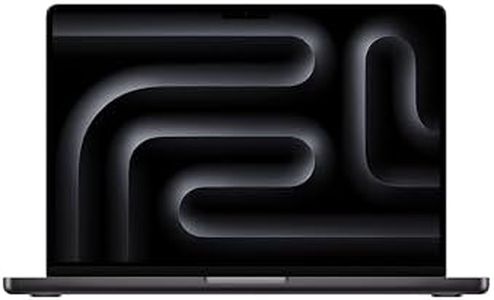
Apple 2024 MacBook Pro Laptop with M4 Pro, (12-core CPU / 16 GPU): Built for Apple Intelligence, 14.2-inch Liquid Retina XDR Display, 24GB Unified Memory, 512GB SSD Storage, Space Black

Rating
9.7
Processor (CPU)
Display Quality
Battery Life

Most important from
795 reviews

Processor (CPU)
Blazing fast performance, making it perfect for demanding tasks.
Display Quality
The display is simply stunning with high resolution and vibrant colors.
Battery Life
Exceptional battery life that outlasts any other laptop.

The 2024 Apple MacBook Pro 14-inch with the M4 Pro chip is a powerhouse designed for high performance. The 12-core CPU and 16-core GPU make it ideal for demanding tasks like coding and 3D rendering, thanks to the powerful M4 Pro and M4 Max chips. It comes with 24GB of unified memory and a 512GB SSD, providing ample storage and seamless multitasking.

The 14.2-inch Liquid Retina XDR display is stunning, offering up to 1600 nits peak brightness and a 1,000,000:1 contrast ratio, making it perfect for high-quality visuals and creative work. Battery life is impressive, ensuring all-day use without needing to plug in, which is great for on-the-go users. Weighing 3.52 pounds and measuring just 0.61 inches thick, it's portable and easy to carry around.

Connectivity is robust with three Thunderbolt 5 ports, a MagSafe 3 charging port, an SDXC card slot, an HDMI port, and a headphone jack, along with support for multiple external displays. However, potential drawbacks include the high price point typical of Apple products and the fact that the integrated graphics may not satisfy those needing dedicated graphics for the most intensive tasks. Also, the reliance on USB-C ports might require adapters for some users. The build quality is top-notch, typical of Apple, making it durable and reliable. This laptop is best suited for professionals needing high performance for tasks such as coding, video editing, and graphic design, and for individuals deeply integrated into the Apple ecosystem.

Rating
9.7
Processor (CPU)
Display Quality
Battery Life

Most important from
795 reviews

Processor (CPU)
Blazing fast performance, making it perfect for demanding tasks.
Display Quality
The display is simply stunning with high resolution and vibrant colors.
Battery Life
Exceptional battery life that outlasts any other laptop.
#3

Lenovo Gen 12 ThinkPad X1 Carbon Laptop with Intel Ultra 7 165U vPro Processor, 14" WUXGA 100% sRGB Touchscreen, 32GB 6400MHz RAM, 1TB Gen4 Performance SSD, FHD+ IR+ RGB Camera, and Windows 11 Pro

Rating
9.7
Display
Build Quality and Keyboard

Most important from
107 reviews

Display
The laptop delivers excellent productivity despite its slightly smaller screen size.
Build Quality and Keyboard
Each new iteration improves on the previous, maintaining the ThinkPad's reputation for quality.

The Lenovo ThinkPad X1 Carbon Gen 12 is a sleek and powerful 14-inch laptop designed for professionals who need strong performance in a portable package. It features one of the latest 14th-gen Intel Core i7 processors, which offers smooth multitasking and good graphics capabilities without draining the battery quickly. With a generous 32GB of fast DDR5 RAM and a speedy 1TB SSD, it can handle demanding applications and large files with ease, making it suitable for productivity and creative tasks.

The 14-inch touchscreen offers a sharp 1920x1200 resolution with 100% sRGB color accuracy, which means colors look vibrant and true to life—great for photo editing or media consumption. The screen's thin bezels give it a modern, immersive feel. Portability is a key strength here: weighing just 2.41 pounds, it’s easy to carry around all day without feeling heavy. Connectivity options are abundant with two USB-C Thunderbolt 4 ports, two USB-A ports, and HDMI, allowing you to connect multiple devices and external displays easily.

The build quality is excellent, using recycled carbon fiber materials that make the laptop both durable and eco-friendly. The revamped keyboard is comfortable to type on, featuring tactile feedback that benefits frequent typists. The larger glass touchpad and familiar ThinkPad buttons enhance navigation. However, it lacks a dedicated graphics card, so it might not be the best choice for heavy gaming or intensive 3D work. Also, the touchscreen might slightly reduce battery compared to non-touch models. The price might be on the higher side given these premium features, but the device is a well-rounded, high-quality machine suited for business users, creatives, and anyone prioritizing portability and performance in a 14-inch laptop.

Rating
9.7
Display
Build Quality and Keyboard

Most important from
107 reviews

Display
The laptop delivers excellent productivity despite its slightly smaller screen size.
Build Quality and Keyboard
Each new iteration improves on the previous, maintaining the ThinkPad's reputation for quality.

Buying Guide for the Best 14-Inch Laptops

Choosing the right 14-inch laptop involves understanding your needs and how different specifications can meet those needs. A 14-inch laptop is a great balance between portability and screen size, making it suitable for a variety of tasks from work to entertainment. Here are some key specifications to consider when selecting the best 14-inch laptop for you.
Processor (CPU)The processor is the brain of your laptop, determining how fast and efficiently it can run applications. For basic tasks like web browsing and word processing, an entry-level processor like Intel Core i3 or AMD Ryzen 3 will suffice. For more demanding tasks such as video editing or gaming, look for a mid-range to high-end processor like Intel Core i5/i7 or AMD Ryzen 5/7. Your choice should be guided by the type of work you plan to do on your laptop.
RAMRAM (Random Access Memory) affects how many applications you can run simultaneously and how smoothly they operate. For general use, 8GB of RAM is usually enough. If you plan to run more intensive applications or multitask heavily, consider 16GB or more. Your usage pattern will help you decide the right amount of RAM; more RAM is beneficial for heavy multitaskers and users of resource-intensive software.
StorageStorage determines how much data you can keep on your laptop. There are two main types: HDD (Hard Disk Drive) and SSD (Solid State Drive). SSDs are faster and more reliable but usually more expensive. For general use, a 256GB SSD is a good starting point. If you store a lot of large files like videos or games, you might need 512GB or more. Choose based on your storage needs and whether you prioritize speed over capacity.
DisplayThe display quality affects your viewing experience. Look at the resolution first; Full HD (1920x1080) is standard and sufficient for most users. Higher resolutions like 4K offer better clarity but are more expensive and consume more battery. Also, consider the display type: IPS panels offer better color and viewing angles compared to TN panels. If you work with graphics or watch a lot of videos, a higher resolution and better panel type will enhance your experience.
Battery LifeBattery life is crucial if you plan to use your laptop on the go. Manufacturers usually provide an estimated battery life, but real-world usage can vary. For light use, a laptop with 6-8 hours of battery life may be sufficient. For more intensive use or longer periods away from a power source, look for laptops that offer 10 hours or more. Consider your daily routine and how often you will be away from a charging point.
Weight and PortabilityThe weight of the laptop affects how easy it is to carry around. A 14-inch laptop typically weighs between 2.5 to 4 pounds. If you travel frequently or need to carry your laptop around all day, a lighter model will be more convenient. However, lighter laptops might compromise on other features like battery life or performance. Balance your need for portability with the other specifications that are important to you.
ConnectivityConnectivity options determine how you can connect your laptop to other devices. Look for a good selection of ports such as USB-A, USB-C, HDMI, and an SD card reader. USB-C ports are becoming more common and offer faster data transfer and charging capabilities. If you use specific peripherals, ensure the laptop has the necessary ports. Your connectivity needs will depend on the devices you plan to use with your laptop.
Build Quality and KeyboardThe build quality affects the durability and feel of the laptop. Metal bodies are more durable than plastic ones. The keyboard is also important, especially if you type a lot. Look for a comfortable, well-spaced keyboard with good key travel. If possible, try typing on the keyboard before buying. Your preference for build quality and keyboard comfort will depend on how much you use your laptop and in what environments.

FAQ

Most Popular Categories Right Now